Faded Realism ReShade
⚪ Last updated 2022⚠️ Install Order · 1 step
Install in this order, then this mod last — most mods fail to load without their framework and dependencies in place.
Preview
🔍 Analysis
- 👍 2.6% endorsement rate — high engagement, a strong quality signal
- 🏆 #42 of 148 Visuals mods in this game by downloads
📋 About This Mod
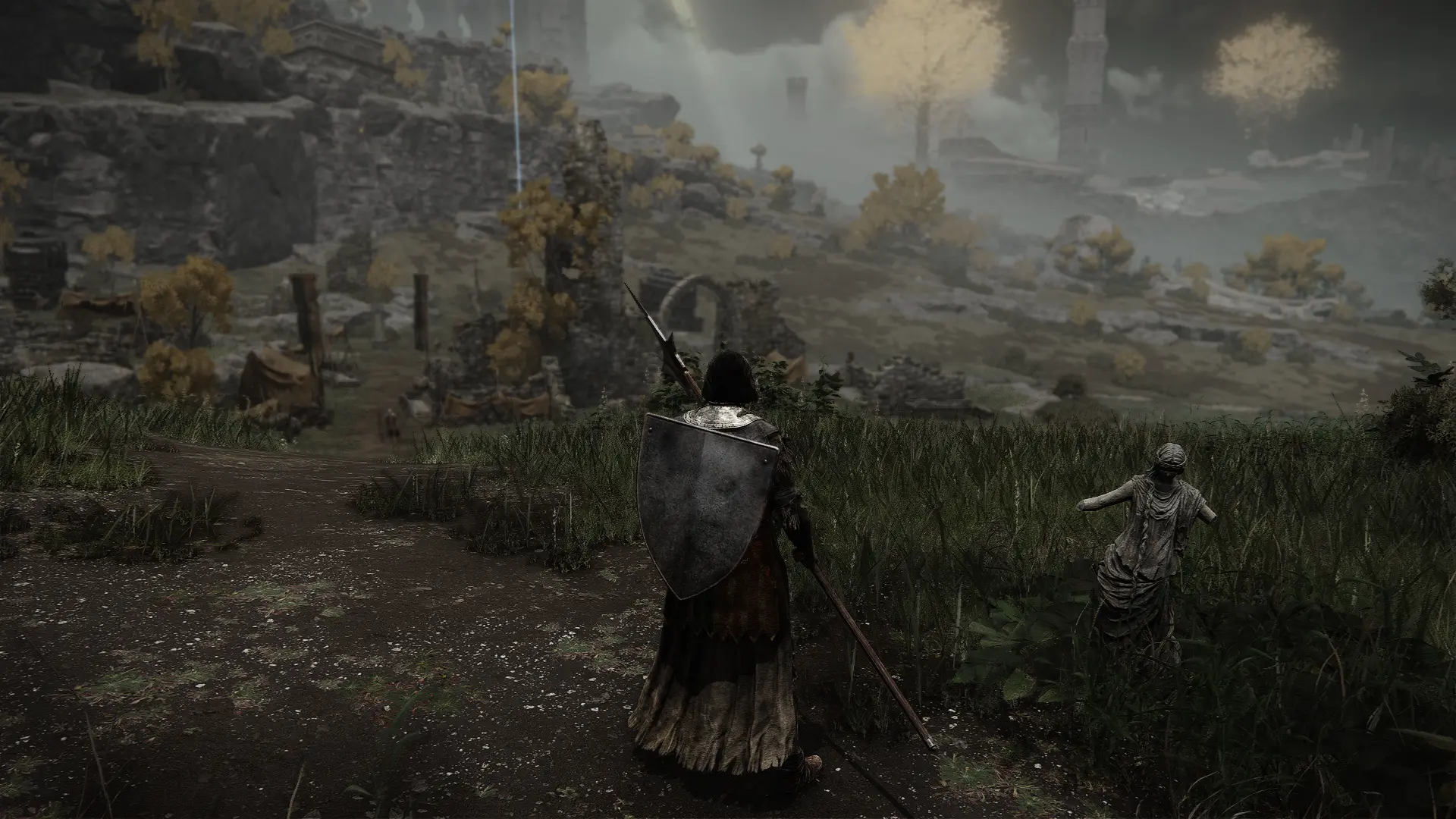
Does Elden Ring have too much vibrancy and you want a more realistic, gritty look? Try this preset out!
Version 2 is out!
-
[]Uses RadiantGI for diffuse lighting and scattering
[
]Changed plane depth to 5000[]Tweaked the fade-out mode for RTGI and MXAO so there are less stuttering/flickering shadows in the background.
In order to achieve a more realistic visuals:
-
[]Bloom has been added
[]Changed white and black levels to achieve better contrast
[]Tuned the saturation of certain colors at different levels, lowering blue colors the most to remove the blue hue.
[]For the RTGI version: traces realistic shadows and light bounces.
[]For the non-RTGI version: uses RadiantGI to achieve similar ray-traced-like light diffusion and scattering as RTGI.
[]MXAO effects adds realistic shadows which complements RadiantGI's effects.
[]Sharpening effect to make textures more clear and less blurry.
[]This preset is perfect for no-HUD cinematic footages.
Comes with two presets:
-
[]Faded Realism (non-RTGI)
-
[]Faded Realism RTGI: Compatible with Marty McFly's Ray Tracing Global Illumination (RTGI) shaders . If you have an RTX 30xx gpu or any AMD equivalent, I recommend trying this out!
To get RTGI shaders, please support the dev:
https://www.patreon.com/mcflypg
How to install:
Extract all files into the GAME folder inside your ELDEN RING directory.
Steam\steamapps\common\ELDEN RING\Game
Reshade hotkeys:
HOME button: ReShade overlay
Numpad "-" button: toggle effects on/off
PrtSc button: take a screenshot through ReShade, will be saved in Steam\steamapps\common\ELDEN RING\Game
If you want to install ReShade yourself, use ReShade ver. 4. 9. 1
Set the depth buffer plane from 1,000 to 5,000.
If you don't like the ambient occlusion/shadow effects and would rather use the in-game ambient occlusion, simple disable PPFX SSDO and MXAO shaders.
If you extracted my files straight to your ELDEN RING game folder instead, you do not need to do these as I already placed the correct values for the depth plane for each respective preset.
Please take note that I have a Depth of Field effect in the shader list for all versions. This shaders blurs the far distances and looks really good when doing cinematic, no HUD footage but can get a little janky if you have HUD on and can make people dizzy, If you want to turn it off, simply disable the "ADOF" shader in the ReShade overlay.*
My in-game settings:
-
[]Faded Realism RTGI: Compatible with Marty McFly's Ray Tracing Global Illumination (RTGI) shaders . If you have an RTX 30xx gpu or any AMD equivalent, I recommend trying this out!
-
[]Bloom has been added
Faded Realism ReShade is a visual mod for Elden Ring that replaces the game's default color grading with realistic, faded tones. It offers compatibility with RTGI shaders and includes a non-RTGI version for users without that setup. With 183 endorsements and nearly 7,000 downloads, it's a niche but appreciated choice for players seeking a more grounded look.
✨ Key Features
📊 Pros & Cons
✅ Pros
- Community-tested with 183 endorsements and nearly 7,000 downloads
- Offers a distinct visual style that tones down the game's vibrant colors
- Provides flexibility with both RTGI and non-RTGI versions
⚠️ Cons
- Last updated in November 2022 — may not be compatible with the latest Elden Ring patches
- Requires ReShade installation and configuration, which can be tricky for newcomers
For Elden Ring players who want a more realistic and muted color palette, especially those using RTGI shaders. Skip if you prefer the game's original vibrant look or want a mod with extensive documentation.
💡 Beginner Tips
- Make sure you have ReShade installed and set up before adding this preset.
- If you're using RTGI, download the RTGI version; otherwise, use the non-RTGI version to avoid conflicts.
- Test the preset in different areas of the game to ensure the color grading looks good in various lighting conditions.
📊 Mod Details
- Game
- Elden Ring Mods
- Author
- Jenkinsoup
- Version
- 2
- Downloads
- 6,976
- Endorsements
- 183
- Category
- Visuals
- Created
- 3/6/2022
- Updated
- 11/22/2022
🔧 How to Install Elden Ring Mods
Download from Nexus.
📖 Full step-by-step install guide for Elden Ring →
Visit the official mod page for specific installation instructions for this mod.
🎮 Need cheat codes or console commands? Check ur gaming wiki for Elden Ring commands, item IDs, and more.
Keep browsing — more Elden Ring mods await