With Fire -ReShade-
⚪ Last updated 2016⚠️ Install Order · 1 step
Install in this order, then this mod last — most mods fail to load without their framework and dependencies in place.
Preview
🔍 Analysis
- 👍 3.9% endorsement rate — high engagement, a strong quality signal
- 🏆 #15 of 77 Visuals and Graphics mods in this game by downloads
📋 About This Mod
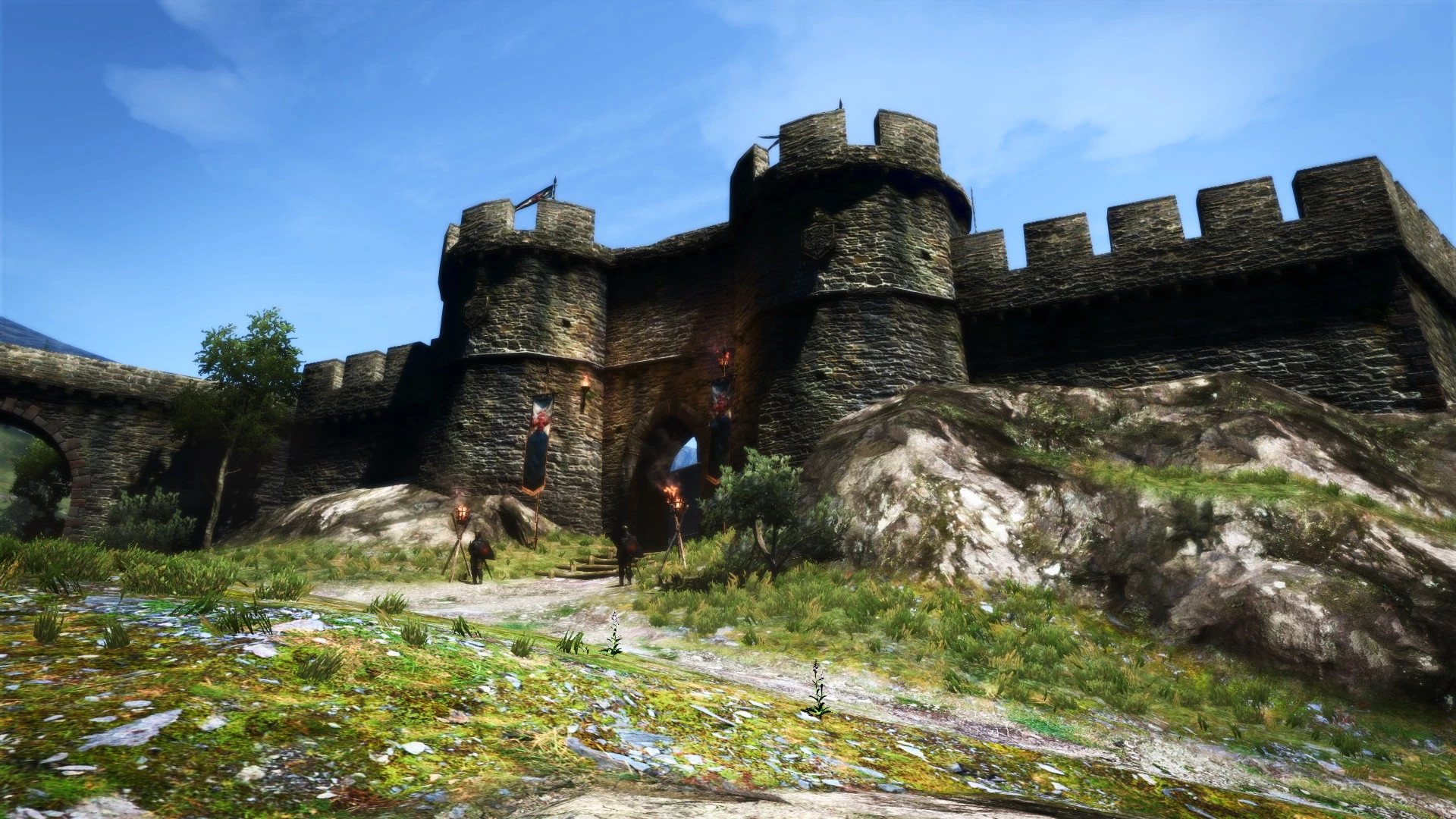
Welcome, Arisen! Prepare to face glorious sunny days, misty afternoons, majestic nights and dreary dungeons! With Fire! -ReShade- will enhance the look and feel of your journey throughout Gransys, and intelligently adapt to the surroundings, bringing new life to the world.
_______________________________________________________________________________________________________________ Features:
- Gameplay and Immersion focused
- Finely tuned to adapt to every weather and ambiance
- Soft and smooth to the eyes, with a cinematic touch
- Reasonably performance-friendly (tested with an Nvidia GeForce gtx760)
- No more night banding
- 3 versions included: Original, Bright and Super Bright
______________________________________________________________________________________________
Installation: 1. Download the file, choose a version and extract its content to your game directory (f.ex. Steam->SteamApps->Common->DDDA) 2. Launch the game and head to the Settings' Menu 3. Set HDR to High, and Turn FXAA Off 4. In-game brightness should be set to 10 or above: you should't experience any crushed black. Use this table as calibration reference (click to open) 5. You're ready to go!
Remember: use Scroll Lock to enable/disable the effects, and Print Screen to take screenshots WITH the effects (you'll find the screenshots within your game folder; f.ex. Steam->SteamApps->Common->DDDA)
If effects do not display, Turn Off any Overlay (including Steam Overlay)
Happy gaming! :) ______________________________________________________________________________________________
With Fire is a ReShade preset for Skyrim that enhances visuals with an adaptive, immersive, and atmospheric look while remaining performance-friendly. It has 370 endorsements and 9,515 downloads, last updated in 2016. Suitable for players seeking a cinematic experience without heavy performance costs.
✨ Key Features
📊 Pros & Cons
✅ Pros
- Performance-friendly preset that won't tank your FPS.
- Adaptive and atmospheric visuals that make Skyrim feel more immersive.
- Community-approved with 370 endorsements and nearly 10k downloads.
⚠️ Cons
- Last updated in 2016 – may not be fully compatible with the latest Skyrim Special Edition or ReShade versions.
- Requires ReShade, which adds an extra setup step for some users.
For Skyrim players who want a cinematic, atmospheric look without sacrificing performance. Perfect for those who prefer a subtle visual upgrade over heavy ENB presets. Skip if you're looking for major graphical overhauls or if you're on the latest Skyrim version and want guaranteed compatibility.
💡 Beginner Tips
- Make sure you have ReShade installed and configured for Skyrim before applying this preset.
- If you're using Skyrim Special Edition, you may need to manually adjust the preset for compatibility with the newer ReShade versions.
- Test the preset in different lighting conditions (dungeons, outdoors, night) to see how the adaptive effects behave.
📊 Mod Details
- Game
- Dragonsdogma Mods
- Author
- Hariwulf
- Version
- 2.0
- Downloads
- 9,515
- Endorsements
- 370
- Category
- Visuals and Graphics
- Created
- 2/20/2016
- Updated
- 3/12/2016
🔧 How to Install Dragon's Dogma: Dark Aris Mods
Download from Nexus Mods.
📖 Full step-by-step install guide for Dragon's Dogma: Dark Aris →
Visit the official mod page for specific installation instructions for this mod.
🎮 Need cheat codes or console commands? Check ur gaming wiki for Dragon's Dogma: Dark Aris commands, item IDs, and more.
Keep browsing — more Dragon's Dogma: Dark Aris mods await