EnVision ENB
⚪ Last updated 2017⚠️ Install Order · 1 step
Install in this order, then this mod last — most mods fail to load without their framework and dependencies in place.
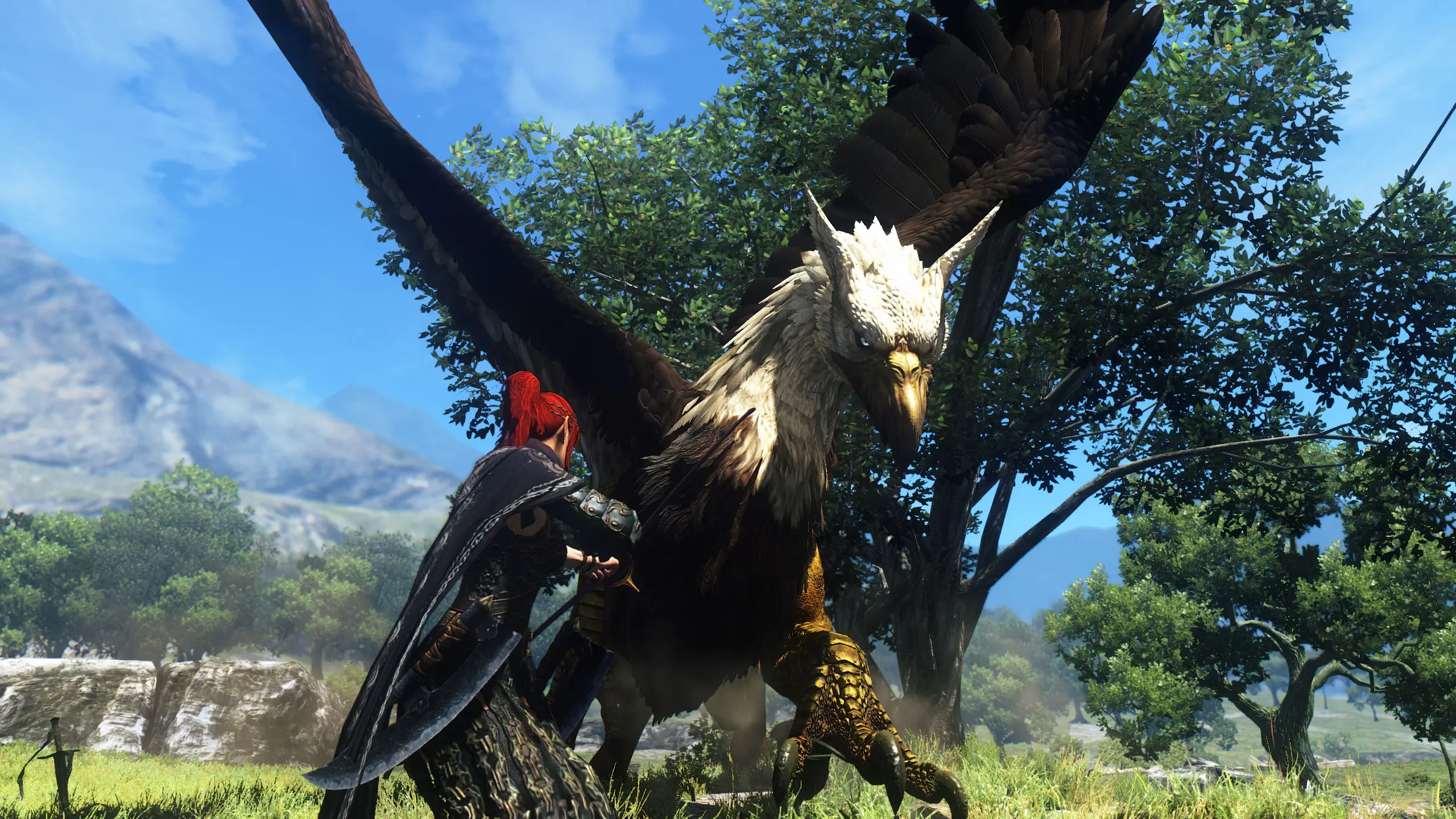
Preview
🔍 Analysis
- 👍 3.5% endorsement rate — high engagement, a strong quality signal
- 🏆 #7 of 77 Visuals and Graphics mods in this game by downloads
📋 About This Mod
UPDATED to ENB v300! (Now With Performance Options)
Now with 3 Different base Versions to suit Different Systems as well as Different DoF effects.
Select Between the 3: Full , Medium and Performance versions
as well as a selection for Depth Of Field between Dynamic, Static or even No DoF.
(delete all your old Envision Files just in case to ensure every option works as advertised)
- []In-game Use:
To Enable / Disable ENB effects press SHIFT and F12.
- []For Manual Installation
1. Download the Dragon's Dogma ENB from here <ENB v300> and only keep d3d9.dll by placing the file in your Dragon's Dogma folder. (for example C:\Program Files (x86)\Steam\steamapps\common\Dragon's Dogma)
2. Download the the Latest Envision ENB file without Mod Manager. Open the file and open the "00Main files" folder. Copy all the files to your game folder. (For example C:\Program Files (x86)\Steam\steamapps\common\DDDA)
3. Select one of the 3 Versions, Full, Medium or Performance from the appropriately named folders (01Full, 02Medium, 03Performance) and copy the contents of that folder into your game folder as well.
4. Select one of the 2 Depth of Field Effects from the appropriately named folders. (04DynamicDoF or 05StaticDoF) If you don't wish to use any of the 2 just dont copy anything. Performance Version won't be using a DoF effect even if you do copy these files.
5. -In-game Graphics Menu Options Make sure HDR is set to "High" in the game's Graphics options on all versions (Mandatory ENB reported to not work with it on Low) FΧΑΑ off as well (Optional to avoid Blurr) Turn off Depth of Field (Optional for the Full or Medium version, only if you want to select an ENB Depth Of Field effect) Performance Version - No need to disable in-game DoF (Optional. enb DoF is disabled for the performance version)
[*]For Auto-Installation with Nexus Mod Manager (read -
EnVision ENB is a visual overhaul for Dragon's Dogma that uses ENB v300 to deliver realistic lighting. With 916 endorsements and over 26,000 downloads, it's a popular choice for players seeking enhanced graphics. Last updated in 2017, it remains a go-to ENB preset for the game.
✨ Key Features
📊 Pros & Cons
✅ Pros
- Community favorite with 916 endorsements and over 26k downloads
- Delivers a realistic lighting overhaul that transforms the game's atmosphere
- Built on ENB v300, a solid foundation for visual enhancements
⚠️ Cons
- Last updated in 2017 — may not be compatible with the latest game patches or ENB versions
- Requires ENB v300, which might be outdated compared to newer ENB releases
For Dragon's Dogma players who want a more realistic and atmospheric lighting overhaul. If you're into ENB presets and don't mind a slightly older setup, this is worth trying. Skip if you prefer vanilla visuals or want a more modern ENB with advanced features.
💡 Beginner Tips
- Make sure you have ENB v300 installed before adding EnVision, as it's built on that version.
- Back up your original ENB files so you can revert if you don't like the look.
- Check the mod's comments section for user tips on tweaking settings for performance.
📊 Mod Details
- Game
- Dragonsdogma Mods
- Author
- Calmmo1
- Version
- 009
- Downloads
- 26,354
- Endorsements
- 916
- Category
- Visuals and Graphics
- Created
- 1/16/2016
- Updated
- 2/27/2017
🔧 How to Install Dragon's Dogma: Dark Aris Mods
Download from Nexus Mods.
📖 Full step-by-step install guide for Dragon's Dogma: Dark Aris →
Visit the official mod page for specific installation instructions for this mod.
🎮 Need cheat codes or console commands? Check ur gaming wiki for Dragon's Dogma: Dark Aris commands, item IDs, and more.
Keep browsing — more Dragon's Dogma: Dark Aris mods await