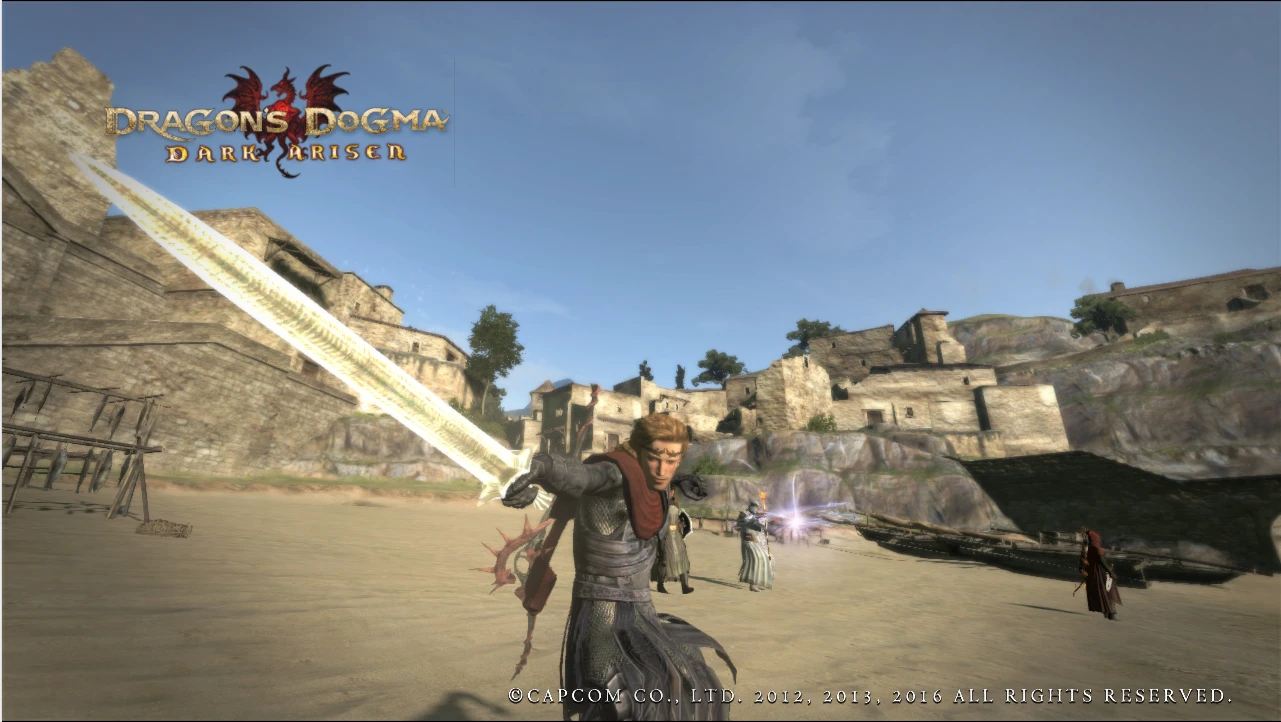
Change Devilsbane into Godsbane
⚪ Last updated 2016Preview
🔍 Analysis
- 👍 4.7% endorsement rate — high engagement, a strong quality signal
- 🏆 #15 of 63 Weapons mods in this game by downloads
📋 About This Mod
Changes the model of the Devilsbane sword into the long Godsbane used in the final story mission.
I just figured that the strongest sword in the game might as well be the only sword capable of killing God, and I didn't appreciate the appearance of the Devilsbane overall.
To my surprise all elemental enchantments display correctly.
Credit goes to u/BakedlCookie and u/Andy6000 on reddit for sharing the method for model swapping.
Installation: Paste contents of .rar in main directory, only affects the .arc file of the model of the sword.
A small cosmetic mod that swaps the Devilsbane sword's model for the longer Godsbane from the final story mission. Simple and effective for players who prefer the alternate look. 300 endorsements and 6,392 downloads show steady community interest since 2016.
✨ Key Features
📊 Pros & Cons
✅ Pros
- Community-approved with 300 endorsements and over 6,000 downloads.
- Gives the Devilsbane a fresh look without affecting balance.
- Simple one-file install, no extra dependencies.
⚠️ Cons
- Last updated in 2016, so may not be compatible with the latest game patches.
- No screenshots or detailed instructions provided by the author.
- Only changes the model, not textures or effects, so visual impact is limited.
For players who want to change the appearance of the Devilsbane sword to the Godsbane from the final mission. If you're after a quick visual tweak without gameplay changes, this is for you. Skip if you expect new textures or effects.
💡 Beginner Tips
- Make sure to place the file in the correct game directory, usually the Data folder.
- If the mod doesn't appear in-game, check that you have the latest version of the game and that the mod is compatible.
- Consider using a mod manager to easily enable/disable the mod without manual file swapping.
📊 Mod Details
- Game
- Dragonsdogma Mods
- Author
- Waidas
- Version
- 1.0
- Downloads
- 6,392
- Endorsements
- 300
- Category
- Weapons
- Created
- 2/8/2016
- Updated
- 2/9/2016
🔧 How to Install Dragon's Dogma: Dark Aris Mods
Download from Nexus Mods.
📖 Full step-by-step install guide for Dragon's Dogma: Dark Aris →
Visit the official mod page for specific installation instructions for this mod.
🎮 Need cheat codes or console commands? Check ur gaming wiki for Dragon's Dogma: Dark Aris commands, item IDs, and more.
Keep browsing — more Dragon's Dogma: Dark Aris mods await