Kaito's Gritty Dark ReShade
⚪ Last updated 2021⚠️ Install Order · 1 step
Install in this order, then this mod last — most mods fail to load without their framework and dependencies in place.
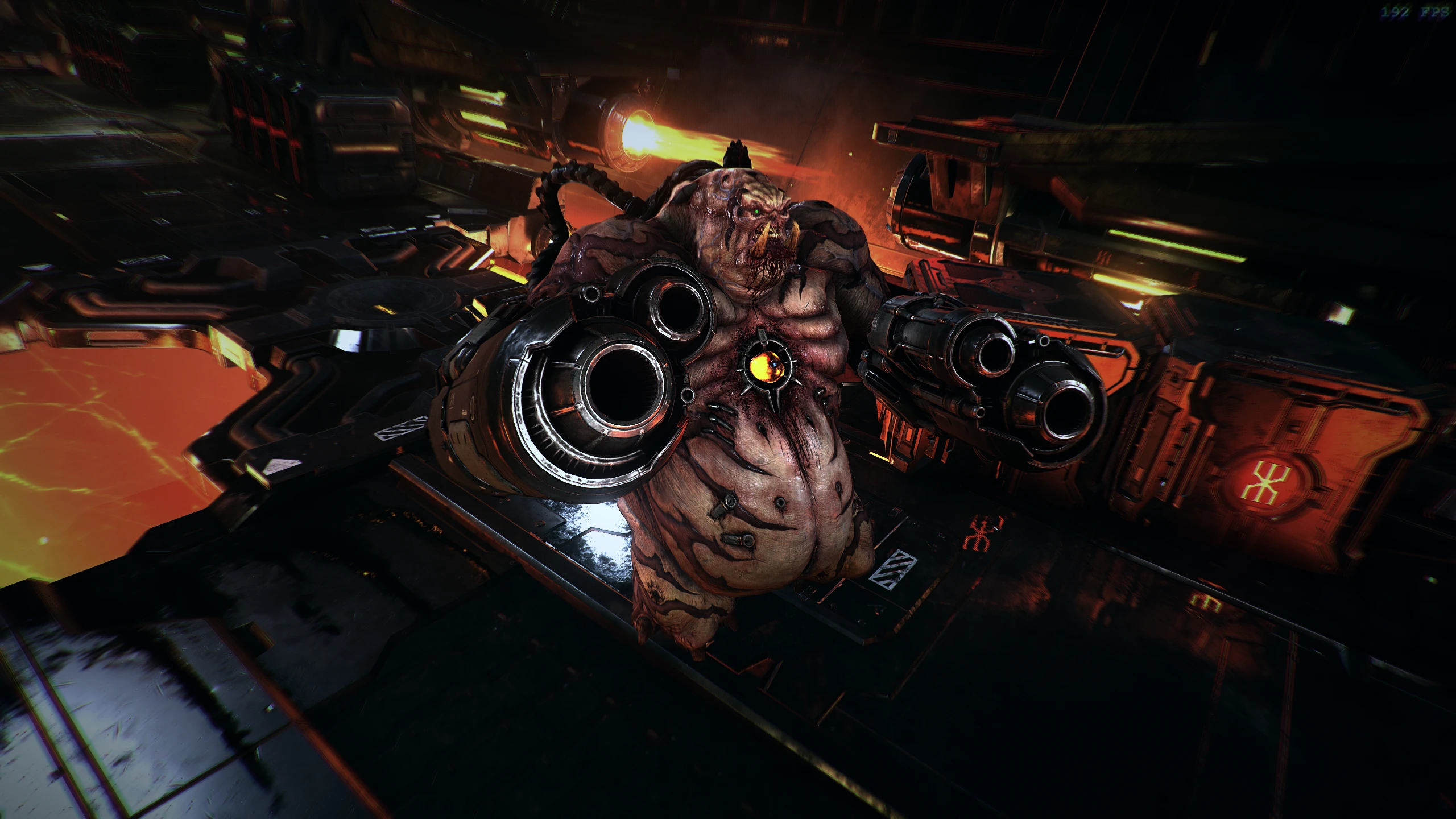
Preview
🔍 Analysis
- 👍 4.4% endorsement rate — high engagement, a strong quality signal
- 🏆 #64 of 229 Visuals and Graphics mods in this game by downloads
📋 About This Mod
This ReShade attempts to make the game look more gritty and dark like 2016. To use this mod you must install RESHADE, IT DOES NOT REQUIRE THE MOD INJECTOR. There are a lot of ReShade installation Tutorials online but YOU MUST MAKE SURE THAT
Kaito's Gritty Dark ReShade is a visual preset for DOOM (2016) that aims to make the game look grittier and darker. It requires manual ReShade installation and has a small but dedicated following with 31 endorsements.
✨ Key Features
📊 Pros & Cons
✅ Pros
- Gives DOOM a darker, grittier look that fits the 2016 vibe
- Lightweight preset—no extra mods needed, just ReShade
- Small but active community (31 endorsements, 708 downloads)
⚠️ Cons
- No screenshots or detailed previews in the description
- Last updated in 2021—may not be tested with the latest ReShade versions
- Requires manual ReShade setup, which can be finicky for newcomers
For DOOM players who want a darker, grittier atmosphere without overhauling the game. Perfect for those who already use ReShade or are willing to learn it. Skip if you prefer the vanilla look or want gameplay changes.
💡 Beginner Tips
- Make sure to download ReShade from the official site and run the installer on the DOOM executable (DOOMx64.exe).
- After installing ReShade, place the preset file in the game's root folder and select it in the ReShade in-game overlay.
- If the game uses Vulkan, switch to DirectX 11 in the ReShade installer for better compatibility.
📊 Mod Details
- Game
- Doometernal Mods
- Author
- Kaito
- Version
- 1.0
- Downloads
- 708
- Endorsements
- 31
- Category
- Visuals and Graphics
- Created
- 8/23/2021
- Updated
- 8/23/2021
🔧 How to Install DOOM Eternal Mods
Download from Nexus Mods.
📖 Full step-by-step install guide for DOOM Eternal →
Visit the official mod page for specific installation instructions for this mod.
🎮 Need cheat codes or console commands? Check ur gaming wiki for DOOM Eternal commands, item IDs, and more.
Keep browsing — more DOOM Eternal mods await