DarkSouls_Restored
⚪ Last updated 2019Preview
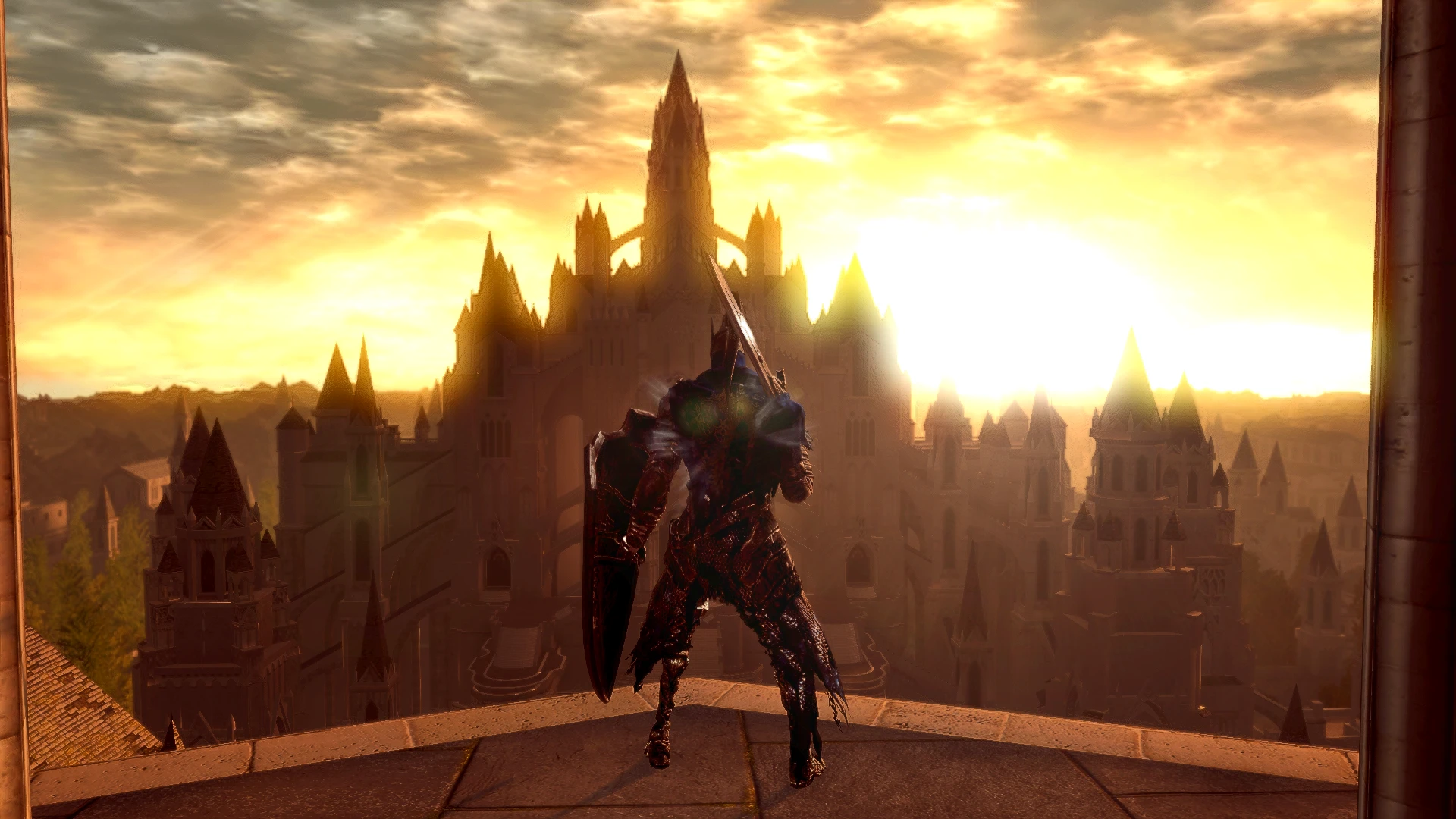
🔍 Analysis
- 👍 5.8% endorsement rate — high engagement, a strong quality signal
- 🏆 #19 of 77 Visuals and Graphics mods in this game by downloads
📋 About This Mod
A ReShade Preset that gives the game an overall restored look and removes it's washed out look. It's just the .ini file. To install the my file, put it in your Dark Souls: Remastered data folder where the game's .exe is located. You will need the latest version of ReShade to use this Preset. To install ReShade: 1.) Download the latest version of ReShade. After the download has finished, click the ReShade .exe and select the Dark Souls .exe 2.)select the games API, which is DX11. It should already be selected 3.) select all .fx files and click okay to download them, and click okay to install them....that's it you don't need to do anything else, close the ReShade installer. Important! Before launching the game , go into the Dark Souls data folder and rename the dxgi file to d3d11. After that you can launch the game.
📊 Mod Details
- Game
- Darksoulsremastered Mods
- Author
- Jeff B
- Version
- V2
- Downloads
- 1,780
- Endorsements
- 104
- Category
- Visuals and Graphics
- Created
- 4/19/2019
- Updated
- 4/20/2019
🔧 How to Install Dark Souls Remastered Mods
Download from Nexus Mods.
📖 Full step-by-step install guide for Dark Souls Remastered →
Visit the official mod page for specific installation instructions for this mod.
🎮 Need cheat codes or console commands? Check ur gaming wiki for Dark Souls Remastered commands, item IDs, and more.
Keep browsing — more Dark Souls Remastered mods await