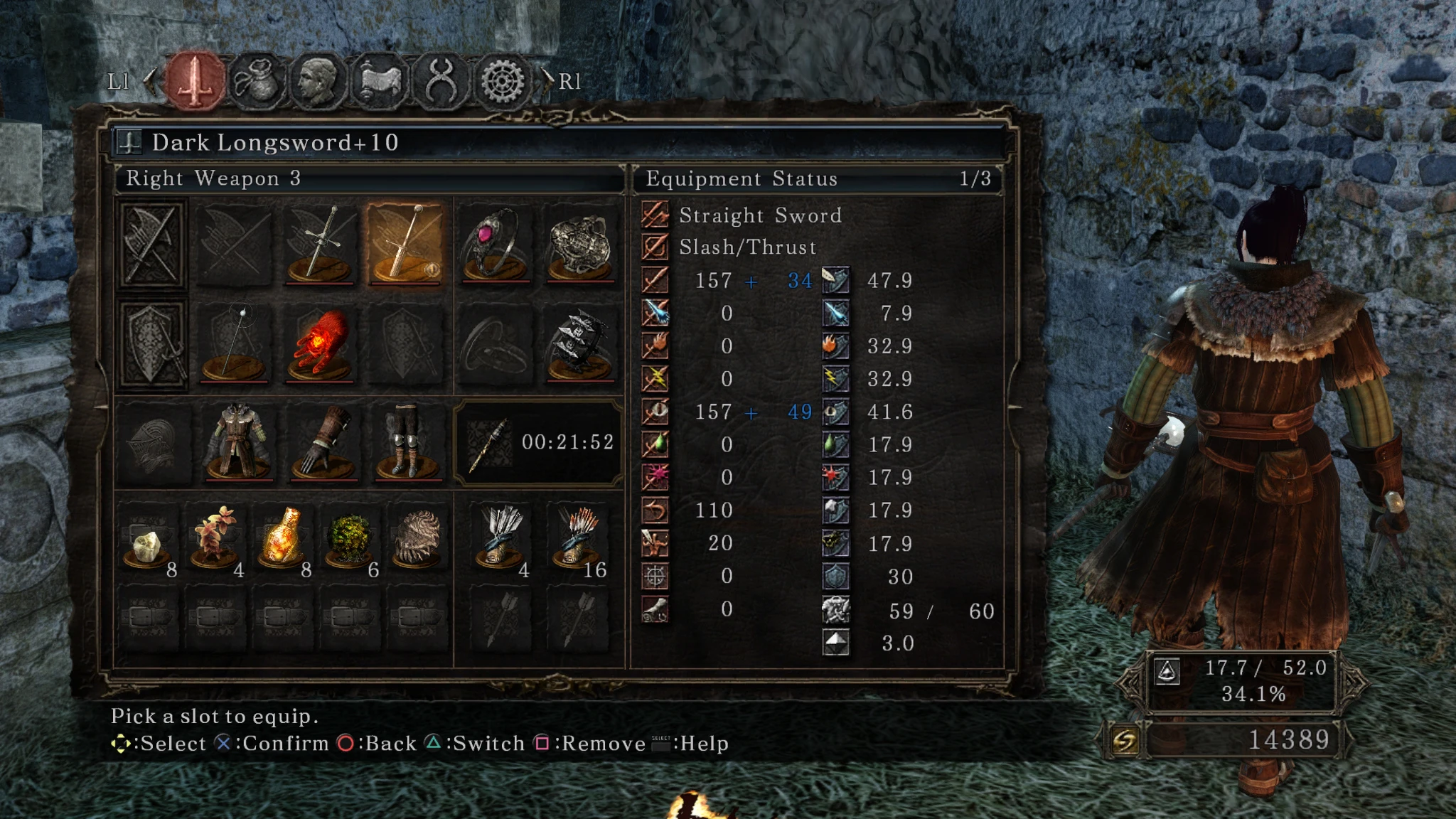
SOTFS PS3 UI Buttons
⚪ Last updated 2016Preview
🔍 Analysis
- 👍 5.1% endorsement rate — high engagement, a strong quality signal
- 🏆 #46 of 172 User Interface mods in this game by downloads
📋 About This Mod
Replaces the default x360 buttons.
As Emarrel said: Replaces the default xbox 360 buttons with PS3 ones. For Dualshock users.INSTALLATION: 1. Download iGP 11 and make sure you have acomplished to add this mod first. 2. Here's a quick tutorial, it's for DS3 but it's almost the same. 3. Download this file. 4. Put the content inside of your C:\Program Files (x86)\BANDAI NAMCO Entertainment\DARK SOULS II - Scholar of the First Sin\Game\tex_override folder or either folder you chose at iGP11. 5. Launch iGP 11 as admin, then choose the override mode(the icon surely will move itself to your hidden icons in your windows bar). 6. If this doesn't works, restart your PC.
DONE!! Remember this is just for SOTFS!!
📊 Mod Details
- Game
- Darksouls2 Mods
- Author
- SSJetstream
- Version
- PS3BUTTONS
- Downloads
- 2,005
- Endorsements
- 102
- Category
- User Interface
- Created
- 11/13/2016
- Updated
- 11/13/2016
🔧 How to Install Dark Souls 2 Mods
Download from Nexus Mods.
📖 Full step-by-step install guide for Dark Souls 2 →
Visit the official mod page for specific installation instructions for this mod.
🎮 Need cheat codes or console commands? Check ur gaming wiki for Dark Souls 2 commands, item IDs, and more.
Keep browsing — more Dark Souls 2 mods await