SOTFS - Blood Souls HUD
⚪ Last updated 2023Preview
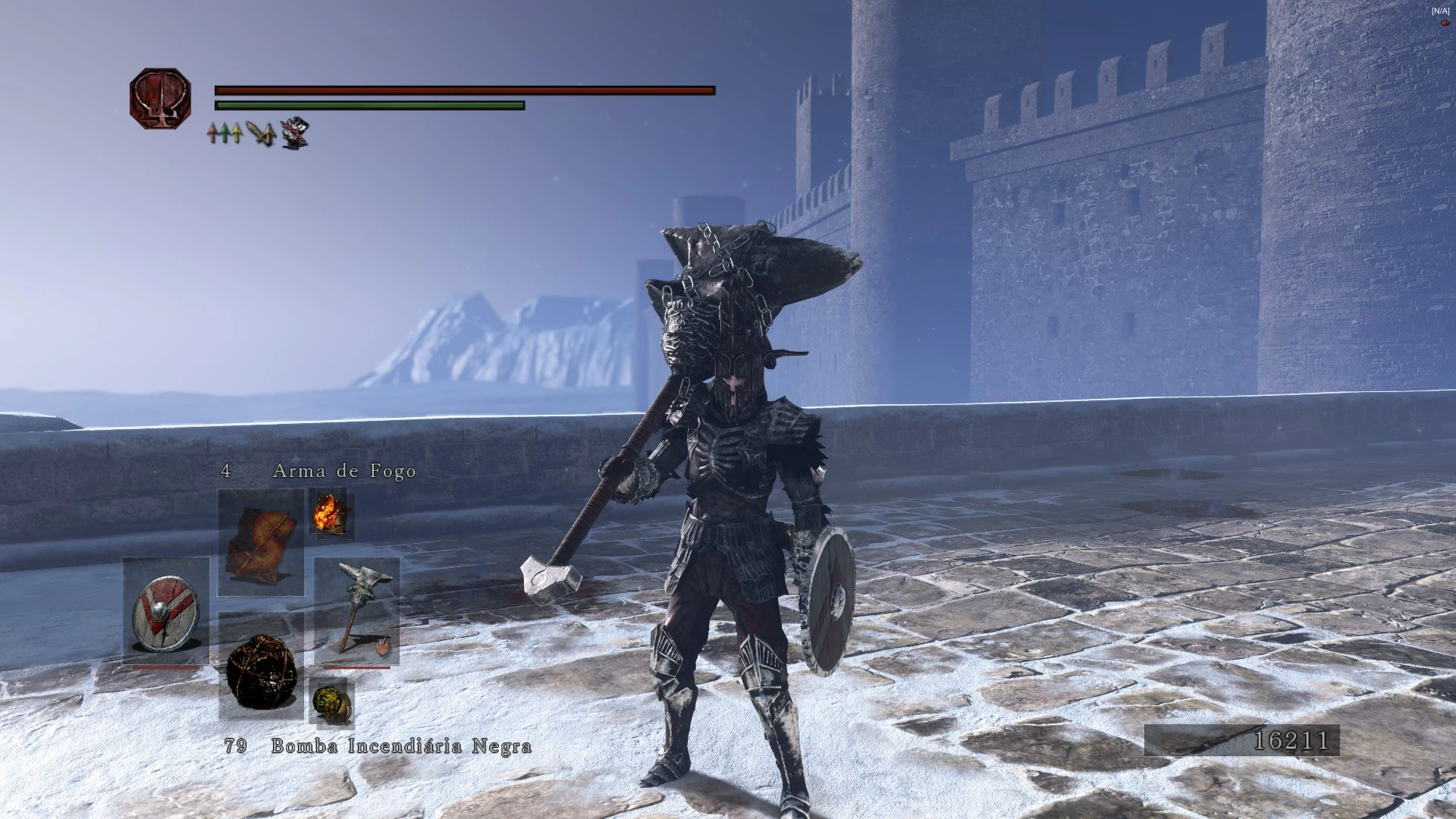
🔍 Analysis
- 👍 3.3% endorsement rate — high engagement, a strong quality signal
- 🏆 #62 of 172 User Interface mods in this game by downloads
📋 About This Mod
Bloodborne inspired HUD retexture.
What is this?
This mod is just a SOTFS version of the mod BLOOD SOULS - HUD (version 0. 3) made by Shadowthorne, in other words for specific aspecs of the work done here go check the original mod.
But TLDR this mod change some parts of the HUD of DS2 SOTFS to make it look like Bloodborne, including menus, pop-up messages and target lock.
PROBLEMS/BUGS
If youre using iGP11 some textures (Health bar, quick itens menu, etc) dont load properlly unless if you start the game in "windowed" mode, so basically you need to set the game to windowed in the settings (or by just pressing ALT+ENTER) and then restart to load all textures. Dont worry you dont need to play in windowed mode, after the main menu loads in you can go back to fullscreen and it will work flawlessly. I recomend to always set the game back to windowed before you quit your play session, this way is gonna be easier to set everything next time you open the game.
This mod can be used with Clean UI by SSJetstream, but both mods have some textures in common so to have the best experience I recommend installing Clean UI first and then installing Blood Souls HUD and overriding the files.
📊 Mod Details
- Game
- Darksouls2 Mods
- Author
- JakeDeGea
- Version
- 0.3
- Downloads
- 1,322
- Endorsements
- 44
- Category
- User Interface
- Created
- 1/25/2021
- Updated
- 7/15/2023
🔧 How to Install Dark Souls 2 Mods
Download from Nexus Mods.
📖 Full step-by-step install guide for Dark Souls 2 →
Visit the official mod page for specific installation instructions for this mod.
🎮 Need cheat codes or console commands? Check ur gaming wiki for Dark Souls 2 commands, item IDs, and more.
Keep browsing — more Dark Souls 2 mods await