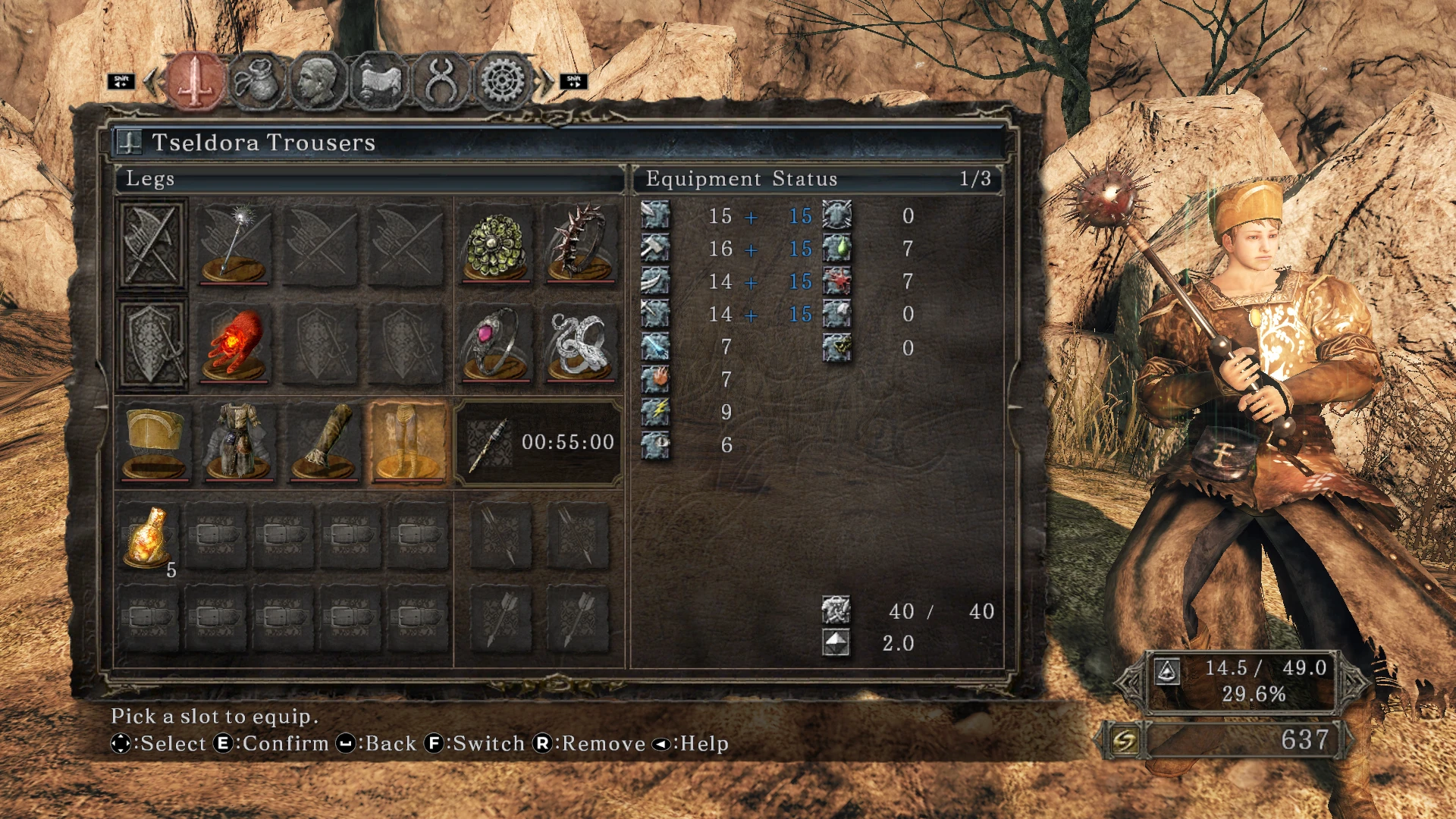
DS2 SotFS Keyboard UI Icons (No Extra Mods Required)
🟠 Updated over a year agoPreview
🔍 Analysis
- 👍 2.1% endorsement rate — high engagement, a strong quality signal
- 🏆 #52 of 172 User Interface mods in this game by downloads
📋 About This Mod
Replaces Dark Souls II Scholar of the First Sin's xbox icons with keyboard icons.
Installation:
Put the “font” folder into C:\Program Files (x86)\Steam\steamapps\common\Dark Souls II Scholar of the First Sin\Game.
(Don't forget to back up your original font folder).
This mod was made using LleroxD's “DS2 FIX KEYBOARD WITH UI ICONS” mod.
The mod was edited for English files only.
If you want to edit it yourself for other languages, you can use Yabber 1. 3. 1 to unzip, edit and repackage the files.
(you can edit dds files using Photoshop. When saving, select “Save a Copy”. Then set the save type to “DDS (. DDS;. DDS)”. Format on the DDS Options screen: Save as DXT5. The size should remain 512x512. Higher sizes will distort the icons in the game).
📊 Mod Details
- Game
- Darksouls2 Mods
- Author
- sangacanga1
- Version
- 1.0
- Downloads
- 1,582
- Endorsements
- 33
- Category
- User Interface
- Created
- 12/18/2024
- Updated
- 12/18/2024
🔧 How to Install Dark Souls 2 Mods
Download from Nexus Mods.
📖 Full step-by-step install guide for Dark Souls 2 →
Visit the official mod page for specific installation instructions for this mod.
🎮 Need cheat codes or console commands? Check ur gaming wiki for Dark Souls 2 commands, item IDs, and more.
Keep browsing — more Dark Souls 2 mods await