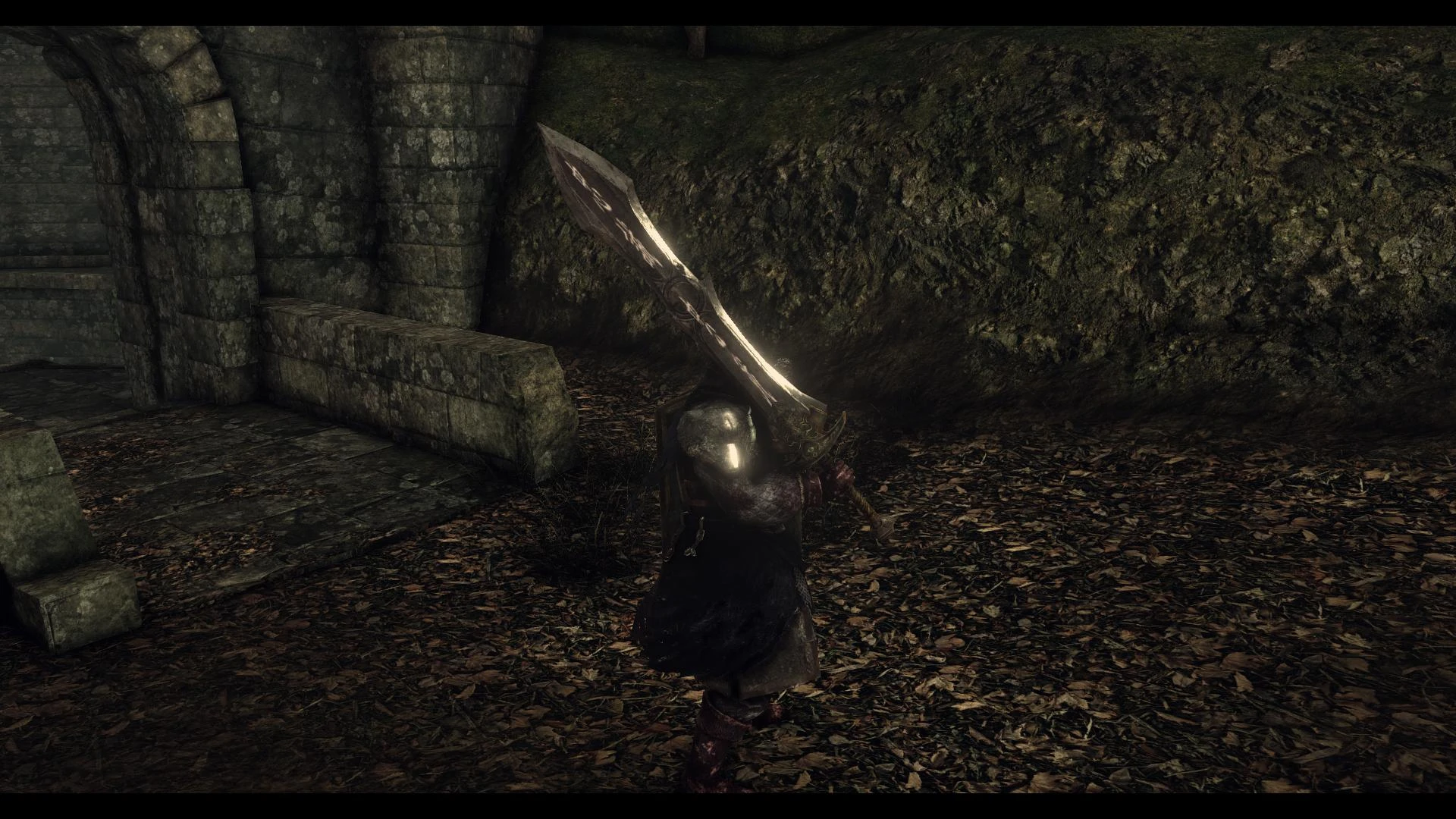
Black Knight-Pursuer's ultra greatsword EDITED
⚪ Last updated 2014Preview
🔍 Analysis
- 👍 4.6% endorsement rate — high engagement, a strong quality signal
- 🏆 #50 of 128 Weapons mods in this game by downloads
📋 About This Mod
Ultra swordfish Dark Knight mod
This is my first mod for Dark Souls 2. I changed the super mod Themurloc to add detail on the blade, and I changed the color of the handle.
Too bad I do not know how to use transparency for this game, because the basic idea was to make this weapon that resembler War in Darksiders 1.
Themurloc combined 2 in 1 swordfish, and I thank him. Because without it, the result would not have been so good.
Credit: Themurloc and me
INSTAL (tuto instal by algounet)
- Step 1: Go to http://blog.metaclassofnil.com/, click "get it while it's hot"
- http://image.noelshack.com/fichiers/2014/17/1398400946-1.png
- Step 2: click download
- http://image.noelshack.com/fichiers/2014/17/1398400946-2.png
- Step 3: Extract the archive to any folder on your PC (eg My Documents)
- http://image.noelshack.com/fichiers/2014/17/1398400963-3.png
- Step 4: Changing the GeDoSaTo.ini file (open with notepad)
- In this file you can change the values of graphics tweaks
- To change the downsampling (put the game in a higher resolution 1620p genre, while having a 1080p image, it improves sharpness while removing alliasing) follow the instructions on this image, Atention it eats a max performance.
- http://image.noelshack.com/fichiers/2014/17/1398401978-4-copie.png
- To change the antialiasing, the SSAO, DOF, post-processing, follow the instructions in this image:
- http://image.noelshack.com/fichiers/2014/17/1398402384-5-copie.png
- save and close the ini.
- Step 5: Right click on GeDoSaToTool.exe> Send To> Desktop
- http://image.noelshack.com/fichiers/2014/17/1398400961-6.png
- Step 6: Right click on the icon on your desktop GeDoSaToTool> Properties> Advanced> select "Run as administrator"> ok> ok
- http://image.noelshack.com/fichiers/2014/17/1398400965-7.png
- Step 7: Launch GeDoSaToTool, click Activate, leave the program open
- http://image.noelshack.com/fichiers/2014/17/1398400965-8.png
- Step 8: Running Dark Souls II, you can now view a higher resolution depending on what you have entered in the ini.
- http://image.noelshack.com/fichiers/2014/17/1398400961-9.png
- Do not forget to enable antialiasing if the mod does not work.
- http://image.noelshack.com/fichiers/2014/17/1398400961-10.png
- Step 9: In the game you can enable / disable some features by pressing the keypad
- Key 1: AA on / off
- Key 2: DOF on / off
- 3 key SSAO on / off
- Key 4: post-processing on / off
- + button: Displays all the values of different tweaks
- You can see the values in the upper left of the screen
- http://image.noelshack.com/fichiers/2014/17/1398400612-t2tw.png
- Step 10: place your mods texture in the folder where you extracted GeDoSaTo and textures / DarkSoulsII / override <
📊 Mod Details
- Game
- Darksouls2 Mods
- Author
- seb5421
- Version
- 2.0
- Downloads
- 628
- Endorsements
- 29
- Category
- Weapons
- Created
- 7/31/2014
- Updated
- 8/1/2014
🔧 How to Install Dark Souls 2 Mods
Download from Nexus Mods.
📖 Full step-by-step install guide for Dark Souls 2 →
Visit the official mod page for specific installation instructions for this mod.
🎮 Need cheat codes or console commands? Check ur gaming wiki for Dark Souls 2 commands, item IDs, and more.
Keep browsing — more Dark Souls 2 mods await