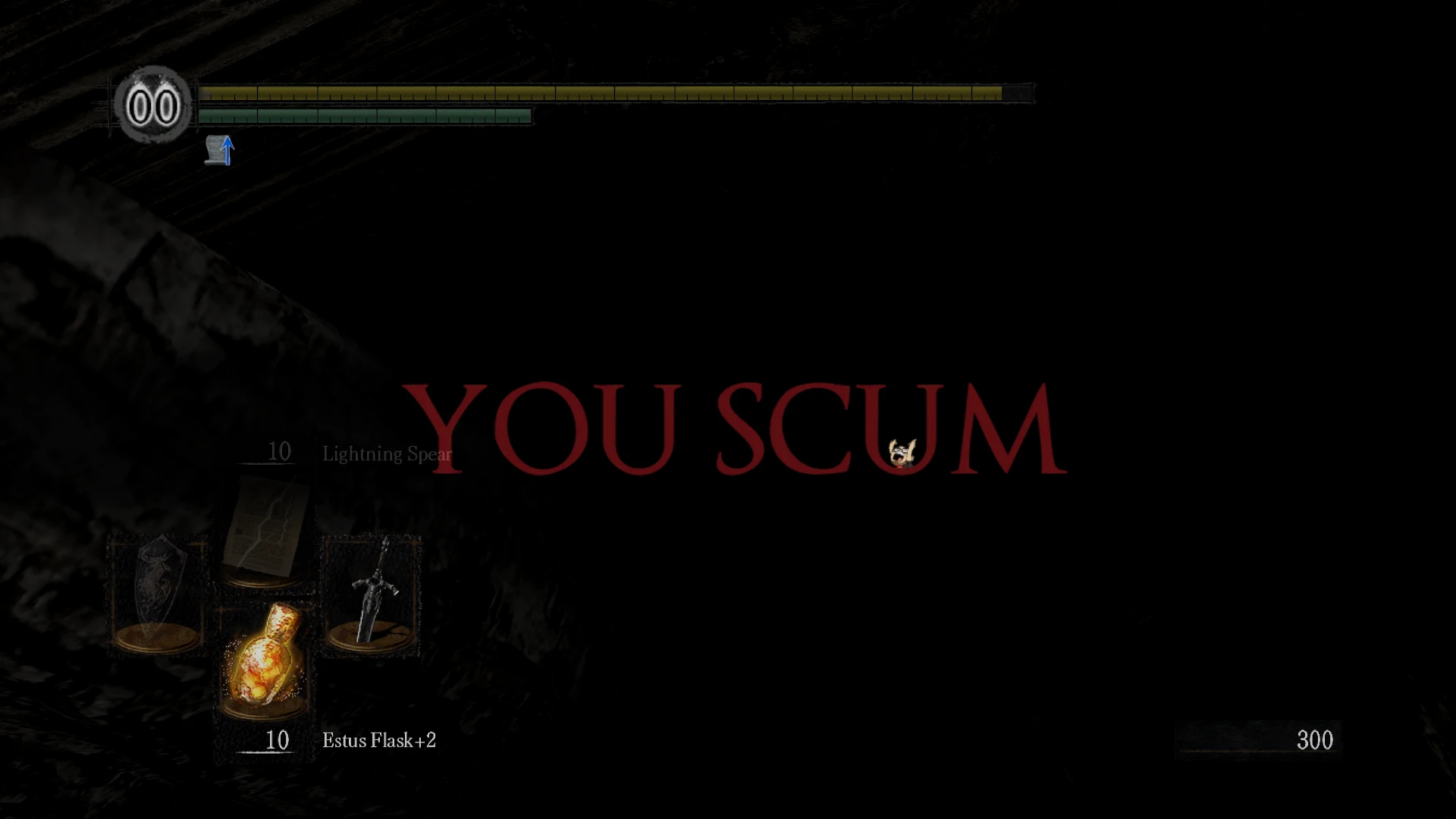
NLSS Dark Souls Prepare to Donkey Edition Retextures
⚪ Last updated 2014Preview
🔍 Analysis
- 👍 7.3% endorsement rate — high engagement, a strong quality signal
- 🏆 #17 of 39 Visuals and Graphics mods in this game by downloads
📋 About This Mod
Retextures of the text popups for death, lighting bonfire, hollowing, reversing hollowing and more, all themed for the Northernlion Live Super Show! Adds extra scum to every playthrough.
How to install:
1. Visit http://www.nexusmods.com/darksouls/mods/19/ to download and install Durante's DSfix mod if you haven't already. (This mod allows you to replace Dark Souls' default textures; it's required for this to work!)
2. Extract the .zip archive's contents into the "tex_override" folder. You don't need the Read Me for the retextures to work. For Steam installations of Dark Souls, it's usually located at "C:Program Files (x86)SteamsteamappscommonDark Souls Prepare to Die EditionDSfixtex_override" For non-Steam installations of Dark Souls, it's usually located at "C:Program Files (x86)Namco Bandai GamesDark Souls Prepare to Die EditionDSfixtex_override"
3. Within the main Dark Souls Prepare to Die Edition folder, open DSfix.ini with your preferred text editor.
4. Make sure that "enableTextureOverride" is set to "1", rather than the default "0".
5. Run Dark Souls and enjoy your new textures!
📊 Mod Details
- Game
- Darksouls Mods
- Author
- ChefMon
- Version
- 0.69
- Downloads
- 757
- Endorsements
- 55
- Category
- Visuals and Graphics
- Created
- 3/31/2014
- Updated
- 3/31/2014
🔧 How to Install Dark Souls Mods
Download from Nexus Mods.
📖 Full step-by-step install guide for Dark Souls →
Visit the official mod page for specific installation instructions for this mod.
🎮 Need cheat codes or console commands? Check ur gaming wiki for Dark Souls commands, item IDs, and more.
Keep browsing — more Dark Souls mods await