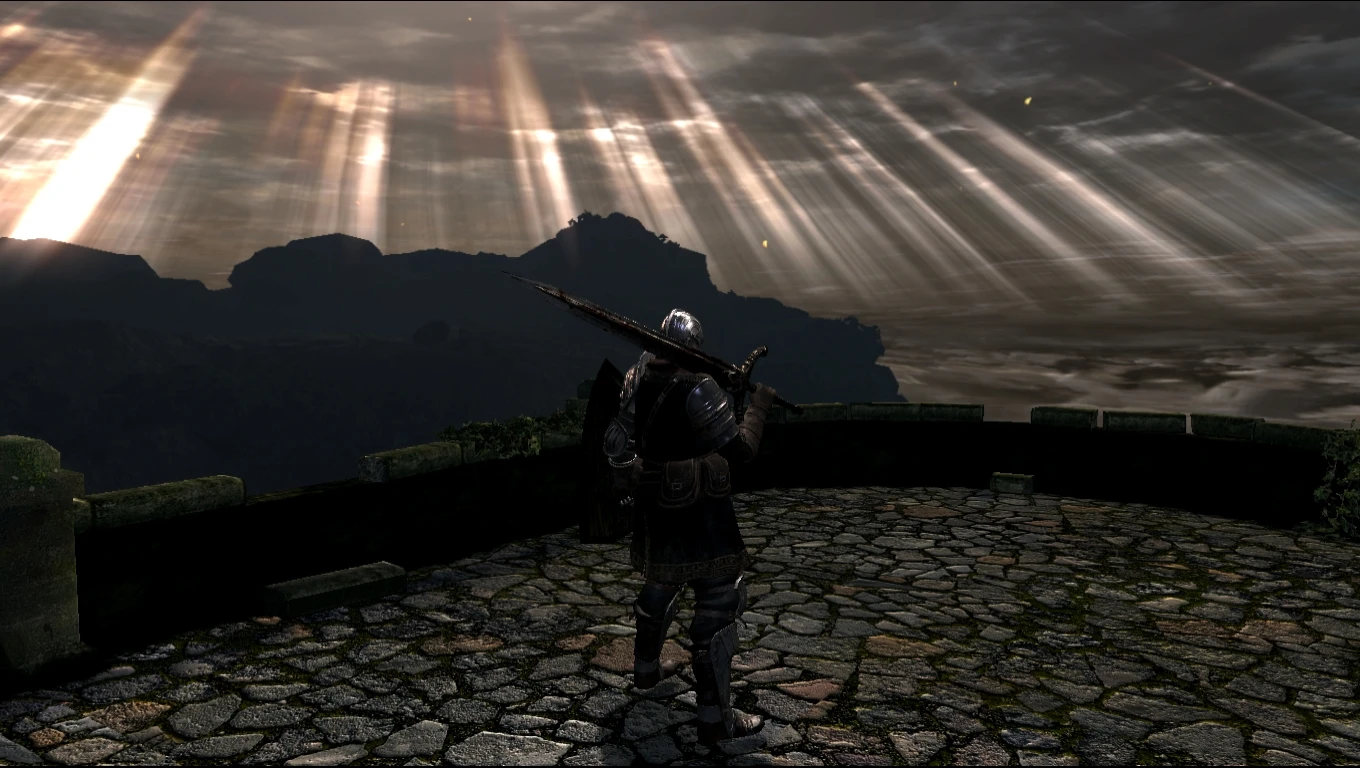
High Definition DSPTDE and DS2 SweetFX preset
⚪ Last updated 2014Preview
🔍 Analysis
- 👍 4.7% endorsement rate — high engagement, a strong quality signal
- 🏆 #3 of 39 Visuals and Graphics mods in this game by downloads
📋 About This Mod
Fixes Include: Bloom HDR Vibrance Contrast Color Correction SMAA AA
Performance: Has little to no effect on FPS on modern cards as long as card is able to hold at least 30 FPS without any mods.
Games it works with: Dark Souls Prepare to Die Edition Dark Souls 2
How to Install: To install on Dark Souls, extract contents of folder into the DATA folder found within the games files for Dark Souls. C:SteamSteamAppscommonDark Souls Prepare to Die EditionDATA To install on DS2, extract contents of folder into Game folder found within the game files for DS2. D:SteamSteamAppscommonDark Souls IIGame
SPECIAL THANKS: to CeeJay.dk for SweetFX Shader Suite
Notes: GFWL interface on DS Prepare to Die Edition is brighter than usual, but no one uses GFWL am I right.
For best results place brightness on 0 or 2
High Definition DSPTDE and DS2 SweetFX preset fixes blurry and unsettling lighting effects in Dark Souls and Dark Souls II. With 415 endorsements and 8,848 downloads, it's a community-approved visual upgrade for PC players who want cleaner graphics without tweaking SweetFX themselves. Last updated April 2014, so it targets the original releases.
✨ Key Features
📊 Pros & Cons
✅ Pros
- Community-approved preset with 415 endorsements and nearly 9,000 downloads.
- Covers both Dark Souls and Dark Souls II, so one preset for two games.
- Targets specific lighting issues like blur and unsettling tones, not just a generic filter.
⚠️ Cons
- Last updated in 2014, so it won't account for newer patches or re-releases like Dark Souls Remastered or Scholar of the First Sin.
- Requires SweetFX or ReShade to be installed separately, adding setup time and potential conflicts with other injectors.
- Visual changes are subjective; if you're fine with the original lighting, this preset may feel like a downgrade in atmosphere.
For Dark Souls and Dark Souls II PC players who dislike the vanilla blur and lighting and want a one-click visual fix. Specifically for those still running the original Prepare to Die Edition and base Dark Souls II, not the Remastered or Scholar versions. Skip if you play on console or prefer the game's original moody atmosphere.
💡 Beginner Tips
- Install SweetFX or ReShade first, then drop this preset into the SweetFX folder and select it via the in-game overlay.
- For Dark Souls II, apply this only to the original version; Scholar of the First Sin has different lighting and may not benefit.
- Use the SweetFX toggle key to quickly compare before/after and fine-tune if needed.
📊 Mod Details
- Game
- Darksouls Mods
- Author
- Pathologist121
- Version
- 1.0
- Downloads
- 8,848
- Endorsements
- 415
- Category
- Visuals and Graphics
- Created
- 4/27/2014
- Updated
- 4/27/2014
🔧 How to Install Dark Souls Mods
Download from Nexus Mods.
📖 Full step-by-step install guide for Dark Souls →
Visit the official mod page for specific installation instructions for this mod.
🎮 Need cheat codes or console commands? Check ur gaming wiki for Dark Souls commands, item IDs, and more.
Keep browsing — more Dark Souls mods await