UI fixes
⚪ Last updated 2012Preview
🔍 Analysis
- 👍 3.8% endorsement rate — high engagement, a strong quality signal
- 🏆 #51 of 268 User Interface mods in this game by downloads
📋 About This Mod
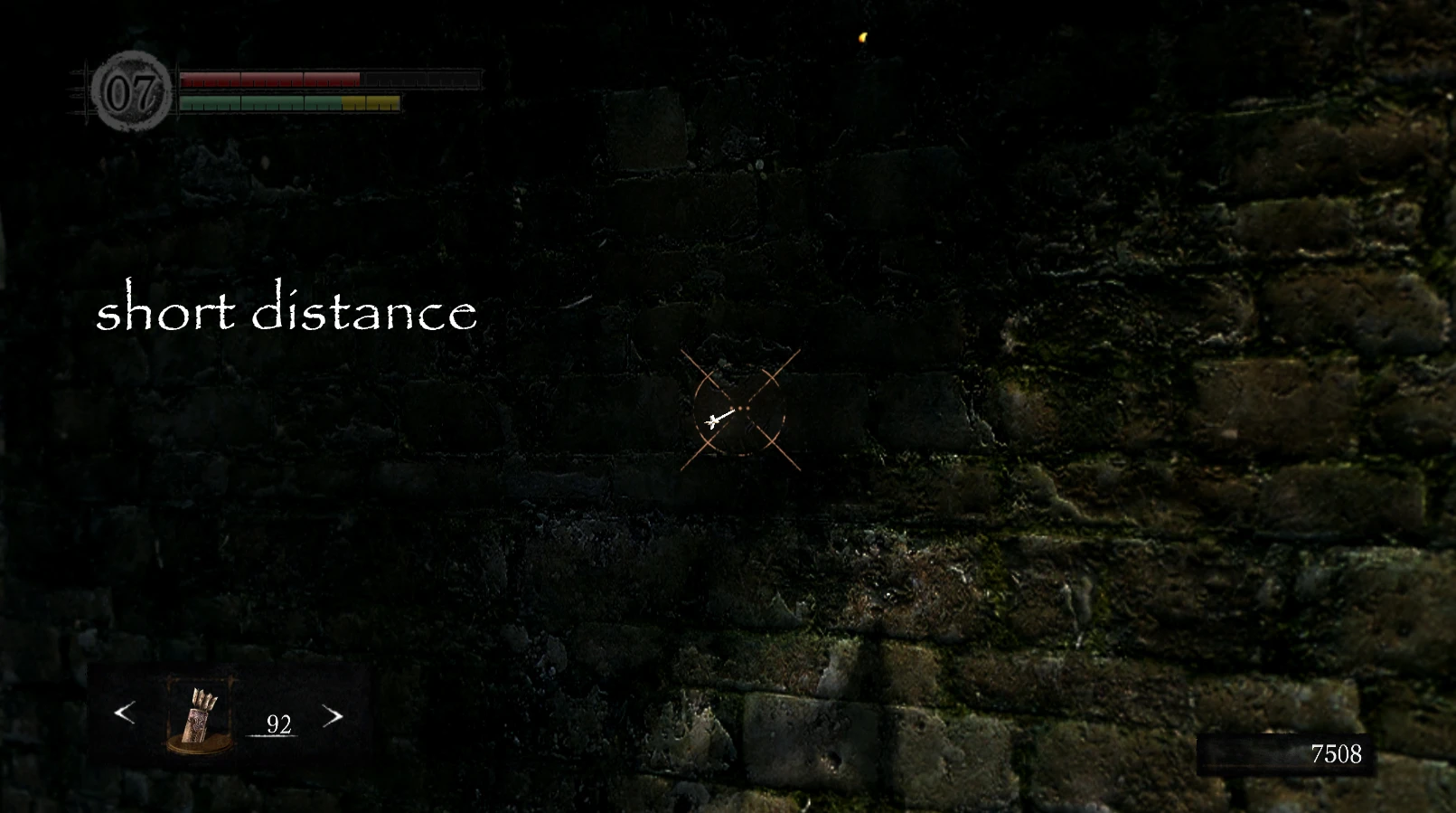
Fixes archery-crosshair Fixes menu-buttons
Description There are some UI-mods out there, but so far I haven\'t found one that changes the crosshair or these button-thingies in the upper right corner when you open the \'menu\' (to equip items and so on) and when in zoomed-in archery mode (for changing the arrow types). So I decided to fix those things for me - and to share them with you. :) The crosshair is a bit smaller now and looks less blurry. Additionally, I have added three dots to help aiming at short, middle and long distances. They help with the horizontal shift of the arrow, but not with the drop. I have only tested them with the first bow you find, since I haven\'t played any further... Any feedback on how they work with longer-ranged bows would be appreciated. I\'m going to adjust the position so the right dot represents the longest reasonable distance. The menu-buttons are now somewhat less xbox-specific - I like them better this way. The mod is incompatible with any other texture-replacing mods that change some menu-icons and with any mod that changes some combat-related stuff (health bars, lock on symbol, etc...). But since I play with Highly Visible Health Bars, I have added a somewhat similar change to the enemie\'s health bars. Endorse her mod, I just had to implement the idea! If you have requests for other compatible versions, just ask! Versions: 1. 1 fixed vertical alignment of icons 1. 0 initial release Installation: Requires last version of DSFix. (Alright, not the last one - any that supports TextureOverride will do. Nevertheless, the latest version is recommended.) Set enableTextureOverride 0 to enableTextureOverride 1 in the DSFix.ini porvided by DSFix. Copy the .png files from this mod to ...\\DATA\\dsfix\\tex_override Enjoy! Recommended mods: DSMFix ( http://pages.cs.wisc.edu/~petska/ ) Black keyboard buttons icons by taro8 High-Res UI and Subtitle fonts by backfoggen Thanks to: FROM Software for the port (even if it\'s far from perfect) Durante for his DSFix that makes modding possible (you can\'t really underestimate the importance of what he did) ajane for her Highly Visible Health Bars Unrelated question: Has anyone yet found the .tga for the arrows? I just can\'t find it and would really like to change it...
📊 Mod Details
- Game
- Dark Souls Mods
- Author
- Seyt
- Version
- 1.1
- Downloads
- 5,197
- Endorsements
- 200
- Category
- User Interface
- Created
- 9/21/2012
- Updated
- 9/22/2012
🔧 How to Install Dark Souls Mods
Use DSFix and manual.
📖 Full step-by-step install guide for Dark Souls →
Visit the official mod page for specific installation instructions for this mod.
🎮 Need cheat codes or console commands? Check ur gaming wiki for Dark Souls commands, item IDs, and more.
Keep browsing — more Dark Souls mods await