DSfix
⚪ Last updated 2015Preview
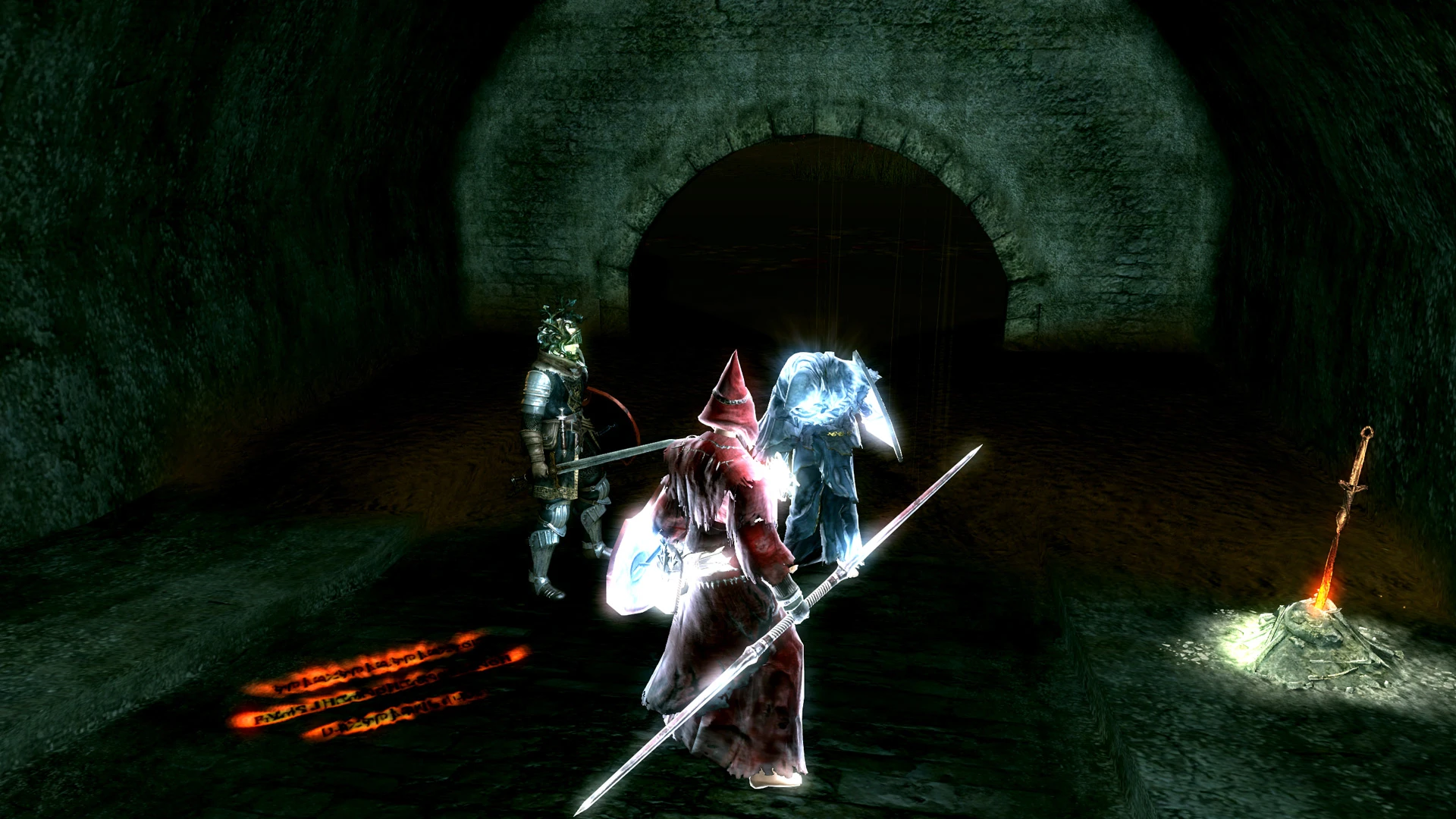
🔍 Analysis
- 👍 2.3% endorsement rate — high engagement, a strong quality signal
- 🏆 #1 of 43 Utilities mods in this game by downloads
📋 About This Mod
What is it?
It's an interception DINPUT8.dll that you place in the same folder as the game executable. It intercepts the game's calls to the DirectX 9 API and changes them as necessary to enable a higher internal rendering resolution and various other features.How do I use it?
1) Delete previous version of the mod if you have any 2) Place the contents of the .zip into the game's binary directory. (The place where DARKSOULS.exe is) (this may be something like C:\Program Files (x86)\Steam\steamapps\common\Dark Souls Prepare to Die Edition\DATA) 3) Adjust the settings in DSfix.ini as desired 4) Adjust the keybindings in DSfixKeys.ini as desired IMPORTANT: turn OFF the in-game AA option, otherwise you will get graphical issues See DSfixKeys.ini for a list of keybindable actions, including screenshots.Will it work?
As of version 1. 4, it seems to work well for many people, however your mileage may vary. I can not and will not guarantee that it will work for anyone else, or not have any adverse effect on your game/computer. Use at your own risk!Are there known issues?
- At vertical resolutions higher than 720 the sun may not be rendered correctly under some circumstances. This is under investigation, any insight is appreciated. - When using custom HUD settings some things are still not handled correctly (e.g. curse symbol), and the HUD may revert to default spontaneously. - When using the unlocked framerate feature, collision detection may not work correctly, particularly when sliding down ladders.Will it cause performance problems?
That depends on your system configuration. Usually, performance scales rather linearly with framebuffer size, and so far this game does not seem different. My 660 maintains a locked 30 FPS throughout the majority the game at 2560x1440 with SMAA and SSAO.How can I contribute?
The source code is now available on github under the terms of the GPL: https://github.com/PeterTh/dsfix Read the developer documentation there to find out how you can contribute, or contact me directly.It crashes, help!
First, make sure that the .ini files are present in the correct location. Additionally, the "dsfix" folder should be in that same location. Turn off tools such as MSI Afterburner or other overlays that manipulate D3D. Then try restoring the default settings in the .ini file If you are using the framerate unlock feature, disable Windows "Data Execution Prevention". If none of these help then check if the problem still occurs when you remove/rename DINPUT8.dll Finally, try rebooting If the🤖 AI-enhanced — based on mod data
DSfix is a wrapper DLL that enhances Dark Souls' rendering resolution, DoF quality, adds SSAO and SMAA, and includes toggleable HUD/cursor and screenshot features. With 62,928 endorsements and 2.7M downloads, it's a legendary utility for PC players seeking visual upgrades. Last updated in 2015, it remains a staple for modding the original game.
✨ Key Features
Adjusts Dark Souls' rendering resolution
Improves the quality of the game's DoF effect
Adds SSAO and SMAA
Hide and show the mouse cursor and HUD using a toggle key
Take screenshots
📊 Pros & Cons
✅ Pros
- Massive community trust with 62,928 endorsements and 2.7M downloads
- Essential for fixing Dark Souls' resolution and adding modern graphics effects
- Simple wrapper DLL that's easy to install and use
⚠️ Cons
- Last updated in 2015, so it may not be compatible with all game versions or mods
- Requires manual installation and may conflict with other DLL-based mods
🎯 Is This For You?
This is for anyone playing the original Dark Souls on PC who wants to play at higher resolutions and improve visuals. It's also for modders who want a stable base for other graphical tweaks.
This is for anyone playing the original Dark Souls on PC who wants to play at higher resolutions and improve visuals. It's also for modders who want a stable base for other graphical tweaks.
📦 Install:Easy· Under 1 minute
💡 Beginner Tips
- Place DSfix.dll in the same folder as DarkSouls.exe (usually the DATA folder) for it to work.
- Use the in-game toggle key (default Backspace) to quickly show/hide the HUD and cursor for screenshots.
- If you're using other mods that modify the same DLL, make sure to back up your original files first.
📊 Mod Details
- Game
- Dark Souls Mods
- Author
- Durante
- Version
- 2.4
- Downloads
- 2,745,149
- Endorsements
- 62,928
- Category
- Utilities
- Created
- 9/18/2012
- Updated
- 1/28/2015
🔧 How to Install Dark Souls Mods
Use DSFix and manual.
📖 Full step-by-step install guide for Dark Souls →
Visit the official mod page for specific installation instructions for this mod.
🎮 Need cheat codes or console commands? Check ur gaming wiki for Dark Souls commands, item IDs, and more.
Keep browsing — more Dark Souls mods await