SilverUI
⚪ Last updated 2013Preview
🔍 Analysis
- 👍 4.7% endorsement rate — high engagement, a strong quality signal
- 🏆 #17 of 268 User Interface mods in this game by downloads
📋 About This Mod
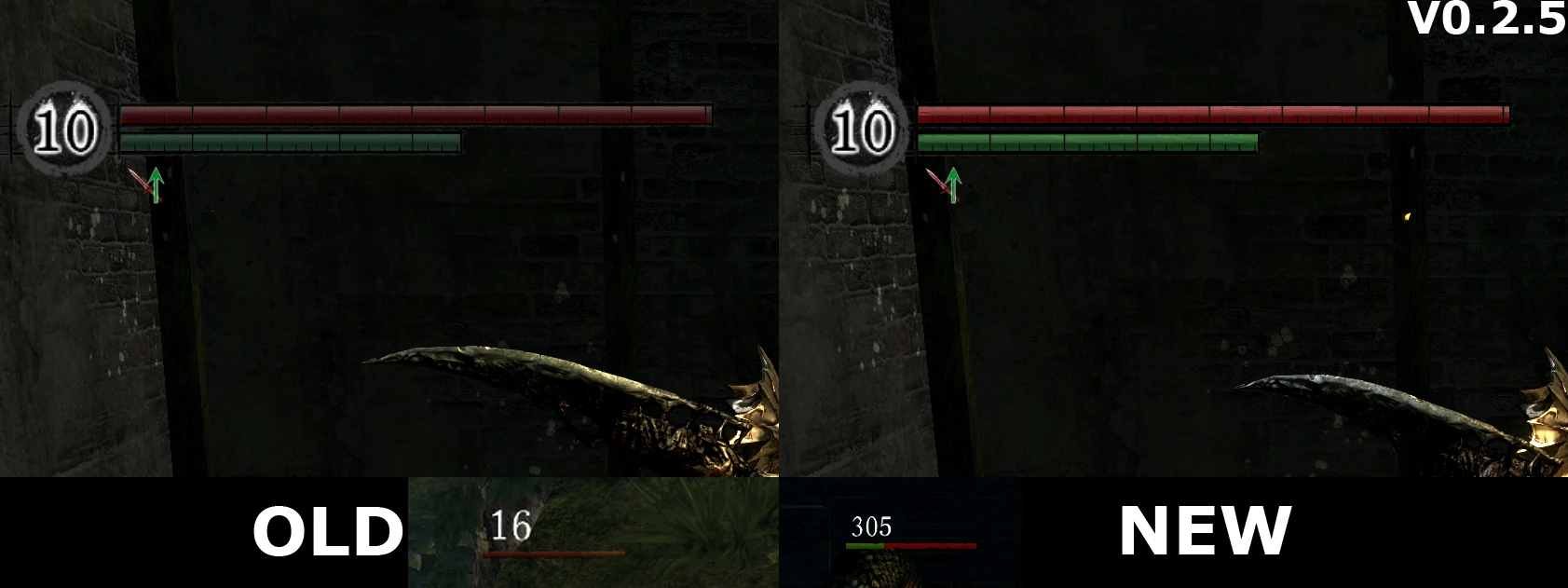
This is my first try of making UI redesign for Dark Souls and also my first mod on Nexus. In future this post may be changed as well as files and images. This mod changes standard UI making it more silver/metal look like Latest changelog: 24-07-2013 - Version 0. 2. 6 ======================== -It may be too late but because of returning to DS I found some minor shadow bugs 04-10-2012 - Version 0. 2. 5 ======================== -Added new optional file which change standart buttons and enchanted item icons 02-10-2012 - Version 0. 2. 5 ======================== - Fixed incorrect shadow from UI when you summon fantom and some where else - Monsters healthbar color changed - Ugly white shadows on players health and stamina bar fixed How to use: 1. Download DSfix mod and simply enable Texture Override in your dsfix.ini (enableTextureOverride 1) 2. Extract files to Gamefolder\\dsfix\\tex_override 3. Run the game 4. If you want uninstall: disable Texture Override or delete this files (enableTextureOverride 0) To do list: 1. Make it more unique Also sorry for my bad english, sometimes it\'s hard for me)
📊 Mod Details
- Game
- Dark Souls Mods
- Author
- Lomarion
- Version
- 0.2.6
- Downloads
- 16,764
- Endorsements
- 784
- Category
- User Interface
- Created
- 9/29/2012
- Updated
- 7/24/2013
🔧 How to Install Dark Souls Mods
Use DSFix and manual.
📖 Full step-by-step install guide for Dark Souls →
Visit the official mod page for specific installation instructions for this mod.
🎮 Need cheat codes or console commands? Check ur gaming wiki for Dark Souls commands, item IDs, and more.
Keep browsing — more Dark Souls mods await