Project 3 to 1 - Weapons
⚪ Last updated 2017Preview
🔍 Analysis
- 👍 4.9% endorsement rate — high engagement, a strong quality signal
- 🏆 #84 of 231 Models and Textures mods in this game by downloads
📋 About This Mod
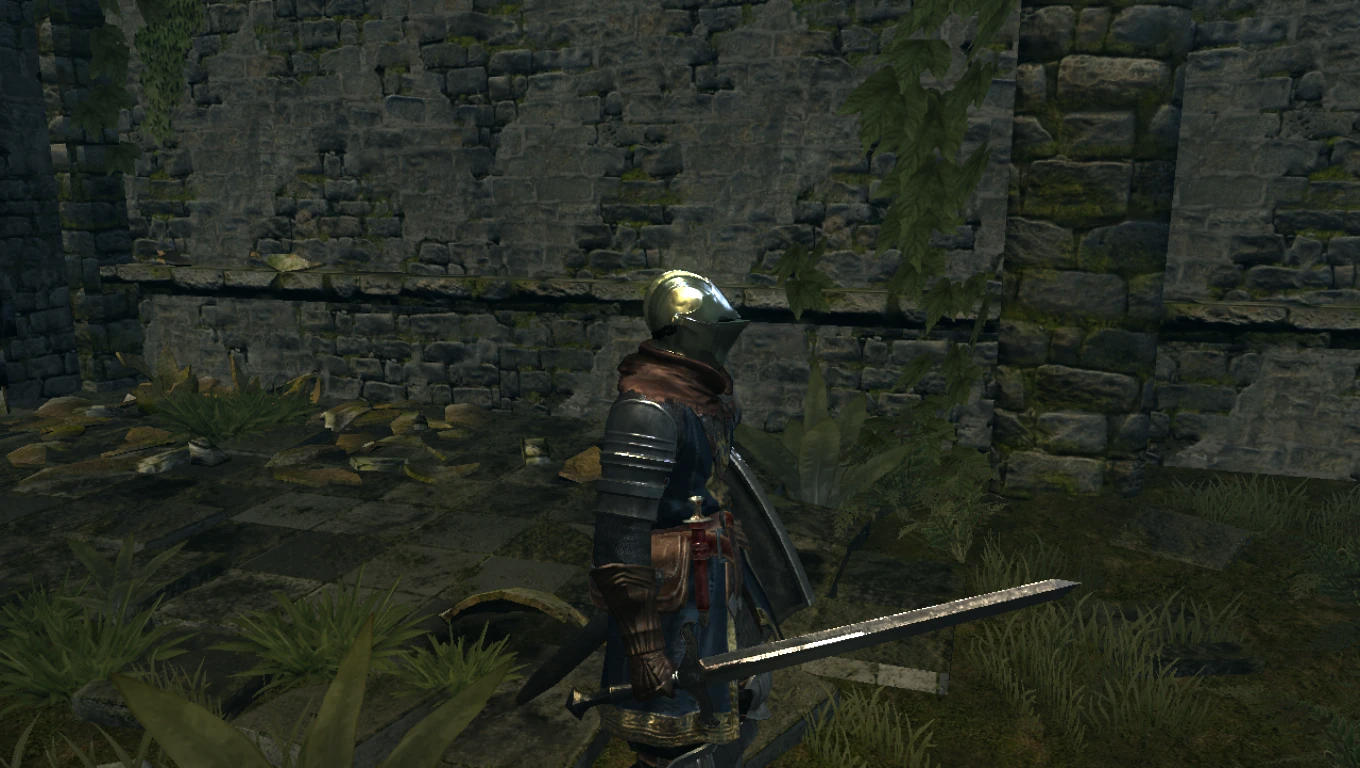
replace the vanilla weapons with dark souls 3 weapons
Credits: RavagerChris37 for example with the bass cannon Nyxojaele for DSMODT Durante Aatvark binder tool Fromsoftware for dark souls and assets
Project 3 To 1 this mod is a weapon replacer mod in which you can replace an existing weapon to a new look of dark souls 3 featured weapons. the list of weapon that is available are:
replace model -Astora Greatsword -Demon's Greataxe -DragonSlayer Greataxe -Farron Greatsword -Fume Ultragreatsword -GreatSword -Yhorm's Greatmachete
replace the texture(copy to dsfix tex_override folder) -Dragonslayer Spear -MoonlightGreatsword -Ricards Rapier -Astora Straight Sword -Black Knight Sword -Black Knight Greatsword
How to Install(model) -first, you need to have a DSModt v0. 4 or newer by Nyxojaele and run it, then wait till its workspace generated -at the DSMODT you will find a list containing map change the selection to Weapons -Pick the weapon you need to replace with. for better fixes read "Weapon Replacement" -then click the Pencil icon to edit the name. -pick the target of weapon that will be replaced(DO THIS ONLY IF YOU PICK THE FIRST DIFFERENT WEAPON AND THEN REPLACE IT TO THE NEXT TARGET, read "Weapon Replacement") -Drag the model file(.dae) to DSMODT. pick a material, either a m4_stone(DSB) or m7_metal(DSB) or m7_metal(dsb)(edge) -Drag the Texture. The name format of the Texture will be (Name)_(Type).png, example: FUG_D. Drag the (_D) to the Main box, Drag the (_N) to the Bump Box, Drag the (_S) to the Specular Box. -Apply Change. and then Save to dark souls
ICONS this mod will allow you to pick whatever weapon you want to add in or not therefor if you didnot want to use the suggested weapon in the "Weapon Replacement", the icons of the weapon will be different so in order to get a correct icon, edit the psd file in the icon folder. there will also be pictures of the weapon, edit the pictures and place it in the psd file to the correct weapon that
📊 Mod Details
- Game
- Dark Souls Mods
- Author
- dacds
- Version
- 1
- Downloads
- 800
- Endorsements
- 39
- Category
- Models and Textures
- Created
- 2/26/2017
- Updated
- 5/3/2017
🔧 How to Install Dark Souls Mods
Use DSFix and manual.
📖 Full step-by-step install guide for Dark Souls →
Visit the official mod page for specific installation instructions for this mod.
🎮 Need cheat codes or console commands? Check ur gaming wiki for Dark Souls commands, item IDs, and more.
Keep browsing — more Dark Souls mods await