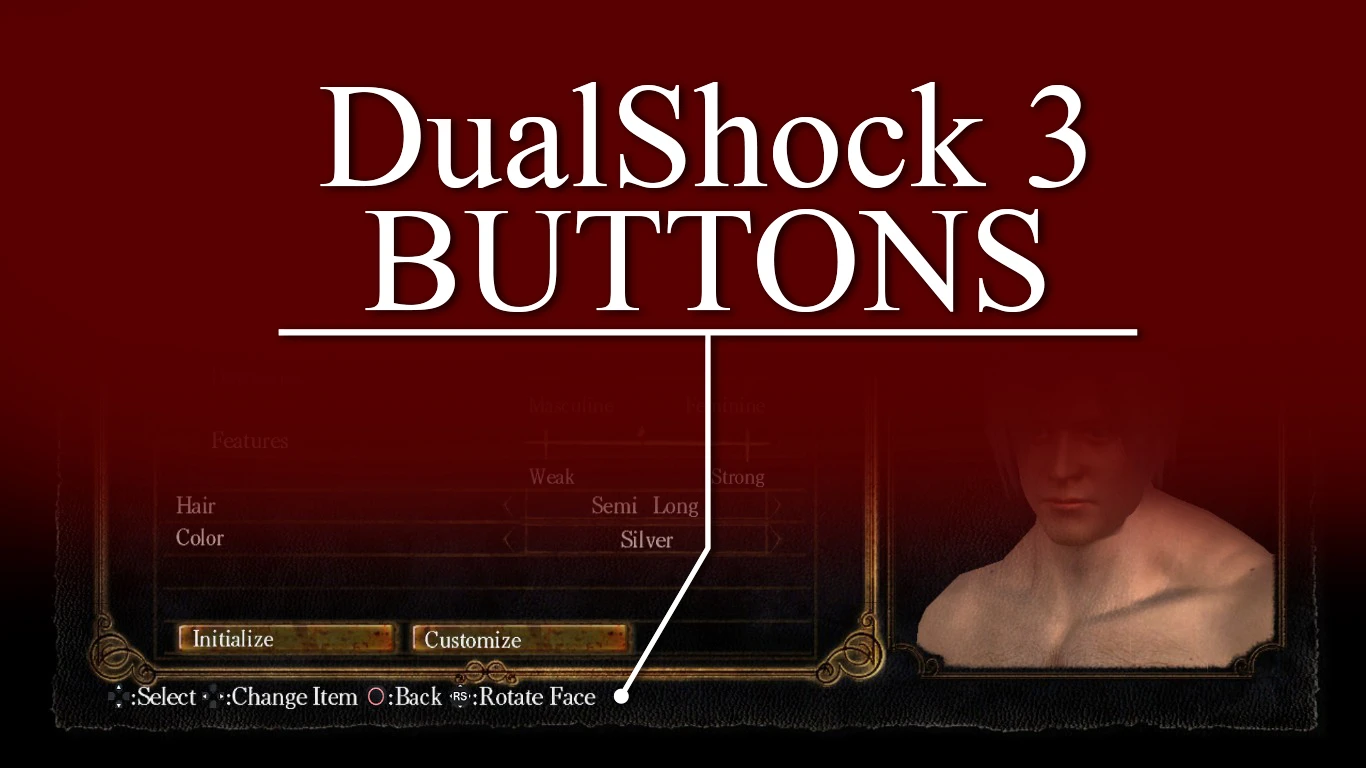
DualShock 3 Interface Icons
⚪ Last updated 2014Preview
🔍 Analysis
- 👍 6.0% endorsement rate — high engagement, a strong quality signal
- 🏆 #31 of 268 User Interface mods in this game by downloads
📋 About This Mod
I play Dark Souls with DualShock 3 and because I found any icon mod that fits my idea about how should it looks like – I made that mod by myself and now even you can try it!
A B O U T
– This mod replace original game orientation icons (looking like xbox controller) with those, ground up made by myself, from actual DualShock 3 Controller button photos. That allow you to play game comfortably with controller mentioned.
W H A T Y O U N E E D
– DSFix mod – download it H E R E – Working solution, that allow you to play with DualShock3 (I use Better DS3 Tool – H E R E – you have to use MotionJoy, but ONLY to install drivers, then you'll be fine just with Better DS3 Tool by itself. And it's fast, wireless works, internet connection isn't needed, you can move controller from PC to PS3, etc.)
I N S T A L L A T I O N
– Copy "40fbc4ad.png" file to game folder "Dark Souls Prepare to Die Edition/DATA/dsfix/tex_override" – Be sure, that your "DSfix.ini" line looks like this – "enableTextureOverride 1" (1 instead of default 0)
C R E D I T S
– This mod was copletely created by myslef. – I kept original elemental symbols untouched.
E N J O Y !
📊 Mod Details
- Game
- Dark Souls Mods
- Author
- michelangelocz
- Version
- 1.0
- Downloads
- 9,745
- Endorsements
- 585
- Category
- User Interface
- Created
- 2/13/2014
- Updated
- 2/13/2014
🔧 How to Install Dark Souls Mods
Use DSFix and manual.
📖 Full step-by-step install guide for Dark Souls →
Visit the official mod page for specific installation instructions for this mod.
🎮 Need cheat codes or console commands? Check ur gaming wiki for Dark Souls commands, item IDs, and more.
Keep browsing — more Dark Souls mods await