Dark Souls Sound Inserter - DSSI
⚪ Last updated 2018Preview
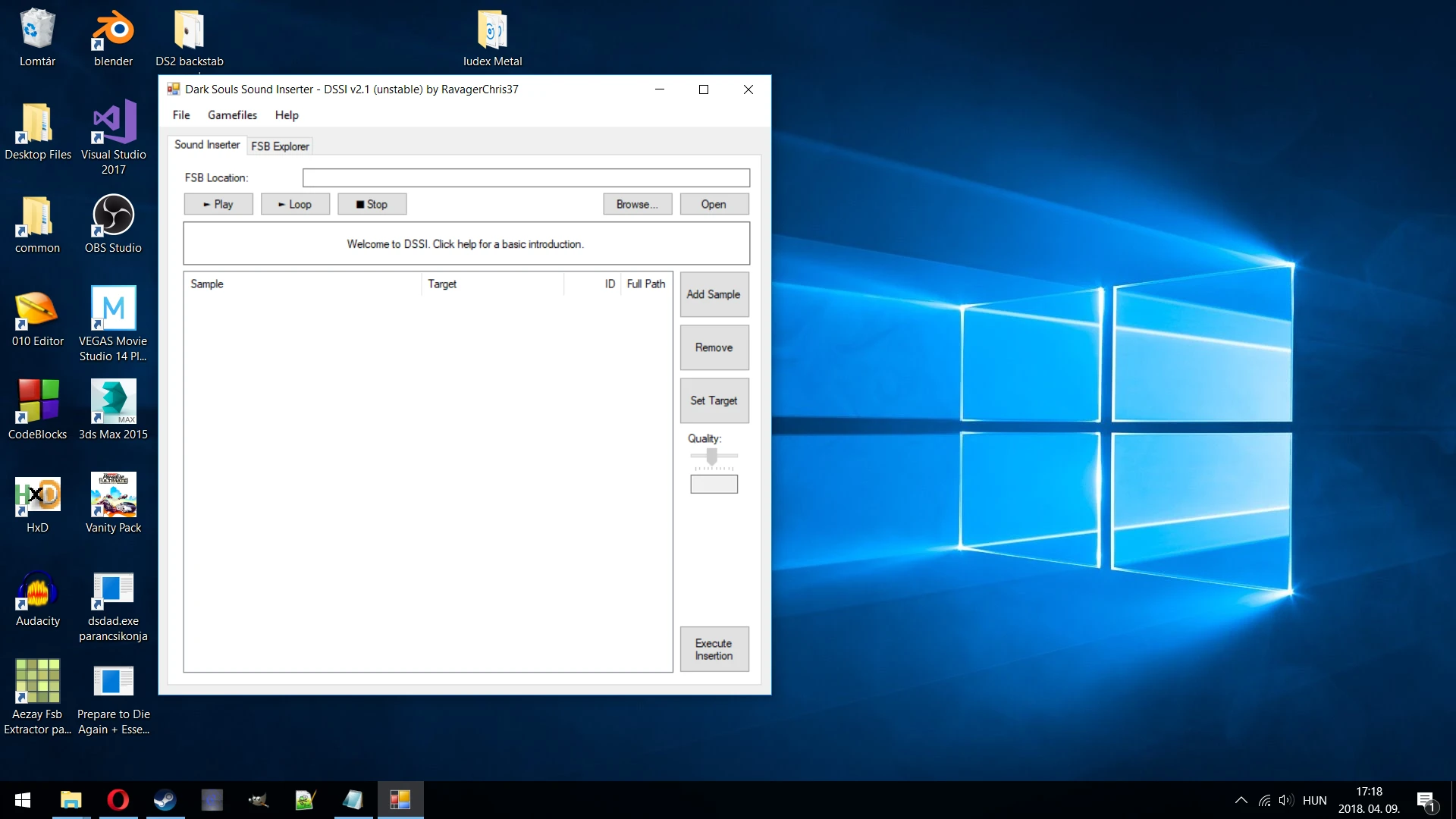
🔍 Analysis
- 👍 4.8% endorsement rate — high engagement, a strong quality signal
- 🏆 #12 of 43 Utilities mods in this game by downloads
📋 About This Mod
Modding tool. Used for swapping out in-game sound effects & music with custom sounds. Version 2.1 is out now! (Major update: Play & extract sounds, supports DS3's encrypted files, much more reliable FSB rebuilding, drag and drop multiple
DSSI can be used to swap out in-game sound effects & music contained in .fsb files with custom sound effects & music.
Seeing as the FSB files of DS and DS:R are identical, sound mods are not only supported in DS:R, but the same, already existing mod files work with it as well.
Notable sound mods created with DSSI:
-
[]Dark Souls Metal by McJ0hns0n
[
]Dark Souls III menu sound effects for DS1 by RavagerChris37[]Dark Souls 2 SOTFS - Music Overhaul by haloarbiter117
[]Dark Souls Prepare to Custom Boss Music Overhaul by haloarbiter117
[]Dunkstein and Slamough themeswap by RavagerChris37
[]Custom boss music overhaul by KGMeisenbacher
Welcome to Dark Souls Sound Inserter (DSSI)
I. What this mod does::
a) Modifies FSB (FMOD SoundBank) files by
-Replacing existing sound effects of the game with your custom sound effects.
-Replacing existing music tracks of the game with your custom tracks.
b) Modifies the looping and transitioning points, if present.
c) Play sounds of an FSB file, normally and looping
II. What this mod does not do:
a) Modify/create new sound events
b) Touch the dvdbnd archives (there's another program for that: the Drag and Drop Mod Manager)
c) The dishes
III. What's new in v2. 1?
a) DSSI is now able to:
-Play sounds.
-Loop the sounds using the loop values.
-Handle Drag and Drop of multiple samples onto the program.
-Detect if a sample has a matching name to a sample in the FSB, and will automatically set the target to it.
-Extract MP3 sounds from an FSB (SotFS & DS3 not supported).
-Extract the sound folder from the game archives (all DS games supported).
-Merge existing FSB mods.
-Manually encrypt\decrypt DS3's FSB files.
-Unpack BND4 files of DS2 and DS3.
-Compress to\decompress from DCX files.
b) Bug fixes:
-Sometimes the FSB wasn't rebuilt properly. This is now fixed.
IV. Why is DSSI v2. 1 "unstable"?
Some parts of the code isn't entirely "foolproof". This means it might crash at the following functions:
-Extracting sound folder from the game archives
-Merging FSB mods
V. Currently these games are supported:
-Dark Souls (FSB4, samples are in MP3)
-Dark Souls 2 Vanilla (FSB5, samples are in MP3)
-Dark Souls 2 Scholar of the First Sin (FSB5, samples are in Ogg Vorbis)
-Dark Souls 3 (FSB5, encrypted, samples are in Ogg Vorbis)
VI. Tutorial:
1. Open a desired FSB file via DSSI (music_info.txt helps with identifying boss music)
2. Add you own sound effect or music to the program via "Add Samples" or drag 'n' drop.
3. Click "Set Target" to search for the sound effect y
📊 Mod Details
- Game
- Dark Souls Mods
- Author
- RavagerChris37
- Version
- 2.1.3
- Downloads
- 15,618
- Endorsements
- 755
- Category
- Utilities
- Created
- 11/29/2016
- Updated
- 4/20/2018
🔧 How to Install Dark Souls Mods
Use DSFix and manual.
📖 Full step-by-step install guide for Dark Souls →
Visit the official mod page for specific installation instructions for this mod.
🎮 Need cheat codes or console commands? Check ur gaming wiki for Dark Souls commands, item IDs, and more.
Keep browsing — more Dark Souls mods await