First Person Souls - Full Game Conversion
⬇ Download on Nexus ModsPreview
About This Mod
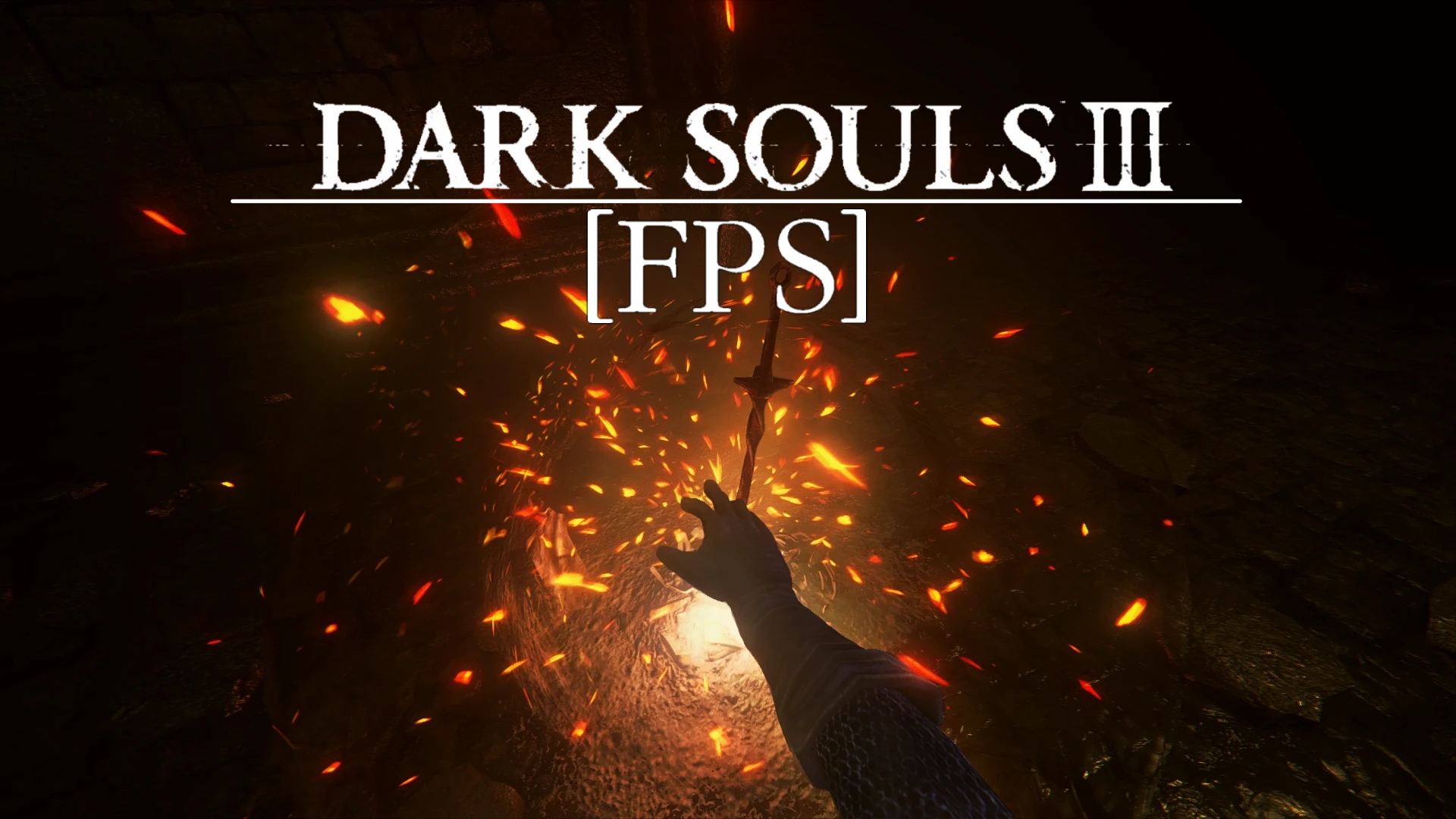
A fully fleshed out first person camera conversion of Dark Souls III.
DESCRIPTION
Immerse yourself in the world of Dark Souls 3 as seen from your own eyes. First Person Souls for Dark Souls 3 offers a unique opportunity to (re)play the game from a new perspective.
U-E0rEOrsag
"A cinematic showcase of First Person Souls. Includes 3rd party mods, mod list in the description."
Under the simple premise of "first person Dark Souls" hides a complex reimagining of many movement and camera mechanics, changing gameplay at its core. Enhanced with head tracking, you get to appreciate the detailed work of FROMSOFTWARE's animator team up close, as well as the beauty of the game's visual effects and spells.
The mod includes custom configuration options in Dark Souls 3's own settings menu. Keep in mind, the Camera speed setting for controller has been joined with Mouse sensitivity under Input device, in a single setting called Sensitivity.
(Additional menu options are only available in the English localization of the game, see "Frequently Asked Questions")
As a standalone, single file .dll mod, two of the aims of FPS are compatibility with many other mods and game versions (see "compatibility") and ease of installation (see "installation"). Powered by C++ and a custom SIMD vector library (requires a CPU with SSE 4. 1 support), the mod should have no impact on performance. It is https://github.com/Dasaav-dsv/ds3fps" rel="nofollow noopener" target="_blank">completely open source and licensed under MIT. Consult the FAQ for questions about safety of online play and bans.
INSTALLATION
Simple (no other dinput8.dll mods):
- []Download the latest FPS version from the Files tab or from Github and unpack the archive []Put dinput8.dll and FPS.ini into your "DARK SOULS III\Game" folder and play
Advanced (compatibility with mods using dinput8.dll with Lazy Loader):
- []Download the latest FPS version from the Files tab or from Github and unpack the archive []Download and install https://www.nexusmods.com/darksouls3/mods/677" rel="nofollow noopener" target="_blank">Lazy Loader , putting its files into your "DARK SOULS III\Game" folder []Put FPS.ini from the FPS directory into "DARK SOULS III\Game" []Rename dinput8.dll from the FPS directory into FPS.dll and put it into "DARK SOULS III\Game\dllMods" []Put the other mods' .dll files into dllMods, renaming them if necessary, or follow the Lazy Loader instructions on the mods' pages.
UNINSTALLATION
Delete dinput8.dll or the file you renamed it into
COMPATIBILITY
This mod is designed for maximum compatibility. It should work together with most other mods, such as Cinders, Convergence, Honest Merchant, randomizer mods, .dll mods (check "Installation" for a guide on how to install FPS together with other dinput8.dll mods), etc.
It is not compatible with mods that affect the camera or majorly impact the structure of the same game functions this mod uses. Compatibility with any presently released Dark Souls 3 version is possible, but not guaranteed for versions below 1. 15. 0.
NOTE FOR LINUX USERS:
Try disabling VirtualAlloc2 inside the FPS.ini config file if your game does not start with the mod installed.
In game:
- []While in the default camera state (3rd person) press and hold your lock on button, whether it is on your keyboard, mouse or controller, to enter 1st person []In 1st person, holding interact enables free look mode, which disconnects camera movement from character rotation while held []While in 1st person press and hold your lock on button, whether it is on your keyboard, mouse or controller, to return to 3rd person []Additional settings are available under the Camera tab in the game's settings menu:
the same name)
FOV - The actual field of view of the 1st person camera
The following settings can be configured in FPS.ini:
- []Base FOV - The base field of view of the 1st person camera. In in-game settings, you can further modify this value by 10 degrees higher or lower []Track Dodges - Toggle head tracking for dodges, i.e. rolls and quickstep []Track on Hit - Toggle head tracking for heavy hits, i.e. hits that make your character lose balance []Debug Console Output - Print information for debugging into console []Use VirtualAlloc2 - FPS uses the VA2 function for its speed and reliability. Not all operatating systems support it, so there is a fallback function, plus the option to disable VirtualAlloc2 altogether.
- []Head tracking - select animations have full head tracking, which means the camera moves and rotates together with the head, while retaining its own degree of movement. Head tracking greatly enhances immersion and the weight of the animations. Head tracking for rolls and heavy hits is optional, and can be turned off in the in-game settings and FPS.ini respectively. Find tracked rolls too disorienting, but want to keep the head tracking? Use Itzli's Bloodborne dash mod
- []Strafe movement - completely new in Dark Souls: not strafing relative to the lock on target, but to the middle of the screen
- []Middle-of-screen aim - melee swings, shots, spells, thrown items and other attacks aim towards the middle of the screen. This makes accurate aim easily achievable, no matter the case. Use the https://www.nexusmods.com/darksouls3/mods/588" rel="nofollow noopener" target="_blank">firearm mod for a true first person shooter experience
- []Free look - holding the interact key in 1st person enables free look, which completely disconnects camera movement from player rotation
- []Free look - holding the interact key in 1st person enables free look, which completely disconnects camera movement from player rotation
- []Smooth 1st person running - I believe I achieved a great compromise between the free range of movement running in 3rd person and the additional control in 1st person
- []Smooth 1st person running - I believe I achieved a great compromise between the free range of movement running in 3rd person and the additional control in 1st person
- []Smooth zoom - in 1st person it is possible to smoothly zoom in with aimed weapons
- []Smooth zoom - in 1st person it is possible to smoothly zoom in with aimed weapons
- []View model system - automatic camera position adjustments based on equipped gear to prevent clipping
- []View model system - automatic camera position adjustments based on equipped gear to prevent clipping
- []In-game settings - in-game configuration of FOV and whether to enable head tracking for dodges
- []In-game settings - in-game configuration of FOV and whether to enable head tracking for do
...
Mod Details
- Game
- Dark Souls 3
- Author
- First Person Souls Project - Dasaav
- Version
- 1.1.2.1
- Downloads
- 19,451
- Endorsements
- 508
- Category
- Gameplay Changes
- Last Updated
- 2/4/2023
How to Install Dark Souls 3 Mods
Use UXM or Mod Engine. Most mods replace game files.
Visit the Nexus Mods page for specific installation instructions for this mod.
⭐ Rate & Review
FAQ
Is First Person Souls - Full Game Conversion safe to download?
Linked from Nexus Mods which scans all files for viruses. Always download from the official source.
Does this mod work with the latest game update?
Last updated 2/4/2023. Check the official download page for version compatibility.
Where can I learn more about Dark Souls 3 modding?
Check our complete Dark Souls 3 modding tools guide for step-by-step setup instructions.