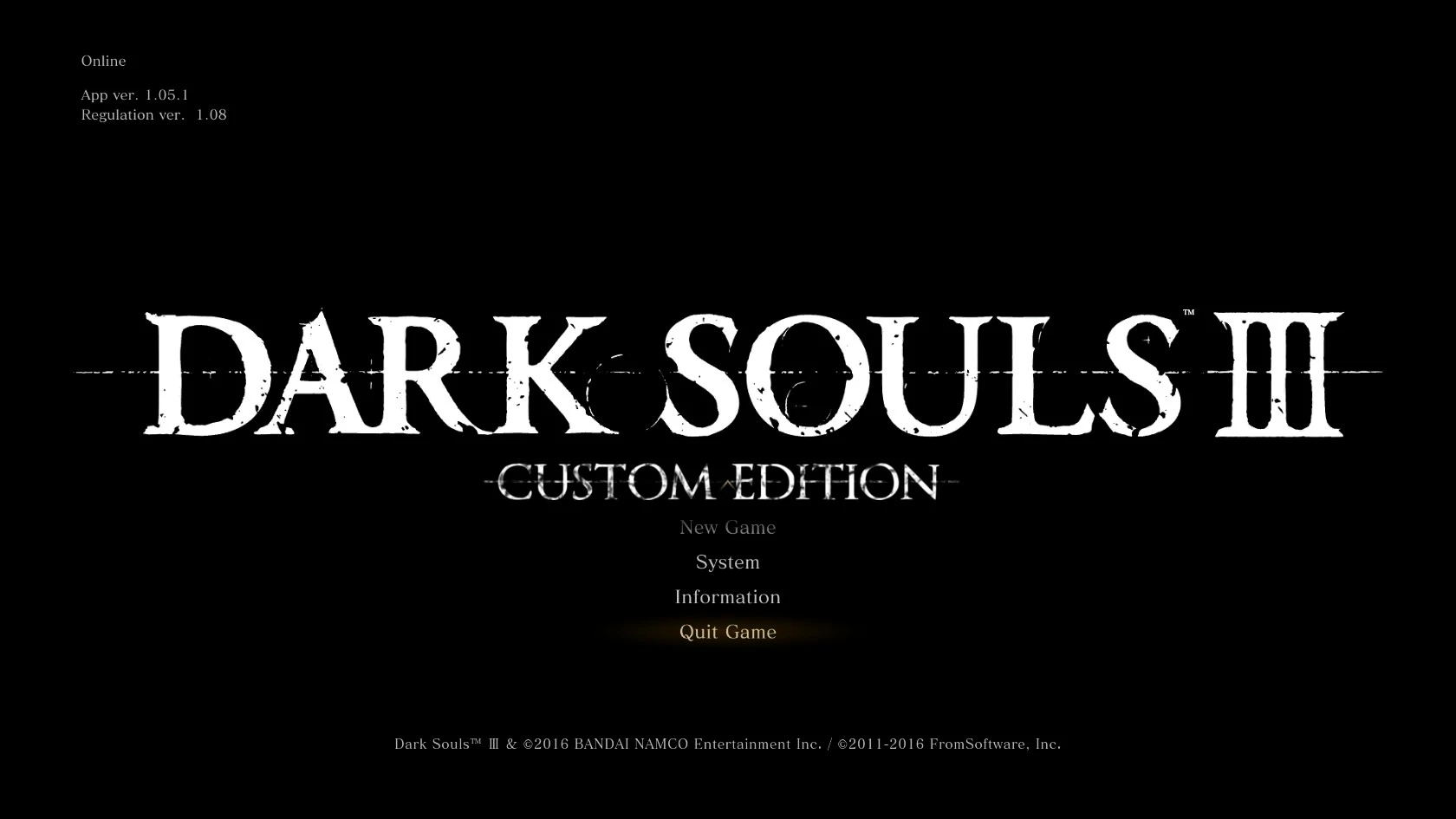
Custom edition menu Title
⚪ Last updated 2017⚠️ Install Order · 1 step
Install in this order, then this mod last — most mods fail to load without their framework and dependencies in place.
Preview
🔍 Analysis
- 👍 5.4% endorsement rate — high engagement, a strong quality signal
- 🏆 #41 of 133 User Interface mods in this game by downloads
📋 About This Mod
Just a simple title screen replacement I made for myself to use as a reminder to make sure texture overriding was initialized properly without having to load a game to find out. Decided to upload it because why not.
Requires IGP11 by S17L to install, just move the texture into the override folder created by IGP11
Now updated to work with the latest version. The launch of the Fire Fades edition made the main menu use a new texture for the title, rendering the old texture obsolete. I finally got the time to get around to fixing this.
A simple title screen replacement for Skyrim that serves as a visual check to confirm texture overriding is initialized. Created by TheWideMurloc in 2017, it has 110 endorsements and 2,033 downloads. For players who want a quick visual cue at the main menu.
✨ Key Features
📊 Pros & Cons
✅ Pros
- Lightweight and does exactly what it says—no bloat
- Community-tested with 110 endorsements and 2,033 downloads
- Useful for modders who need a quick visual check at startup
⚠️ Cons
- Last updated in 2017—may not be compatible with the latest Skyrim version
- Purely cosmetic; won't add any gameplay or UI functionality
For Skyrim modders who want a quick visual confirmation that their texture overrides are working without loading a save. Also for players who enjoy a custom title screen. Skip if you're looking for UI overhaul or gameplay changes—this is just a title replacement.
💡 Beginner Tips
- Place the mod files in your Data folder or use a mod manager like Vortex or Mod Organizer 2 for easy installation.
- If you use ENB or other texture mods, this title screen will only show if your texture override is properly set up—that's the point.
- Check the mod's file structure to ensure it overwrites the correct title screen texture; if not, you may need to manually replace it.
📊 Mod Details
- Game
- Dark Souls 3 Mods
- Author
- TheWideMurloc
- Version
- 1.1
- Downloads
- 2,033
- Endorsements
- 110
- Category
- User Interface
- Created
- 7/1/2016
- Updated
- 5/25/2017
🔧 How to Install Dark Souls 3 Mods
Download from Nexus.
📖 Full step-by-step install guide for Dark Souls 3 →
Visit the official mod page for specific installation instructions for this mod.
🎮 Need cheat codes or console commands? Check ur gaming wiki for Dark Souls 3 commands, item IDs, and more.
Keep browsing — more Dark Souls 3 mods await