Colorful Menus
⚪ Last updated 2020⚠️ Install Order · 1 step
Install in this order, then this mod last — most mods fail to load without their framework and dependencies in place.
Preview
🔍 Analysis
- 👍 5.2% endorsement rate — high engagement, a strong quality signal
- 🏆 #47 of 133 User Interface mods in this game by downloads
📋 About This Mod
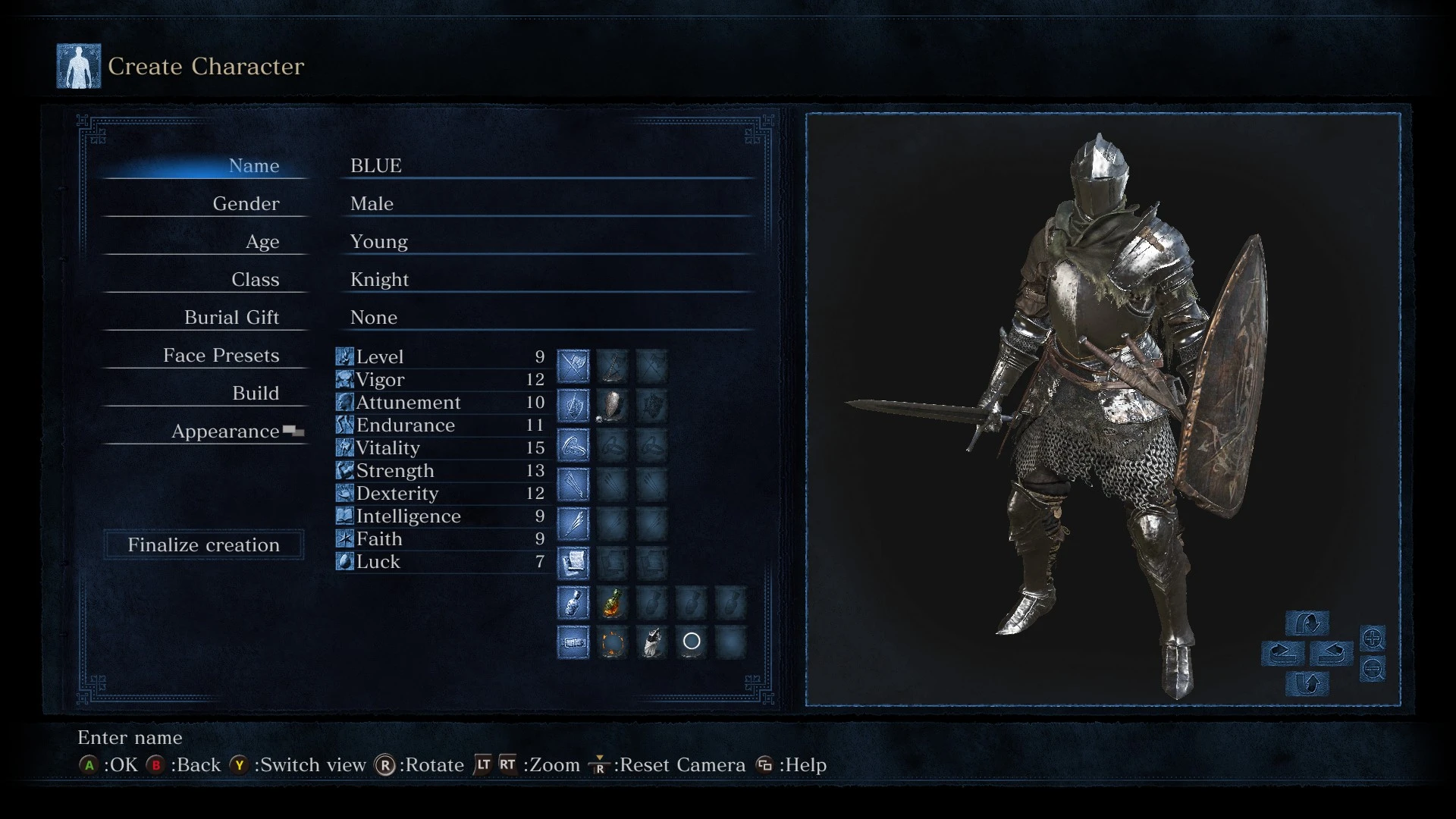
Inspired by abyss2k's Colorful Highlight, Online safe mod that contains seven folders that colors the UI elements including highlights. Compatiable with Minimalistic HUD.
Installation Method 1 (UXM):
1. Download and run UXM, unpack and patch your game.
2. Pick any color and copy the menu folder to your dark souls 3 game folder, replacing the 4 menu related files.
Installation Method 2 (Mod Engine):
Dwonload Mod Engine and place your chosen menu in an existing mod folder (DARK SOULS III\Game\"Mod folder here")
Installation Method 3 (iGP11):
1. Install iGP11 and set Texture override mode to override.
2. Pick any folder and copy & paste all .dds files on "Game\iGP11\tex_override" folder.
Colorful Menus is a lightweight UI recolor mod for Dark Souls 3 that lets you change the entire interface to any color you choose. It supports UXM, Mod Engine, and igp11, making it flexible for different mod setups. With 93 endorsements and 1,800 downloads, it's a niche but appreciated tool for players wanting to personalize their game's look.
✨ Key Features
📊 Pros & Cons
✅ Pros
- Easy to use—just pick a color and go.
- Works with multiple mod loaders (UXM, Mod Engine, igp11).
- Decent community support (93 endorsements, 1,800 downloads).
⚠️ Cons
- Last updated in 2020—may not work with the latest game patches.
- No screenshots or detailed instructions provided by the author.
- Only recolors the UI; no other UI improvements or features.
For Dark Souls 3 players who want to give their UI a fresh look without overhauling the whole interface. If you're into cosmetic tweaks and use mod loaders like Mod Engine, this is a quick way to add a personal touch. Skip if you're looking for functional UI changes or if you're on the latest game version without compatibility patches.
💡 Beginner Tips
- Make sure you have one of the supported mod loaders (UXM, Mod Engine, or igp11) installed before using this mod.
- If you're using Mod Engine, place the mod files in the mod folder and launch the game through Mod Engine's launcher.
- Test the color you choose in a safe area first—some colors might make text hard to read.
📊 Mod Details
- Game
- Dark Souls 3 Mods
- Author
- itsLoneDevil
- Version
- v1.0
- Downloads
- 1,800
- Endorsements
- 93
- Category
- User Interface
- Created
- 10/16/2020
- Updated
- 10/17/2020
🔧 How to Install Dark Souls 3 Mods
Download from Nexus.
📖 Full step-by-step install guide for Dark Souls 3 →
Visit the official mod page for specific installation instructions for this mod.
🎮 Need cheat codes or console commands? Check ur gaming wiki for Dark Souls 3 commands, item IDs, and more.
Keep browsing — more Dark Souls 3 mods await