SweetGeDo64
⚪ Last updated 2014Preview
🔍 Analysis
- 👍 2.9% endorsement rate — high engagement, a strong quality signal
- 🏆 #38 of 69 Visuals and Graphics mods in this game by downloads
📋 About This Mod
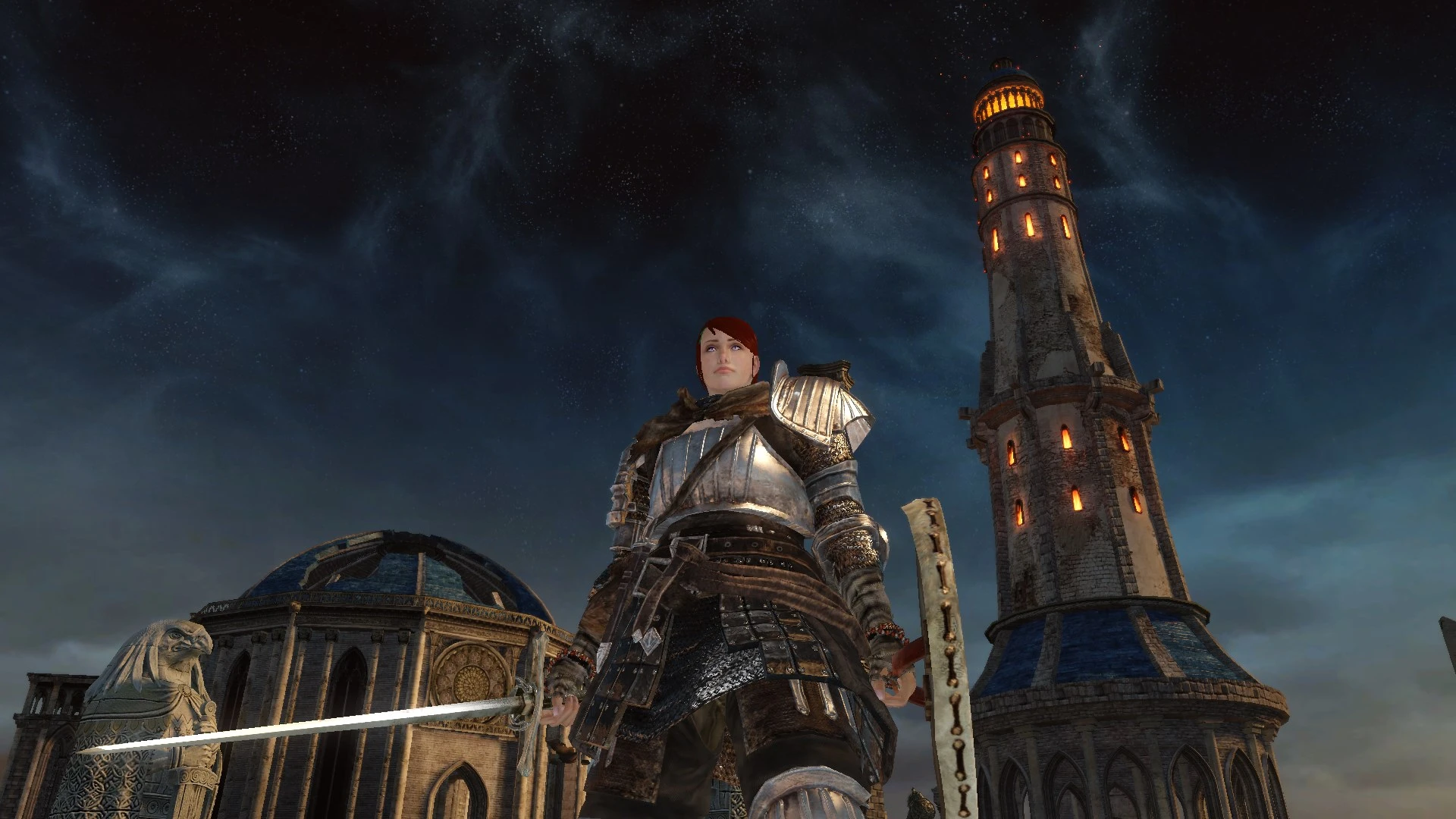
Use SweetFX and GeDoSaTo together, with my personal tweaks. Very natural improvements for more depth and dynamism. Highly customizeable, even looks great at less than 1080p. Even people with older and/or weak GPUs may have a shot at this!
SweetGeDo64
IMPORTANT UPDATES
Durante made improvements to the ambient occlusion injected by GeDoSaTo, for Dark Souls 2. It is better quality and runs twice as fast. So, I will no longer be recommending a specific, old variant of the SSAO. As this new one trumps it in performance and probably looks better, as well (however, I will leave the old file available to download, for legacy purposes). Get the newest GeDoSaTo update, to enable this new SSAO. I may not have all of my instructions updated, at the time you read this.
*added comparison screenshots @ 720p to compare aliasing. 1. No effects or AA / 2. all effects + FXAA / 3. all effects + SMAA. These shots are on the third image page, just before the comparison shots of the performance presets. For best viewing comparison, save to computer and view in full screen slideshow.
check the first stickied post in the "posts" section, for a note to people who downloaded the old "less than 1080p" preset. or for people who may be concerned about the usefulness of SweetGeDo64, if they don't run Dark Souls 2 at 1080p or higher.
*Performance saving presets are now available. Comparison shots of the performance presets can be seen on page three of SweetGeDo64's image section, the last 6 images. To focus on the core differences between presets, the shots have no VSSAO2 and no shiny HDR/Bloom effect.
- ----------------------------MENU----------------------------
- press "ctrl + F" to search for these menu items, to jump straight to that section, later in the page.
Information
Setup Instructions
Dealing With Performance Issues
Easy Use Performance Presets
Settings or Individual Effects Explained (important: read the entry on Ambient Occlusion)
Set Your Black Level Correctly __________________________________________________________________________________
INFORMATION
What you get here are very natural improvements for more depth and dynamism, with a bit of a 'custom' feel. No gross color grading, screen melting bloom, no myopic Depth of Field. No black crush as a so called 'fix' for contrast and areas which may or may not be too visible. No single effect is heavy-handed. This is the sum of several small effects, creating a larger "whole". I have included a lot of screenshots, so that you can see exactly what this looks like. My screenshots are only from extremely early spots in the game. The mildest of area spoilers, which should only concern brand new players.
Very customizeable, people with older/weak hardware have a real shot at getting some benefit here! I now offer easy to use per
📊 Mod Details
- Game
- Dark Souls 2 Mods
- Author
- Toptube
- Version
- 1.1
- Downloads
- 1,263
- Endorsements
- 36
- Category
- Visuals and Graphics
- Created
- 6/2/2014
- Updated
- 6/4/2014
🔧 How to Install Darksouls 2 Mods
Download from Nexus Mods.
📖 Full step-by-step install guide for Darksouls 2 →
Visit the official mod page for specific installation instructions for this mod.
🎮 Need cheat codes or console commands? Check ur gaming wiki for Darksouls 2 commands, item IDs, and more.
Keep browsing — more Darksouls 2 mods await