Second Sin Visual Mod for Non-LE Scholar
⚪ Last updated 2024Preview
🔍 Analysis
- 👍 2.8% endorsement rate — high engagement, a strong quality signal
- 🏆 #7 of 69 Visuals and Graphics mods in this game by downloads
📋 About This Mod
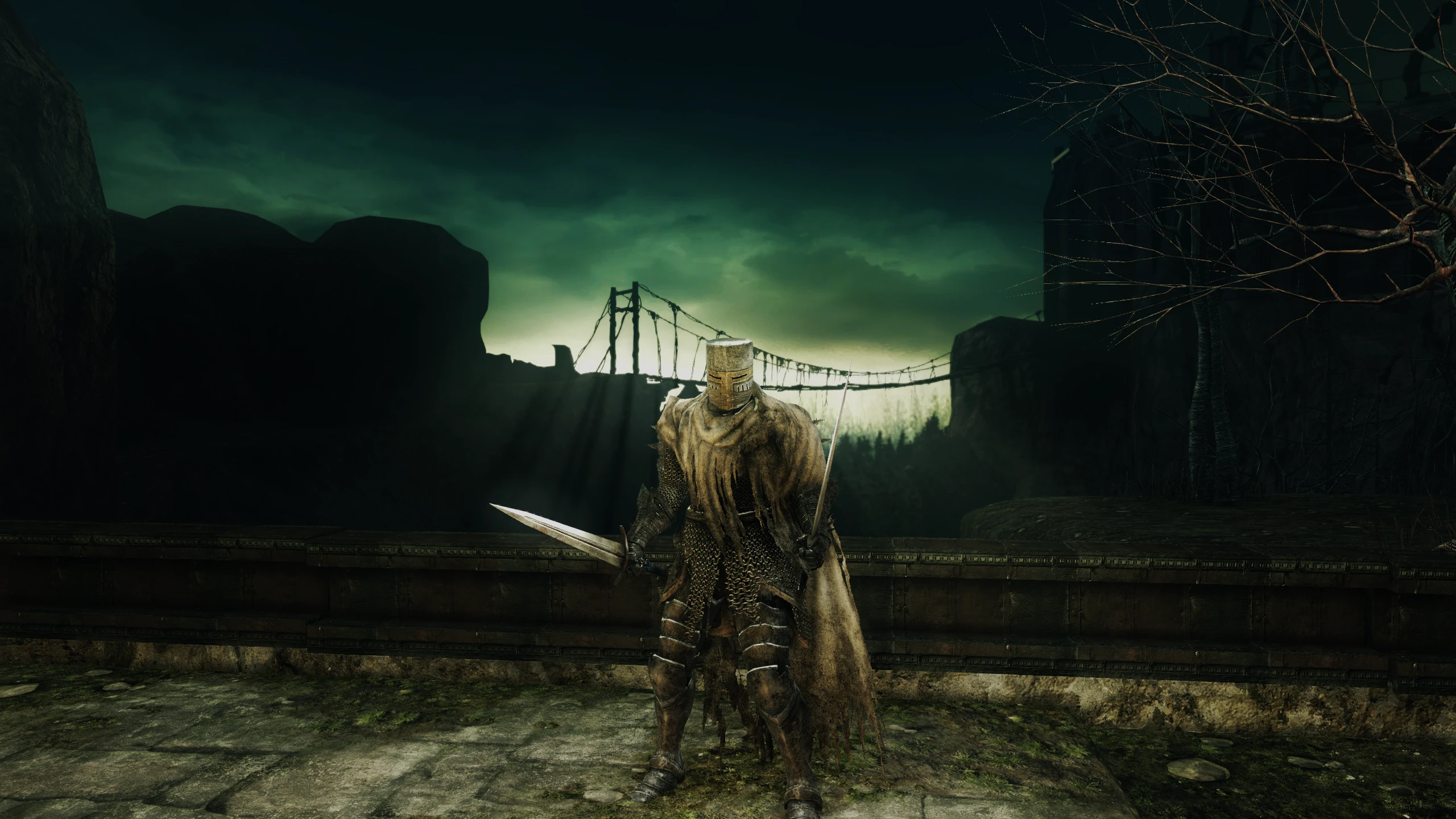
Adds dynamic shadows to almost the entire game world. Torch will cast shadows onto the world. textures upscaled extremely faithfully. better texture/mesh lods. better water reflections. Add bonfire shadowcasting for all bonfires.
Things this mod does:
Adds dynamic shadows onto most of the game world
Upgrades the player lantern to be more like the DS2 Beta footage
Adds bonfire shadowcasting to every bonfire
Shadows being cast from the torch onto the environment now
removes unneeded blue point lights for more contrast
much better texture/mesh LODs
upscaled textures (very faithfully!)
newly generated normal maps for some surfaces when needed
With the Reshade preset, it brings better ambient occlusion and better anti aliasing.
plus a more contrast-oriented lighting setup using FGFX Large Scale Perceptual Obscurance Irradiance
all toggleable and tunable via Reshade.
PLEASE READ ABOUT ONLINE USE
Works online for me. Haven't come across any issues, but I can't give 100% guarantee, as is the case with almost every souls mod.
Installation:
1. Install UXM and use it to "unpack" your DS2 game files (skip if you already have unpacked game files), then hit the "patch" button.
2. Download my mod, extract it wherever you want
3. Open my mod folder you just downloaded and copy the folders inside straight to your DS2 game folder. Overwrite when asked.
4. Download Reshade (not the add on version)
5. install Reshade and when it asks for exe, select Dark Souls II, then pick DX11. When it asks for a preset ini, select the secondsin.ini that is now in your DS2 game folder
6. Once inside the game, hit the "Home" button on your keyboard to bring up reshade. Uncheck "Performance mode" then click on "reshade global preprocessor definitions" and make sure "Depth is reversed" is set to 0
7. Then you can turn on "Performance mode" for Reshade again
8. Make sure the in-game Anti Aliasing is turned off. Although feel free to keep it on if you don't mind the extra blurriness.
9. Also make sure your in game graphics settings are set to the highest settings.
Installing updates:
just copy the downloaded files into your DS2 game folder. Done. Easy peasy.
Uninstallation:
Delete the map, model, and param folders in your DS2 game directory. Open UXM and click on "unpack" // this will replace the files you just deleted with the default ones.
Does it work with DS2LightingEngine?
Technically, yes. The reason I'm no longer recommending DS2 LE is that it makes a lot of artistic changes that are a bear to undo. Plus that mod is constantly evolving and new bugs crop up. I want to have a set vision and ensure I can control that 100%. LE makes that hard. It should work fine, but you won't get the results seen in the
📊 Mod Details
- Game
- Dark Souls 2 Mods
- Author
- fromsoftserve
- Version
- 0.51
- Downloads
- 14,359
- Endorsements
- 402
- Category
- Visuals and Graphics
- Created
- 7/21/2023
- Updated
- 4/26/2024
🔧 How to Install Darksouls 2 Mods
Download from Nexus Mods.
📖 Full step-by-step install guide for Darksouls 2 →
Visit the official mod page for specific installation instructions for this mod.
🎮 Need cheat codes or console commands? Check ur gaming wiki for Darksouls 2 commands, item IDs, and more.
Keep browsing — more Darksouls 2 mods await