Uncanny Interface
⚪ Last updated 2021Preview
🔍 Analysis
- 👍 2.2% endorsement rate — high engagement, a strong quality signal
- 🏆 #13 of 142 User Interface mods in this game by downloads
📋 About This Mod
DESCRIPTION
Makes some improvements and changes to the inventory while still keeping the style of the original.
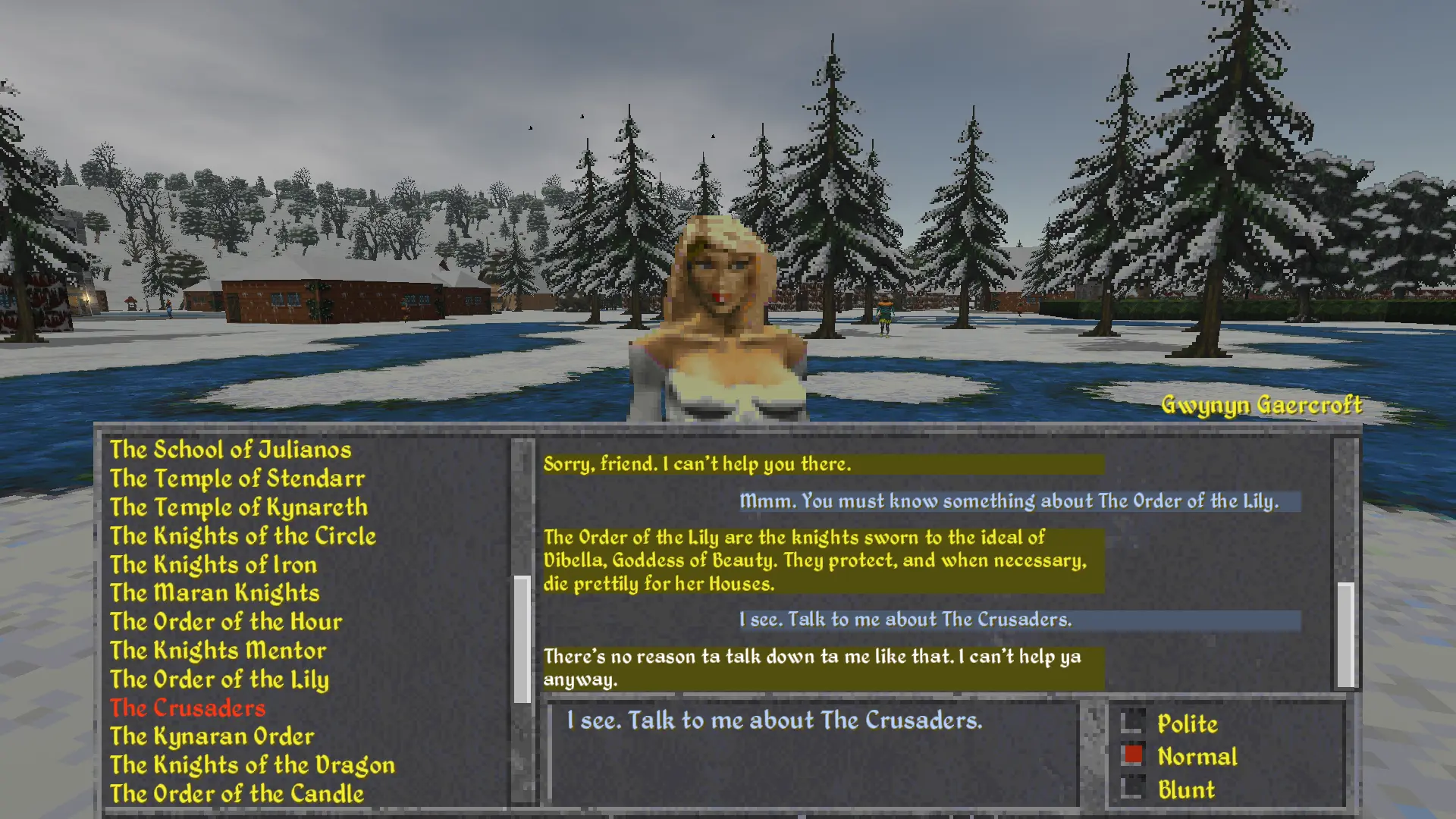
Currently the Dialogue window, Rest window, and Inventory window has been changed. NOTE: The trade window has not been changed, while it looks very similar to the inventory it is its own unique interface.
Dialogue UI
-
[]Reduced the number of special dialogue buttons and made them into selectable topics
[
]Removed the copy to logbook button, instead you can double click on a dialogue to copy it[]Reduced the size of the dialogue window to about half and moved some elements around to achieve this
[]Portrait is now optional with a few selectable options, but is disabled by default
[]Removed any text written on the UI texture and made them to labels
Inventory UI
-
[]Increased the size of the inventory
[]Removed the large text category buttons and moved them to a more sensible position
[]Removed the "remove" button, removing items is now exclusively done by the right mouse button
[]Moved the gold button to the top of the interface, showing your current gold
[]Moved the wagon button next to the "ground" button and changed them to toggle between the different modes
[]If you click "equip" on a item that is not equipable, it will always try to "use" the item instead
[]Removed any text written on the UI texture and made them to labels
Rest UI
-
[]Added message on rest window to indicate if you can rest or not
[
]Added a slider, similar to newer TES games to set how long to rest[]See the current time while resting or waiting
[]Automatically hides buttons that you can't current do, or would be illegal to do
Overall
-
[]Mod Options to enable/disable each UI separately
[
]Option to override all textures used. Place any texture you wish to override with the correct name in "StreamingAssets\Textures\UI".
-
[]Download the correct version for your operating system (Windows/OSX/Linux)
[
]Copy the "uncannyui.dfmod" into your StreamingAssets\Mods folderUNINSTALL
- Remove "uncannyui.dfmod" from the "StreamingAssets/Mods" folder.
-
[]Mod Options to enable/disable each UI separately
-
[]Added message on rest window to indicate if you can rest or not
-
[]Increased the size of the inventory
Uncanny Interface is a UI overhaul for Daggerfall that enhances the interface while preserving the original aesthetic. With 703 endorsements and over 32,000 downloads, it's a well-received mod for players seeking a cleaner, more functional UI without losing the classic feel.
✨ Key Features
📊 Pros & Cons
✅ Pros
- Community favorite with 703 endorsements and over 32k downloads
- Preserves the classic Daggerfall look while improving usability
- Lightweight UI mod that doesn't overhaul the game's feel
⚠️ Cons
- Last updated in 2021, so may not be compatible with the latest Daggerfall Unity builds
- Only two features listed, so the scope of changes is unclear
- Potential conflicts with other UI mods that alter the same interface elements
For Daggerfall players who want a better interface without losing the retro charm. If you're a purist who loves the original UI but finds it clunky, this is for you. Skip if you're looking for a complete UI overhaul with new menus and features.
💡 Beginner Tips
- If you're using Daggerfall Unity, make sure to place the mod files in the correct mods folder (usually 'DaggerfallUnity_Data/StreamingAssets/Mods').
- Check the mod's forum page for any compatibility notes with other UI mods before installing.
- If you're playing the original DOS version, this mod may not work—verify it's for Daggerfall Unity.
📊 Mod Details
- Game
- Daggerfallunity Mods
- Author
- Uncanny
- Version
- 1.2
- Downloads
- 32,474
- Endorsements
- 703
- Category
- User Interface
- Created
- 10/27/2021
- Updated
- 11/12/2021
🔗 Required By 1 Mod
These mods list this mod as a dependency.
🧩 Commonly Used Together
Users add these mods to the same collections — a real compatibility signal, not an AI guess.
🔧 How to Install Daggerfall Unity Mods
Download from Nexus Mods.
📖 Full step-by-step install guide for Daggerfall Unity →
Visit the official mod page for specific installation instructions for this mod.
🎮 Need cheat codes or console commands? Check ur gaming wiki for Daggerfall Unity commands, item IDs, and more.
Keep browsing — more Daggerfall Unity mods await