Tempered Interiors
⚪ Last updated 2022Preview
🔍 Analysis
- 👍 3.8% endorsement rate — high engagement, a strong quality signal
- 🏆 #44 of 169 Models and Textures mods in this game by downloads
📋 About This Mod
Version 0. 81 Update (November 2022)
-
[]Fix for high quality doors not appearing in other climates.
[
]Reverse door hinges if blocked by furniture or walls.[]Dim ambient light when moving into underground areas.
[]Incompatibility message if Transparent Windows mod v0. 5. 1 or prior is installed.
- Various tweaks.
Overview
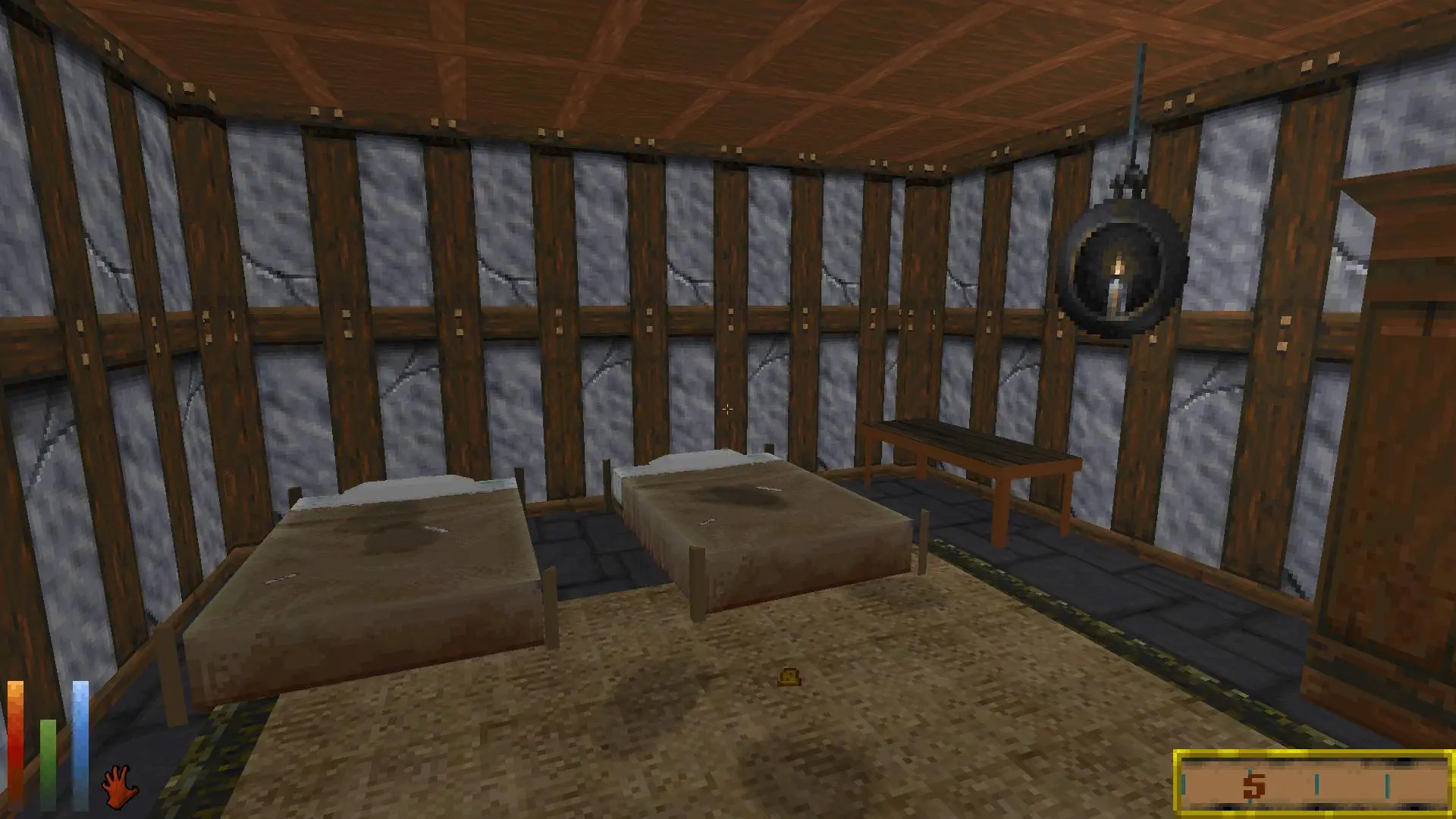
Daggerfall buildings have a quality value associated with them, but this is not visually apparent.
The Tempered Interiors mod attempts to rectify that by making alterations to decor and textures to match the quality.
It does not add additional furnishings, but can add 'filth'.
This mod is intended to work in conjunction with other mods that manipulate building content.
Installation
Unzip the Tempered-Interiors.dfmod file into your Mods folder.
Tempered Interiors is a cosmetic mod for 7 Days to Die that adjusts building interiors to match the quality of the building itself. It's designed to work alongside other interior furnishing mods, making it a lightweight addition for players who want more consistent visuals. With 258 endorsements and 6,792 downloads, it has a modest but active following.
✨ Key Features
📊 Pros & Cons
✅ Pros
- Community-tested with 258 endorsements and 6,792 downloads
- Plays nice with other interior mods, so you can stack it without conflicts
- Lightweight cosmetic tweak that doesn't overhaul gameplay
⚠️ Cons
- Only touches interiors—if you want exterior changes, look elsewhere
- Last updated in 2022, so it might be behind on recent game patches
- Compatibility with other mods is stated, but not guaranteed for every combination
For 7 Days to Die players who want interiors that feel consistent with the building's condition, especially if you already use other furnishing mods. Skip if you're after major gameplay changes or exterior overhauls—this is purely cosmetic.
💡 Beginner Tips
- Since it's a cosmetic mod, it should work with EAC disabled—make sure to launch the game with EAC off if you're using mods.
- If you're using a mod manager, load Tempered Interiors after other interior mods to ensure its changes take precedence.
- Check the mod's file structure—if it's a drop-in folder, just place it in your Mods directory and you're good.
📊 Mod Details
- Game
- Daggerfallunity Mods
- Author
- DunnyOfPenwick
- Version
- 0.81
- Downloads
- 6,792
- Endorsements
- 258
- Category
- Models and Textures
- Created
- 10/10/2022
- Updated
- 11/5/2022
🔧 How to Install Daggerfall Unity Mods
Download from Nexus Mods.
📖 Full step-by-step install guide for Daggerfall Unity →
Visit the official mod page for specific installation instructions for this mod.
🎮 Need cheat codes or console commands? Check ur gaming wiki for Daggerfall Unity commands, item IDs, and more.
Keep browsing — more Daggerfall Unity mods await