High Res Paintings - Numbered
⚪ Last updated 2020Preview
🔍 Analysis
- 🏆 #122 of 169 Models and Textures mods in this game by downloads
📋 About This Mod
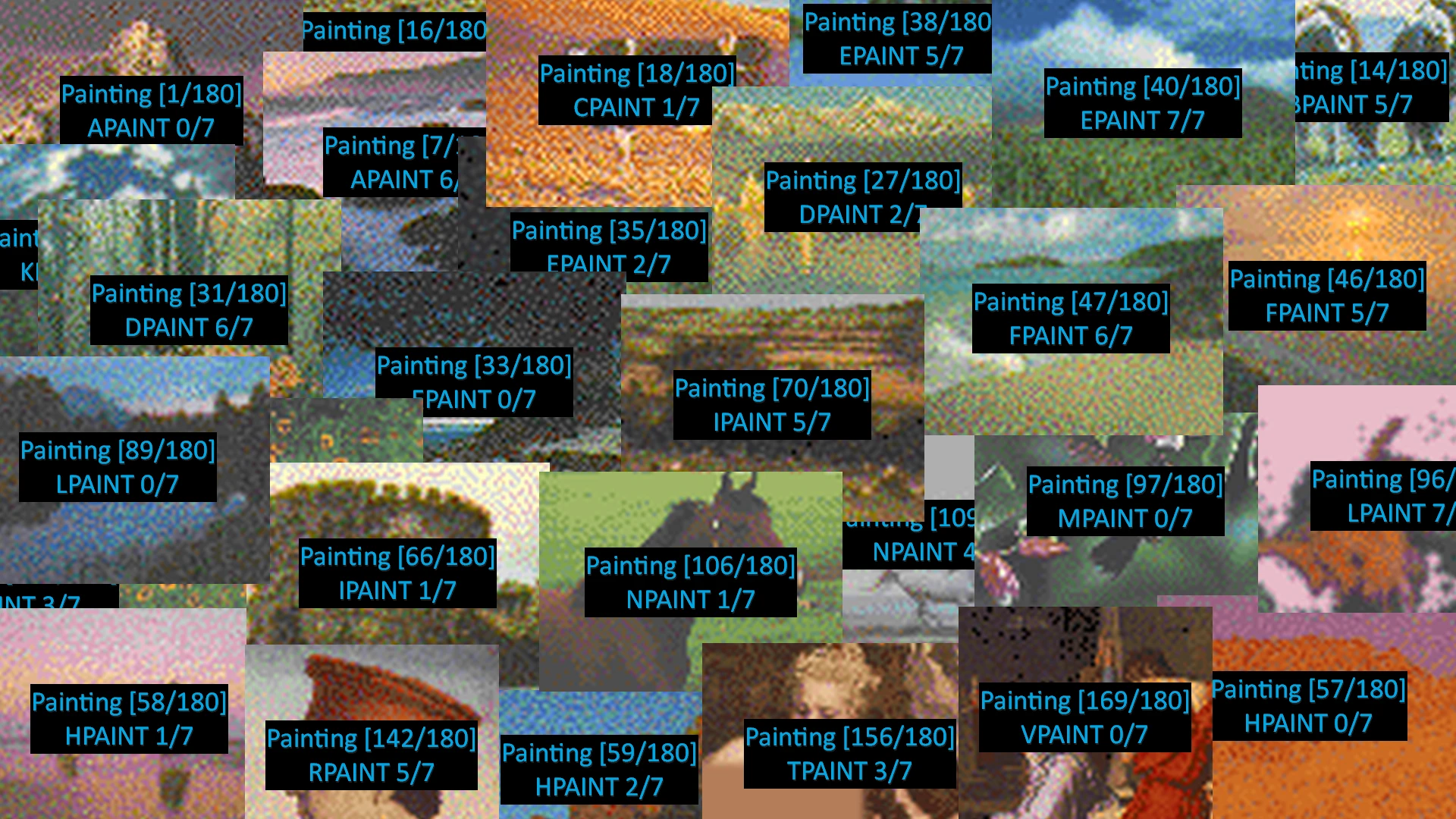
Replaces the in-game painting images with numbered images to help you collect them all. Not actually high-res, but works as a companion to my high-res texture mods.
Description
Retextures all paintings with versions that have numbers on them for your collecting convenience. Use them by placing them in your CifRci folder as detailed in Installation. Any time you see a numbered painting, that means you don't have it yet. Once you've dumped it into your stash pile and saved the game, find that image in the CifRci folder and delete it. Now the image won't show up with numbers anymore and you'll know it's a painting you've already collected.
Because they're loose files, deleting an image will immediately affect the next image you click in your inventory, so even if you end up with five of the same image, by deleting the image after stashing the first one, you won't see numbered images for the next four and won't accidentally add duplicates to the stash. Win!
I just used the stock textures from the game as base images. Nudity has been censored in images that might have been offensive. Total numbers are 1-based, from 1 to 180. Series numbers are 0-based (reflecting their filenames), going from 0 to 7 on most series, or 0 to 3 for the WPAINT series. There are 23 series, from APAINT to WPAINT. Collect them all!
Recommended
Once you've collected them all, you can use my high-resolution replacements to make it worth your while.
SFW Edition (No nudity.)
NSFW Edition (Contains nudity!)
(You can actually install the high-res mods anyways. The loose files will over-ride the mod textures, then each time you find and delete a loose file, the high-res image will be immediately available.)
I personally setup my paintings in piles, with each pile corresponding to a series. By setting the icons in patterns, it makes it pretty easy to figure out which series you're looking for.
Installation
-
[] Download the file.
[
] Extract it so all the .png files are in your ..\Daggerfall Unity\DaggerfallUnity_Data\StreamingAssets\Textures\CifRci\ folder.[
] Enjoy!It should work with the Vortex manager, but since you'll want to manually delete the images as you collect them, that's probably not the best way.
Uninstallation
Delete all PAINT. CIF files from your CifRci folder.
📊 Mod Details
- Game
- Daggerfallunity Mods
- Author
- fosley
- Version
- 1.0.0
- Downloads
- 285
- Endorsements
- 18
- Category
- Models and Textures
- Created
- 10/6/2020
- Updated
- 10/6/2020
🔧 How to Install Daggerfall Unity Mods
Download from Nexus Mods.
📖 Full step-by-step install guide for Daggerfall Unity →
Visit the official mod page for specific installation instructions for this mod.
🎮 Need cheat codes or console commands? Check ur gaming wiki for Daggerfall Unity commands, item IDs, and more.
Keep browsing — more Daggerfall Unity mods await