Gyre and Gimble
🟠 Updated over a year agoPreview
🔍 Analysis
- 👍 4.2% endorsement rate — high engagement, a strong quality signal
- 🏆 #147 of 200 Gameplay mods in this game by downloads
📋 About This Mod
Just a collection of fixes and quality-of-life features to improve DFU's legacy mechanics like Cursor Mode and the Drag-To-Attack scheme without massively changing the gameplay like Auto-Sight does.
MAIN FEATURES
CURSOR-BASED MOVEMENT
-
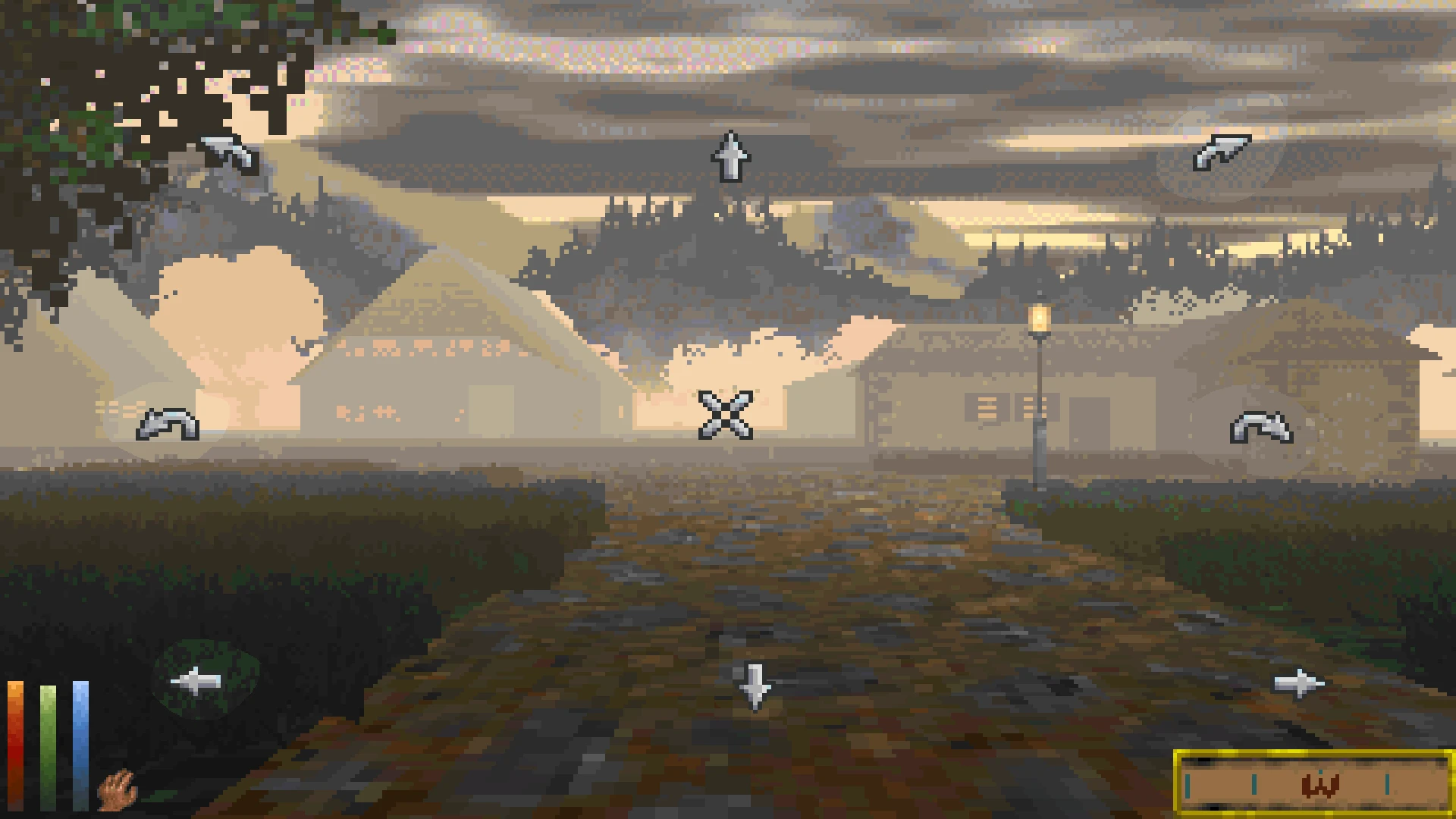
[]Returning from Classic, you will be able to move, turn and strafe by clicking on the screen with your mouse in Cursor Mode
[
]IMPORTANT: Disable "Movement Acceleration" in DFU's Advanced Options (requires restart) if you're moving too slowly.[]Optionally, disable "Enhanced Combat AI" if you find enemies too mobile.
-
[]Another addition from Classic DF, this allows you to offset your viewing angle without turning the character.
[]Hold down the "Activation" input to unlock the camera and move your mouse to change the view. Release the "Activation" input to lock the view and re-enable regular mouse look.
[]Hold down the "Activation" input and press the "Reset" input to return the camera to the original viewing angle.
[]Optional "Auto-Reset" setting will perform a reset when you release "Activation"
- []In DFU, enabling Cursor Mode locks all of your camera controls. This module allows keybinds that turn and pitch the camera to work in Cursor Mode.
OTHER FEATURES
- []In Cursor Mode, this module automatically pitches the camera to match slopes, stairs and terrain you are facing.
- []When using the vanilla Drag-To-Attack control scheme, the game locks your camera controls whenever you hold down the Swing input. This module keeps your mouse-look enabled while attacking.
- []Renders the in-game cursor using an engine GUI so it will remain accurate when using filters that affect screen geometry, like Reshade.
BINDING INPUTS
Refer to Unity's scripting reference to see what KeyCode works with your desired input
COMPATIBILITY
It should be mostly compatible with mods as long as they don't directly mess with the camera or player movement. (eg, Auto-Sight would be incompatible)
MOD RECOMMENDATIONS
Eye Of The Beholder
-
[]Put this mod above EOTB on the load order
[]The Free Look can be used as a sort of vanity camera like in more modern TES games
-
[]Very cool clickable UI for playing in Cursor Mode
[]Also use Wilhelm's Retro Experience by WilhelmBlack for the aesthetics
- []The Free Look can be used to look around during accelerated travel
Thanks to all the fine folk at the Lysandus' Tomb DFU modding discord server!
📊 Mod Details
- Game
- Daggerfallunity Mods
- Author
- RedRoryOTheGlen
- Version
- 1.1
- Downloads
- 619
- Endorsements
- 26
- Category
- Gameplay
- Created
- 10/27/2024
- Updated
- 6/25/2025
🔧 How to Install Daggerfall Unity Mods
Download from Nexus Mods.
📖 Full step-by-step install guide for Daggerfall Unity →
Visit the official mod page for specific installation instructions for this mod.
🎮 Need cheat codes or console commands? Check ur gaming wiki for Daggerfall Unity commands, item IDs, and more.
Keep browsing — more Daggerfall Unity mods await