Simple Realistic for Cyberpunk 2077
⚪ Last updated 2020⚠️ Install Order · 7 steps
Install in this order, then this mod last — most mods fail to load without their framework and dependencies in place.
Preview
🔍 Analysis
- 👍 4.2% endorsement rate — high engagement, a strong quality signal
- 🏆 #74 of 148 Visuals and Graphics mods in this game by downloads
📋 About This Mod
CREDITS:
CD Projekt RED (for created this great game)
Timothy Lottes (EPIC)
Reshade Team (Crosire, CeeJay, Marty McFly, Thalixte, Ganossa/Hawk, Bacondither, Ioxa, Otis, Jose Negrete, et al. ~ https://reshade.me )
What is this?
A simple Reshade custom shaders for Cyberpunk 2077
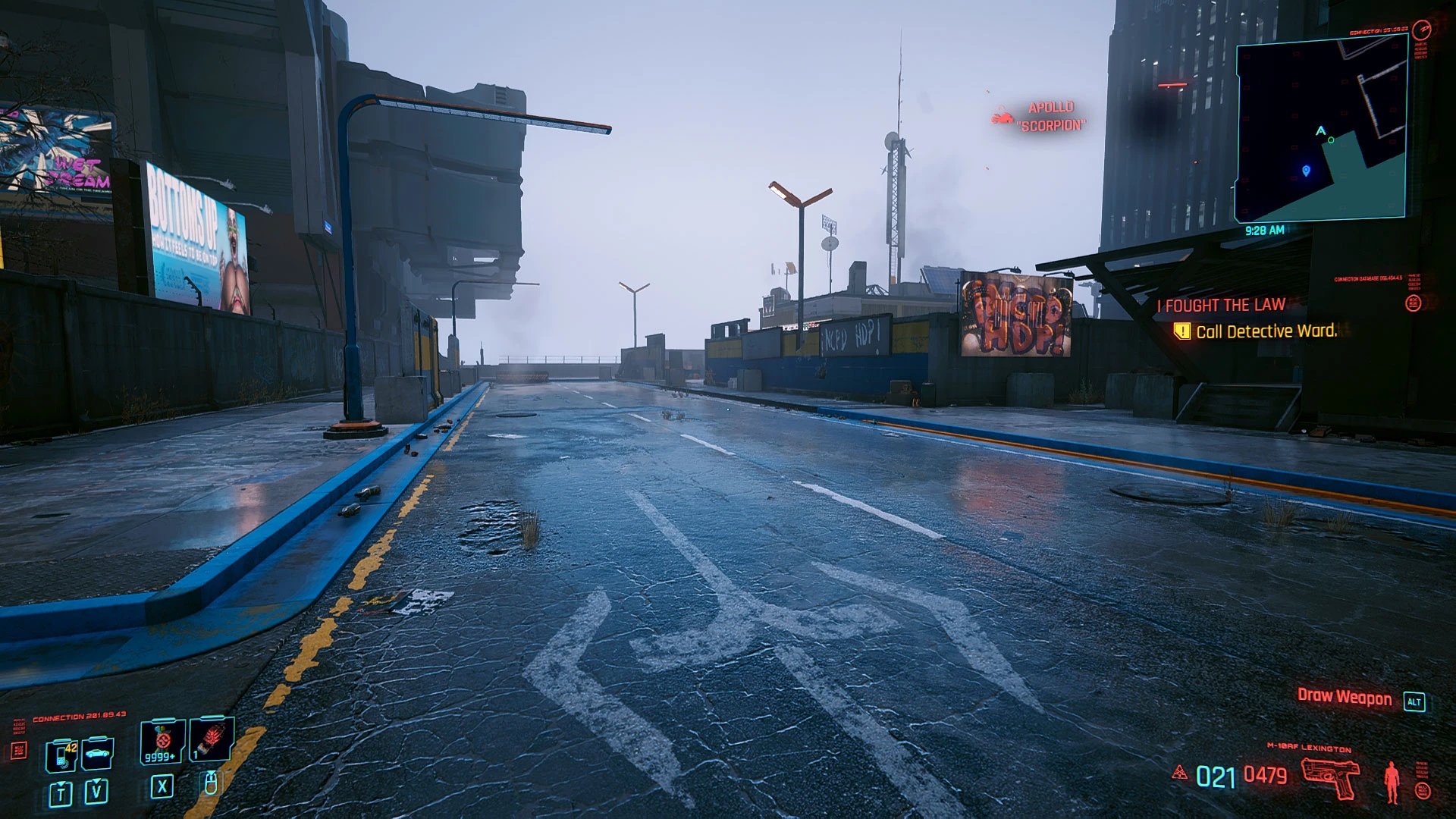
This shading makes Cyberpunk 2077 slightly brighter but with better shading, details and lighting effects.
Side by side Comparison (from this Lite version)
https://imgsli.com/MzMwMzE
https://imgsli.com/MzMwMzI
https://imgsli.com/MzMwMzM
image comparison service is provided by imgSLI
DJ7XmdnYWxc
- It's based on Reshade 4. 7.x framework, but may not work properly with other Reshade version; therefore please clean-up your previous Reshade files before apply this mod. You don't have to run Reshade installer, just extract all folder and files to proper location as shown on the screenshot below.
- for the best result please turn OFF Noise Grain, Chromatic Aberration and Motion Blur inside in-game Graphic Settings. If you have Turing card or newer, then you may set DLSS to "auto"
How to install:
- Clean-up your previous all Reshade files and configuration (if you already installed it) from Cyberpunk2077 folder before install this mod
- Extract these files into where your game executable (Cyberpunk2077.exe) resides.
The files and folder structure are as shown in this screenshot example below. Where green high-lighted is Cyberpunk exe file, and grey high-lighted are my mod folders and files :
- Run the game!
Command Keys:
- INSERT : Toggle Effects ON/OFF (default: ON)
- END : to Show up Reshade UI, so you can adjust Color Saturation, Light Intensity, and Dark Level to fit your monitor/your liking.
I hope you like it! :)
Chris Rubino
---------------------------------------------------------------- Epilog -----------------------------------------------------------------------------------
The preview of the full version (with complete shaders passes: GI LightBoost, 3D Stereoscopic, etc.):
https://imgsli.com/MzMwMzQ
https://imgsli.com/MzMwMzU
https://imgsli.com/MzMwMzY
https://imgsli.com/MzMwMzc
Preview of V1. 05 :
https://imgsli.com/MzU4NzY
https://imgsli.com/MzU4Nzg
https://imgsli.com/MzU5MDI
https://imgsli.com/MzU5MDM
The full-version is only available through my Patreon for some selected member with adequate hardware spec.
** Keep in mind the full version designed for RTX cards (RTX 3060 Ti or better) as the GI LightBoost actually is NO
A simple Reshade custom shaders pack for Cyberpunk 2077 that brightens the game while improving shading, details, and lighting effects. With 579 endorsements and 13,861 downloads, it's a popular choice for players seeking a visual upgrade without heavy performance costs.
✨ Key Features
📊 Pros & Cons
✅ Pros
- Community-approved with 579 endorsements and over 13k downloads
- Lightweight visual tweak that enhances brightness and detail without overhauling the game
- Simple install—just drop the shaders into your Reshade folder
⚠️ Cons
- Last updated in December 2020—may not be fully compatible with the latest Cyberpunk 2077 patches
- Requires Reshade to be installed separately, which isn't mentioned in the description
For Cyberpunk 2077 players who want a subtle visual enhancement—brighter scenes and better lighting—without a heavy mod. If you're after a complete graphics overhaul or gameplay changes, this isn't for you.
💡 Beginner Tips
- Make sure you have Reshade installed and set up for Cyberpunk 2077 before adding this pack.
- After installing, tweak the shader settings in-game using the Reshade overlay to match your taste.
- If the game updates, check for compatibility issues—you may need to reinstall Reshade or the shaders.
📊 Mod Details
- Game
- Cyberpunk 2077 Mods
- Author
- Chris Rubino
- Version
- 1.02
- Downloads
- 13,861
- Endorsements
- 579
- Category
- Visuals and Graphics
- Created
- 12/11/2020
- Updated
- 12/13/2020
🔧 How to Install Cyberpunk 2077 Mods
Download from Nexus.
📖 Full step-by-step install guide for Cyberpunk 2077 →
Visit the official mod page for specific installation instructions for this mod.
🎮 Need cheat codes or console commands? Check ur gaming wiki for Cyberpunk 2077 commands, item IDs, and more.
Keep browsing — more Cyberpunk 2077 mods await