DLSS Mirror Fix and DLSS Sharpness
⚪ Last updated 2021⚠️ Install Order · 6 steps
Install in this order, then this mod last — most mods fail to load without their framework and dependencies in place.
Preview
🔍 Analysis
- 👍 3.3% endorsement rate — high engagement, a strong quality signal
- 🏆 #7 of 148 Visuals and Graphics mods in this game by downloads
📋 About This Mod
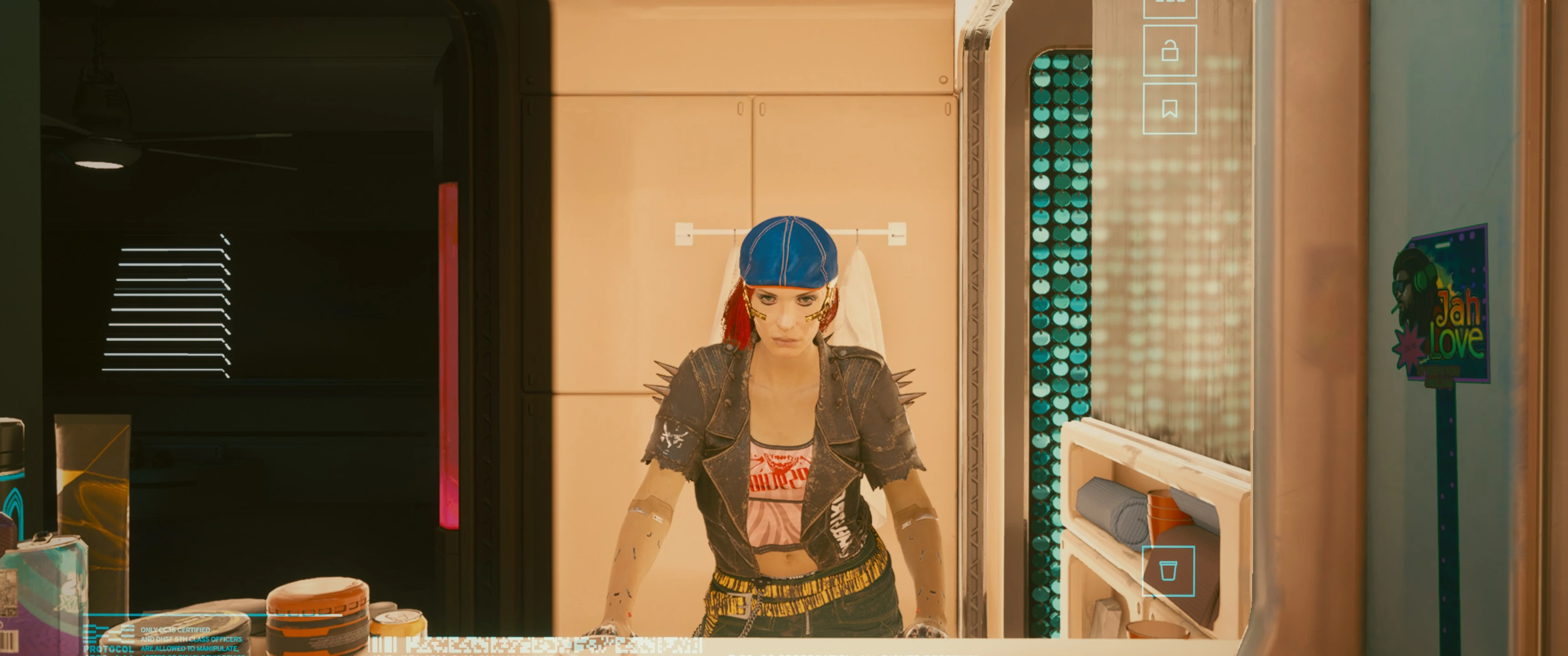
This mod fixes the issue with DLSS scaling in alternative viewports which are used for interactive mirrors in the game.
The default settings have mirrors running at half or even quarter resolution resulting in rather poor image quality.
The mod also enables the built-in sharpening functionality for DLSS, if you do not like the result alter the value to lower or higher than 0. 5, depending on the DLSS mod 0. 3-0. 5 is ideal when NVIDIA's global image sharpening isn't used, if you use the global one through the driver I recommend lowering the sharpness value to around 0. 15-0. 2.
Instructions:
Create an ini file in \engine\config\platform\pc, the name doesn't matter.
Add the following section:
Enable = true
EnableCustomMipBias = true
EnableMirrorScaling = true
MirrorScaling = 1. 000000 (default -1 half/quarter res)
Sharpness = 0. 500000 (default 0, no sharpening set it to 0 or a lower value if you experience flickering)
If Sharpness is set to 0 I recommend enabling image sharpening in NVIDIA control panel, but again it's purely subjective.
This mod fixes scaling issues in interactive mirrors and enables DLSS sharpness for Cyberpunk 2077. With 858 endorsements and 26,310 downloads, it's a popular quality-of-life fix for DLSS users. Last updated in 2021, it may need compatibility checks with newer game versions.
✨ Key Features
📊 Pros & Cons
✅ Pros
- Community-approved with 858 endorsements and over 26k downloads
- Targets a specific visual bug that affects mirror reflections
- Adds DLSS sharpness control for crisper visuals
⚠️ Cons
- Last updated in 2021 — may be outdated for current game patches
- Niche fix — only relevant if you use DLSS and care about mirror reflections
For Cyberpunk 2077 players using DLSS who notice blurry or misaligned reflections in mirrors. Also for those who want to fine-tune sharpness without external tools. Skip if you don't use DLSS or rarely interact with mirrors.
💡 Beginner Tips
- Place the files in the Cyberpunk 2077 installation directory, typically under 'bin/x64' or 'engine' depending on the mod structure.
- If you use other visual mods, test this one in combination to ensure no conflicts with mirror-related tweaks.
- Check the mod page for any updates or patches if you're on a recent game version.
📊 Mod Details
- Game
- Cyberpunk 2077 Mods
- Author
- ObviouslyTriggered
- Version
- 1.0
- Downloads
- 26,310
- Endorsements
- 858
- Category
- Visuals and Graphics
- Created
- 12/25/2020
- Updated
- 1/1/2021
🔧 How to Install Cyberpunk 2077 Mods
Download from Nexus.
📖 Full step-by-step install guide for Cyberpunk 2077 →
Visit the official mod page for specific installation instructions for this mod.
🎮 Need cheat codes or console commands? Check ur gaming wiki for Cyberpunk 2077 commands, item IDs, and more.
Keep browsing — more Cyberpunk 2077 mods await