Shiny AF Night City
⚪ Last updated 2021⚠️ Install Order · 6 steps
Install in this order, then this mod last — most mods fail to load without their framework and dependencies in place.
Preview
🔍 Analysis
- 👍 2.7% endorsement rate — high engagement, a strong quality signal
- 🏆 #148 of 148 Visuals and Graphics mods in this game by downloads
📋 About This Mod
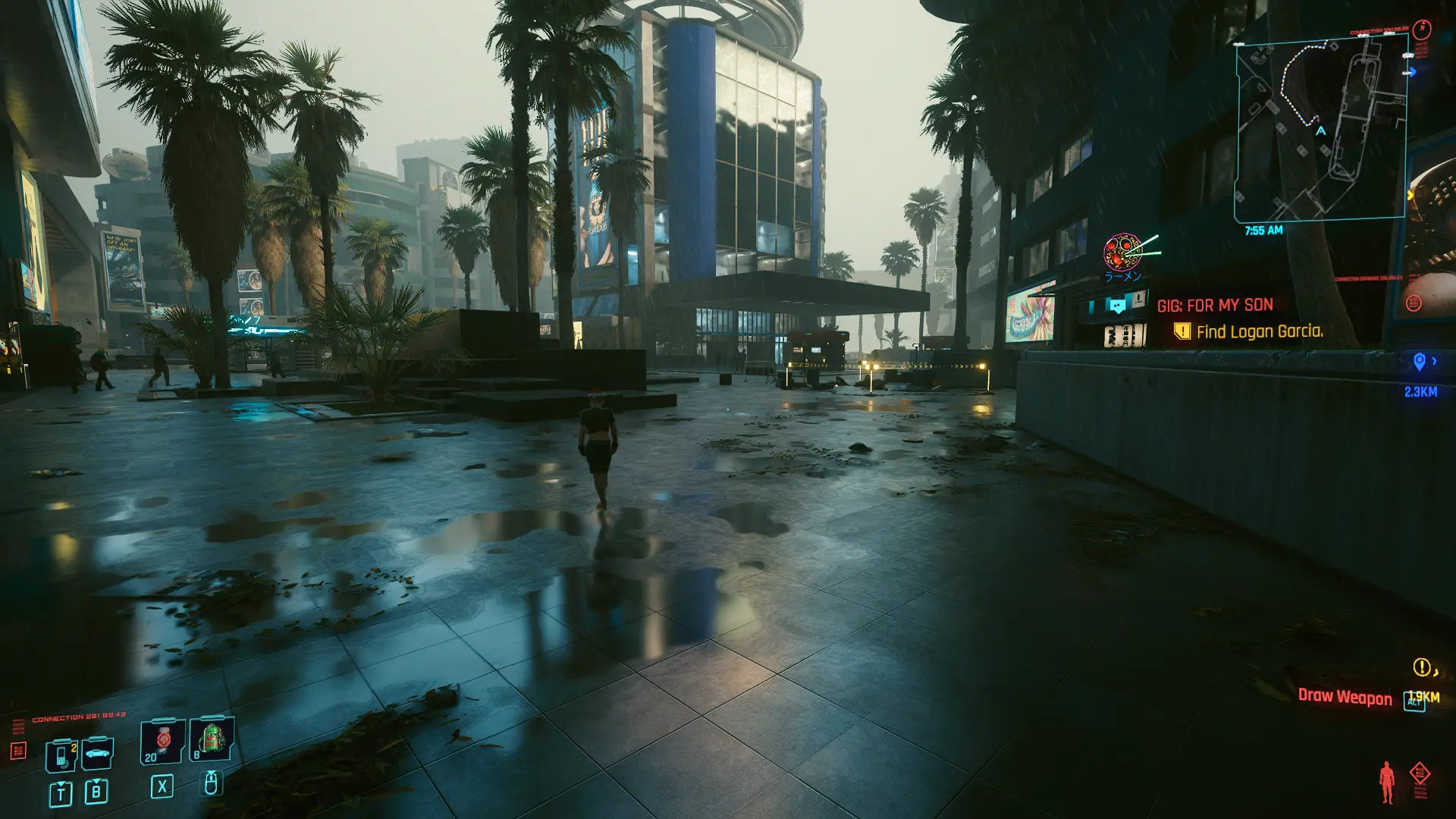
Makes almost everything shine.
If you use "Ray Traced Reflections", Then use the Shiny AF NightCity _ RT file. No additional requirements.
To install, just open the zip file. Then drag the content and drop it into the game's installation directory. done!
If you don't use "Ray Traced Reflections, " use the Shiny AF NightCity _ SSR file.
To install:
-
[]Download and install ReShade from here.
[
]Run ReShade_Setup[]Follow instructions and select Cyberpunk 2077 to install reshade on it
[]Make sure the rendering API is set to Direct X 12
[]Check qUINT by Marty McFly
[]Click OK and wait for installation.
[]Close Setup.
[]Drag and drop the contents of the Shiny AF NightCity _ SSR file into your game's installation directory.
[]Run the game.
[]After the game loads, press the Home button to open reshade overlay.
[] Click on the Textbox and open the folder named reshade-presets
[]select Shiny AF NightCity.ini and click select.
==================================================
Thanks, "yamashi" for making CET, god of mods.
Thanks, "Silver" for the crazy idea ?.
Thanks, ReShade Team (ceejay-crosire-Marty McFly) for making ReShade.
Thanks Again, "Marty McFly" for making qUINT SSR.
📊 Mod Details
- Game
- Cyberpunk 2077 Mods
- Author
- MJ_Ehsan
- Version
- 1.0
- Downloads
- 8,693
- Endorsements
- 236
- Category
- Visuals and Graphics
- Created
- 6/22/2021
- Updated
- 6/22/2021
🔧 How to Install Cyberpunk 2077 Mods
Download from Nexus.
📖 Full step-by-step install guide for Cyberpunk 2077 →
Visit the official mod page for specific installation instructions for this mod.
🎮 Need cheat codes or console commands? Check ur gaming wiki for Cyberpunk 2077 commands, item IDs, and more.
Keep browsing — more Cyberpunk 2077 mods await