QoL - Interactive Judy's Apartment Devices
⚪ Last updated 2024⚠️ Install Order · 6 steps
Install in this order, then this mod last — most mods fail to load without their framework and dependencies in place.
Preview
🔍 Analysis
- 👍 0.2% endorsement rate
- 🏆 #48 of 457 Gameplay mods in this game by downloads
📋 About This Mod
Basics:
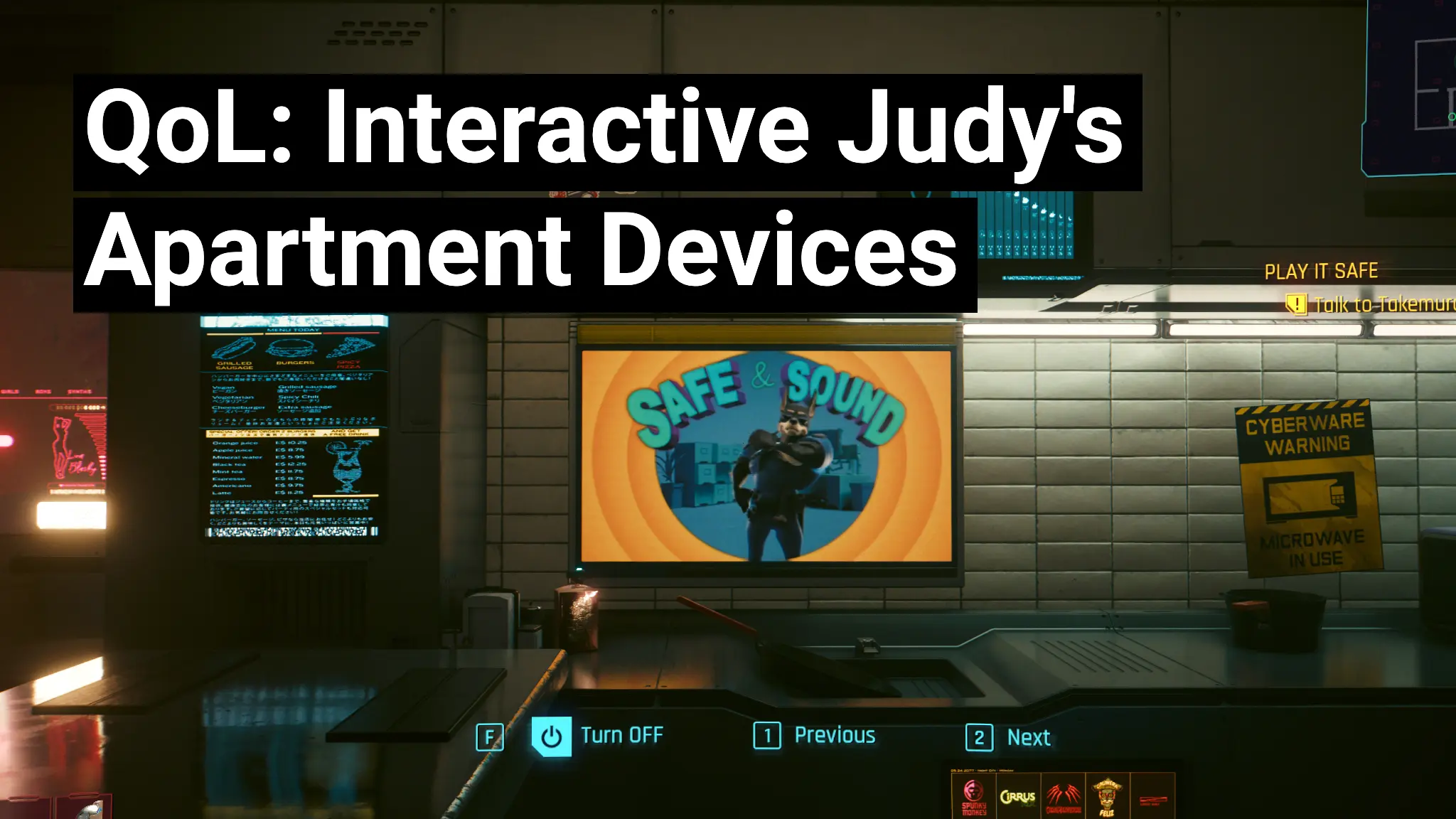
Let's V control the Radio, Bedroom TV, Kitchen TV, Office/Studio TV and Bathroom TV in Judy's apartment.
They can turned On/Off, or have their Channel/Station changed.
They still don't support quick hacking
Notes:
The devices can only be used when not in dialogue with Judy, and not having another world interaction available:
Example: You'll need to pick up the consumable next to the radio or you may not get any of the prompts.
The devices in her office/studio are unchanged.
The TV in her bedroom maybe blocked by a hidden Johnny Silverhand... talk to him about her robots in the living room to move him and unblock the TV
The TV in her bedroom seems to sometimes have a number of blank channels, so it can appear off even if it isn't, just flick through the channels.
The small TVs and Radio can be a little finicky to interactive with at certain angles (maybe this is why they disabled the interactions) but with a little experimentation they all do work.
Why is this mod not part of Judy Romanced Enhanced?
Judy Romanced Enhanced is very simple and generally unlikely to break during patches.
This mod on the other hand will need updating every patch to avoid game-breaking bugs, so having it separate makes it easier to disable/uninstall/update when needed.
When a new patch drops I do recommend uninstalling this mod until I put out a new version to support the new version.
Support me:
Really like my mod(s)?:
Ko-Fi: Deceptious
Patreon: Deceptious
Installation:
Unzip the main zip into "Cyberpunk 2077" folder so that the .archive ends up in the "Cyberpunk 2077\archive\pc\mod" folder
As of 2. 1. 0 there is now a .reds redscript file that installs into "Cyberpunk 2077\r6\pc\InteractiveJudyApartmentDevices"
Uninstall?
Simply delete the InteractiveJudyApartmentDevices.archive file from the "Cyberpunk 2077\archive\scripts\mod" folder.
Also delete the "Cyberpunk 2077\r6\pc\InteractiveJudyApartmentDevices" folder
Bugs / Limitations
This mod makes very tiny changes and so (outside of game versions changing) shouldn't break much.
As noted earlier, some of the interactions need the camera in certain angles, not much I can do about this.
You maybe able to turn the devices On/Off during story related scenes, Shouldn’t break anything other than the mood, so play about with them at your own 'risk' there.
This Cyberpunk 2077 mod lets V control the radio, bedroom TV, kitchen TV, and bathroom TV in Judy's apartment. It's a small quality-of-life addition for players who want more interactivity in that space. With 2,944 endorsements and 1.2M downloads, it's proven popular.
✨ Key Features
📊 Pros & Cons
✅ Pros
- Huge popularity with 1.2 million downloads and nearly 3,000 endorsements.
- Adds simple interactivity to a beloved location.
- Lightweight QoL mod that doesn't overhaul anything else.
⚠️ Cons
- Only affects Judy's apartment, so limited scope.
- Requires a mod loader like RED4ext or similar (not explicitly stated, but implied).
For Cyberpunk 2077 players who love Judy's apartment and want to feel more at home there. If you're looking for broader gameplay changes, this isn't it—it's a small, focused QoL tweak.
💡 Beginner Tips
- Make sure you have the latest version of Cyberpunk 2077 and any required mod loaders.
- If you're new to modding, check the mod's page for installation instructions.
- This mod is purely cosmetic—no impact on story or gameplay balance.
📊 Mod Details
- Game
- Cyberpunk 2077 Mods
- Author
- Deceptious
- Version
- 3.0.0
- Downloads
- 1,218,318
- Endorsements
- 2,944
- Category
- Gameplay
- Created
- 4/16/2023
- Updated
- 7/31/2024
🔧 How to Install Cyberpunk 2077 Mods
Download from Nexus.
📖 Full step-by-step install guide for Cyberpunk 2077 →
Visit the official mod page for specific installation instructions for this mod.
🎮 Need cheat codes or console commands? Check ur gaming wiki for Cyberpunk 2077 commands, item IDs, and more.
Keep browsing — more Cyberpunk 2077 mods await