High Res Surfaces Textures - MonstrrMagic Texture Series
⚪ Last updated 2024⚠️ Install Order · 6 steps
Install in this order, then this mod last — most mods fail to load without their framework and dependencies in place.
Preview
🔍 Analysis
- 👍 0.7% endorsement rate
- 🏆 #85 of 170 Visuals and Graphics mods in this game by downloads
📋 About This Mod
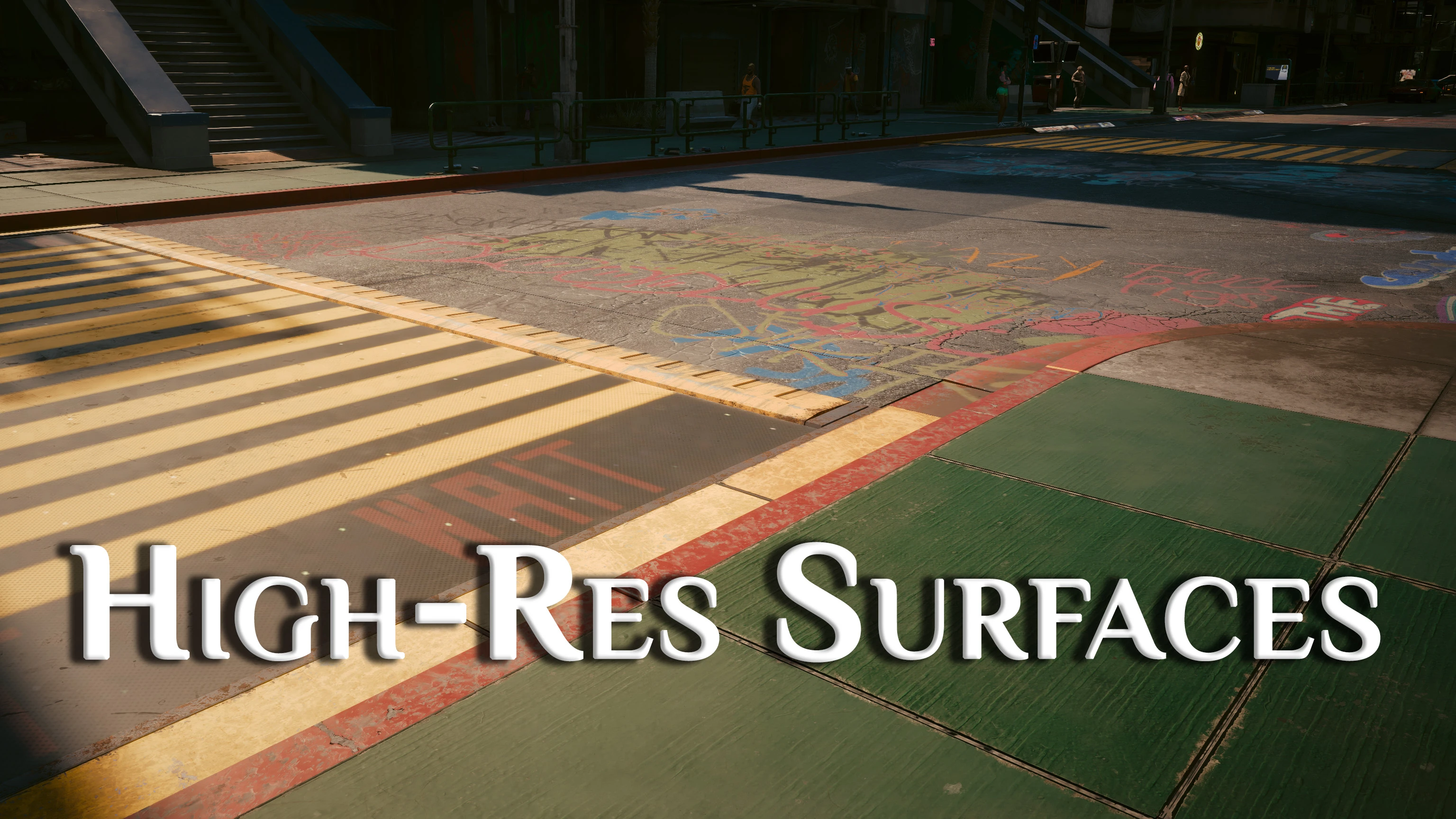
This one has been a long time coming. High-resolution textures of every Architectural Surface Texture in the base game, over 1,000 files included.
This will hit your VRAM very heavy if you don't use resolution scaling via DLSS or FSR, so I'd say that's a requirement unless you use the 2K version on a decent graphics card.
Due to a happy accident with Wolvenkit, there's a darker version of this mod that actually came out really well. You can see the difference in the gifs and decide for yourself which you'd like to use. I personally really like the darker version. All split-comparison screenshots are of the standard version.
I have upscaled all textures by 4x using chaiNNer and ESRGAN models, to a maximum of 4K. Most of the original textures were either 1K or 512 resolution with some 256. So, the "4K" version is actually a mix of 2K and 4K textures with some in 1K, and the "2K" version is actually a mix of 2K and 1K textures, with some in 512, as it's more appropriately a "2x" upscale. But people get confused so I used inaccurate terms.
I recommend using with my High-Res Graffiti Mod.
Installation
Cyberpunk loads archives in alpha numerical order, with numbers before letters. Archive names that come first get loaded last, meaning they will overwrite anything that comes after them.
If you want this to be overwritten by other mods, add a prefix of "ZZ" at the beginning of the mod archive name, and if you want it to overwrite other mods add a prefix of "00" at the beginning of the mod archive name
So what's with all these High-Res Texture Mods?
Cyberpunk relies heavily on post-processing and native upscaling for it's graphics. That means that most of the vanilla textures are very low resolution, with the game engine upscaling most of them at least 2x but as much as 32x the original, depending on your graphics settings.
That technique allows CDPR to package the game much smaller, but the quality of this on-the-fly upscaling is nowhere near what carefully trained and chosen upscale models can do with powerful AI software. Since vanilla textures are already being upscaled, there shouldn't be much of a difference in VRAM usage between these mods and putting your Texture Quality setting to High.
The biggest improvements are increased definition. CP77 relies heavily on normal maps for it's textures and then applying colors and effects to those normal maps. AI-upscaled normal maps greatly increase the definition of the detailing, allowing light and shadow to fall better.
Ok, I'm convinced. I want more. Gimme gimme.
Alright! Well stay tuned because I am planning to upscale nearly the entire game! For real!
It's going to be a well over a hundred mods when I'm done, basically a complete Next-Gen Graphics DLC. All my
High Res Surfaces Textures is a 4K/2K retexture mod for architectural surfaces, created via AI upscaling. With 1,827 endorsements and 255,365 downloads, it's a popular choice for players seeking sharper, more detailed environments. Last updated in June 2024, it remains a solid visual upgrade for fans of high-resolution textures.
✨ Key Features
📊 Pros & Cons
✅ Pros
- Huge community trust: 1,827 endorsements and 255k downloads
- AI upscaling gives crisp, modern look without manual editing
- Active as of June 2024, so likely compatible with recent patches
⚠️ Cons
- Only covers architectural surfaces—not weapons, characters, or creatures
- AI upscaling can sometimes introduce artifacts or alter original art style
- No explicit install instructions or compatibility notes in the description
For players who want sharper, more detailed buildings and structures without overhauling the whole game. If you're a texture enthusiast who appreciates AI-enhanced visuals, this is a must-try. Skip if you're looking for gameplay changes or full overhauls—this is purely cosmetic.
💡 Beginner Tips
- Check if your game version supports 4K textures; if not, use the 2K option to avoid performance hits.
- Use a mod manager to easily toggle between 4K and 2K versions and revert if needed.
- If you notice visual glitches on surfaces, try lowering texture quality in game settings to match your VRAM.
📊 Mod Details
- Game
- Cyberpunk 2077 Mods
- Author
- XilaMonstrr
- Version
- 1.1
- Downloads
- 255,365
- Endorsements
- 1,827
- Category
- Visuals and Graphics
- Created
- 12/8/2023
- Updated
- 6/13/2024
🔧 How to Install Cyberpunk 2077 Mods
Download from Nexus.
📖 Full step-by-step install guide for Cyberpunk 2077 →
Visit the official mod page for specific installation instructions for this mod.
🎮 Need cheat codes or console commands? Check ur gaming wiki for Cyberpunk 2077 commands, item IDs, and more.
Keep browsing — more Cyberpunk 2077 mods await