Edgerunner ReShade
⚪ Last updated 2023⚠️ Install Order · 6 steps
Install in this order, then this mod last — most mods fail to load without their framework and dependencies in place.
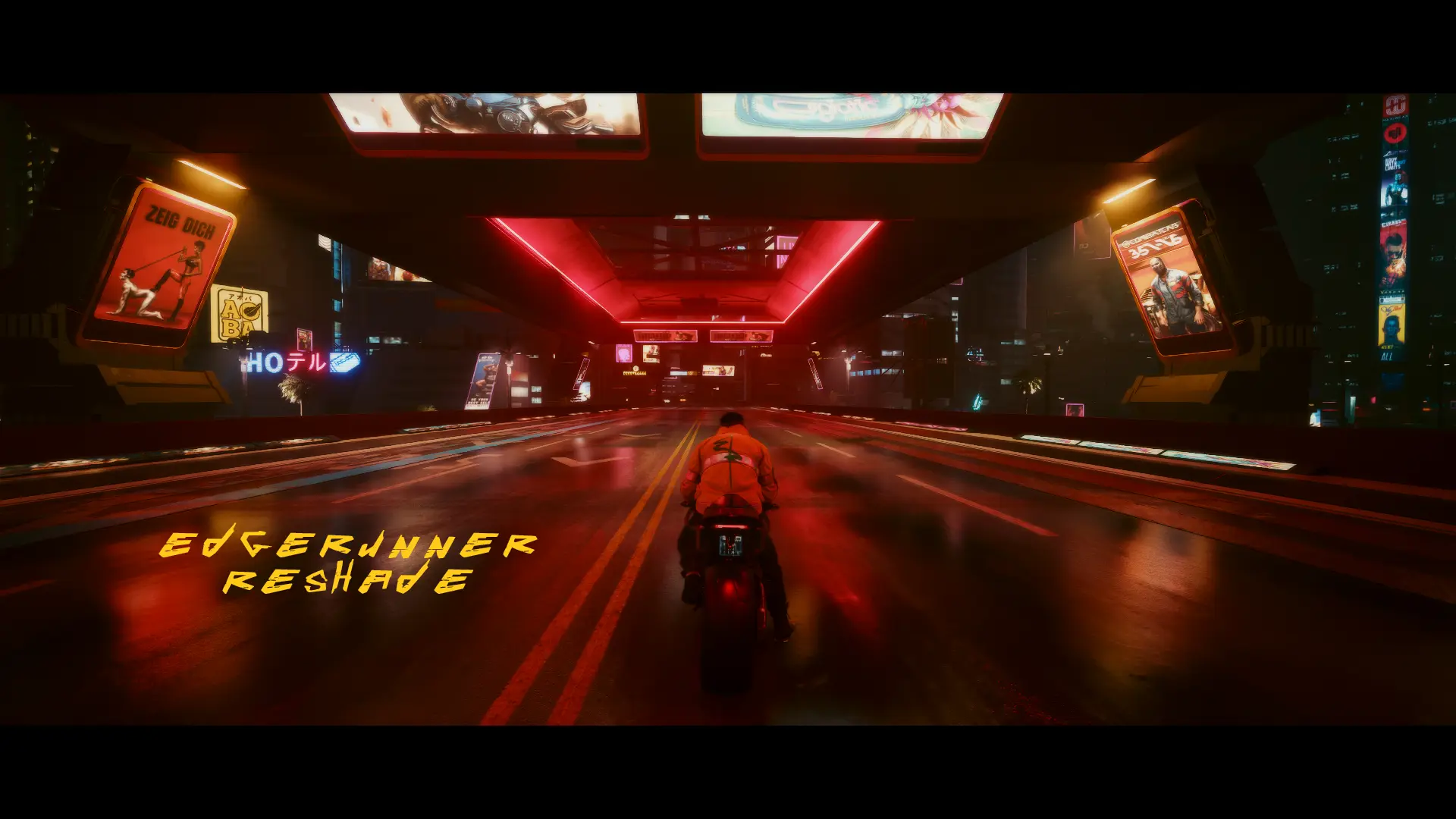
Preview
🔍 Analysis
- 👍 2.6% endorsement rate — high engagement, a strong quality signal
- 🏆 #58 of 231 Visuals and Graphics mods in this game by downloads
📋 About This Mod
My personal ReShade pre-set
1. Manually download my preset.
2. Unpack it (if you can't unpack download 7zip) https://www. 7-zip.org/
3. Copy and paste my preset into the game folder Local Disk (C:) - Steam - steamapps - common - Cyberpunk 2077 - bin - x64
4. Download ReShade ReShade https://reshade.me/
5. Run ReShade and select the Cyberpunk 2077 (Cybperunk 2077.exe)
6. ReShade should automatically select the API Directx 10/11/12
7. On the select preset screen select my preset (Edgerunner.ini) which is located in the game folder (refer back to step 3 if needed)
8. Reshade will do the rest and automatically select the required effect packages for my preset. Just select next and let ReShade do it's thing.
9. Hit Finish DONE
Reshade opens with HOME key
Toggle my preset on and off with the DELETE key
The black border can be removed by deselecting the BORDER effect.
📊 Mod Details
- Game
- Cyberpunk 2077 Mods
- Author
- WithBlackjackAndHookers
- Version
- 1.1
- Downloads
- 2,913
- Endorsements
- 76
- Category
- Visuals and Graphics
- Created
- 12/11/2020
- Updated
- 10/4/2023
🔧 How to Install Cyberpunk 2077 Mods
Download from Nexus.
📖 Full step-by-step install guide for Cyberpunk 2077 →
Visit the official mod page for specific installation instructions for this mod.
🎮 Need cheat codes or console commands? Check ur gaming wiki for Cyberpunk 2077 commands, item IDs, and more.
Keep browsing — more Cyberpunk 2077 mods await