Cyberpunk 2005 - Graphic Underhaul Reshade with DosFX_Tech
⚪ Last updated 2022⚠️ Install Order · 6 steps
Install in this order, then this mod last — most mods fail to load without their framework and dependencies in place.
Preview
🔍 Analysis
- 👍 2.6% endorsement rate — high engagement, a strong quality signal
- 🏆 #34 of 227 Visuals and Graphics mods in this game by downloads
📋 About This Mod
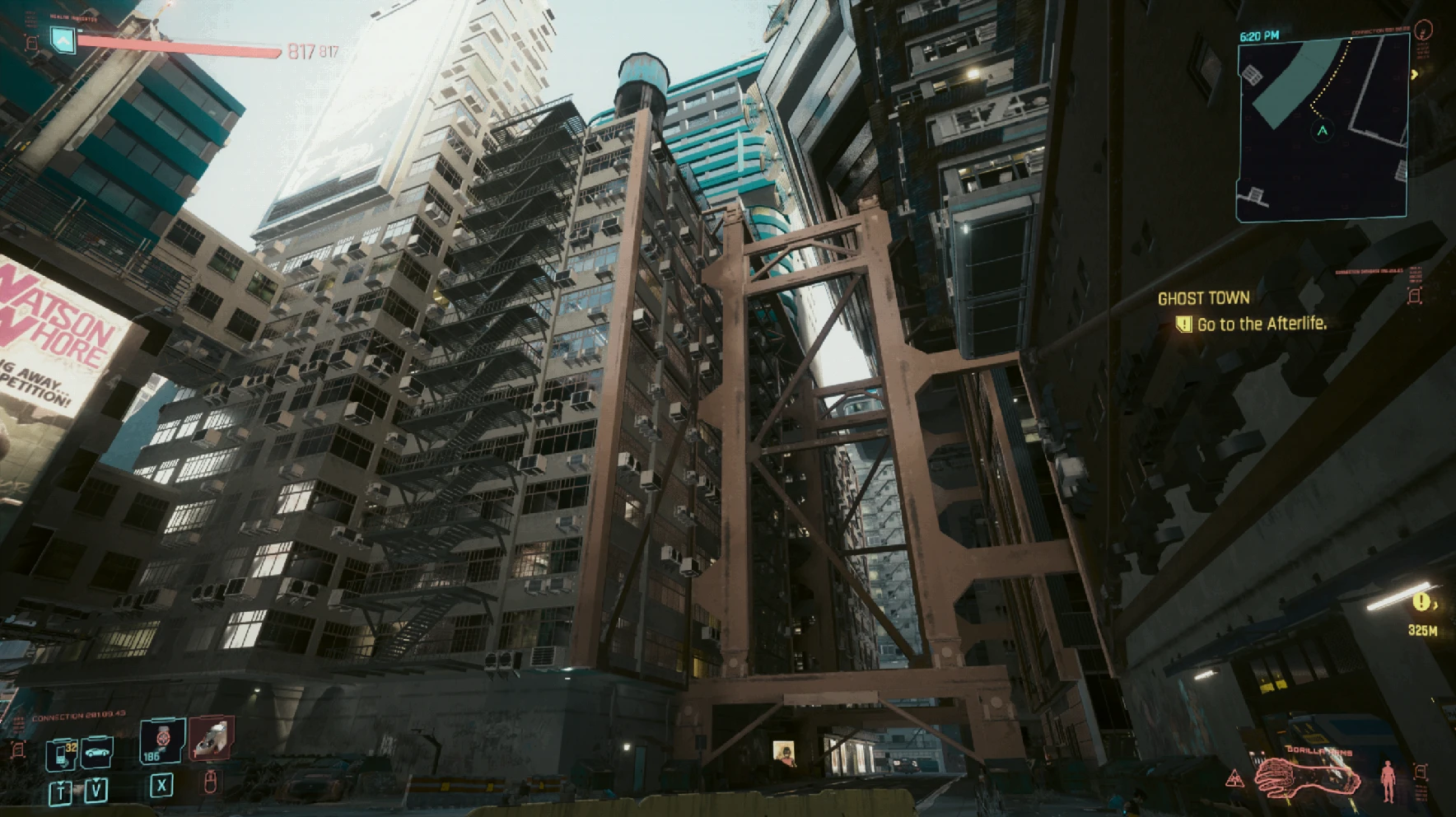
Enjoy Cyberpunk like it's 2005 again! Reshade for minimal resolution settings.
A simple lightweight reshade for to enjoy the LowRes Cyberpunk with.
This mod includes a custom preset .ini file for Reshade. The goal of this reshade is to enhance a dramatically low quality experience, making it feel like a AAA game that's sat in your closet for the past 17 years. It requires Reshade to operate. I also recommend using CyberEngineTweaks in order to disable AA.
Running on a GTX 1080 + i7-7700k and 1TB SSD at 1440p I was getting around 30 fps. I wanted to see how much fps I could pinch out of this game. I was able to reduce the settings enough to get between 60-100 fps. I used these reshade settings to slightly improve the quality.
For the best experience I lowered my resolution to 1768x992 and maxed everything out with the exception of Anisotropy (1), Shadow Resolution (Low), SSR (Low), Subsurface Scattering (Low), and I left color precision at medium -because at 32 color count it's not as important. :)
Matsilagi/RSRetroArch - DOSGame, nGlide_3DFX
martymcmodding/qUINT - Bloom
Download Reshade and run the .exe.
Select Cyberpunk 2077 (Cyberpunk 2077.exe) from the list of applications.
Select Microsoft DirectX 10/11/12
Select Install (or modify) and click Next.
Select Effect Packages To Install:
qUINT by Marty McFly
RSRetroArch by Matsilagi
Click Next.
Select Files To Install:
RSRetroArch - DOSGame.fx, nGlide_3DFX.fx
qUINT - qUINT_bloom.fx
Complete the Reshade.exe install.
Download Cyberpunk 2005 - Graphic Underhaul Reshade with DosFX_Tech.
Extract Cyberpunk 2005.ini into your \Cyberpunk 2077\bin\x64 directory.
-Adjust in game Gamma as needed
-In the Reshade Menu - DOSScreenSize=2560,1440
Run the ReShade_Setup_5. X. X file that you used to install.
Select Cyberpunk 2077 (Cyberpunk 2077.exe) from the list of applications.
Select Microsoft DirectX 10/11/12
Select Uninstall
Complete the application uninstall.
Delete the Cyberpunk 2005.ini from your \Cyberpunk 2077\bin\x64 directory.
📊 Mod Details
- Game
- Cyberpunk 2077 Mods
- Author
- KTSamten
- Version
- 0.1
- Downloads
- 1,413
- Endorsements
- 37
- Category
- Visuals and Graphics
- Created
- 5/15/2022
- Updated
- 5/15/2022
🔧 How to Install Cyberpunk 2077 Mods
Download from Nexus.
📖 Full step-by-step install guide for Cyberpunk 2077 →
Visit the official mod page for specific installation instructions for this mod.
🎮 Need cheat codes or console commands? Check ur gaming wiki for Cyberpunk 2077 commands, item IDs, and more.
Keep browsing — more Cyberpunk 2077 mods await