SuperVision
⚪ Last updated 2021⚠️ Install Order · 6 steps
Install in this order, then this mod last — most mods fail to load without their framework and dependencies in place.
Preview
🔍 Analysis
- 👍 6.8% endorsement rate — high engagement, a strong quality signal
- 🏆 #2 of 227 Visuals and Graphics mods in this game by downloads
📋 About This Mod
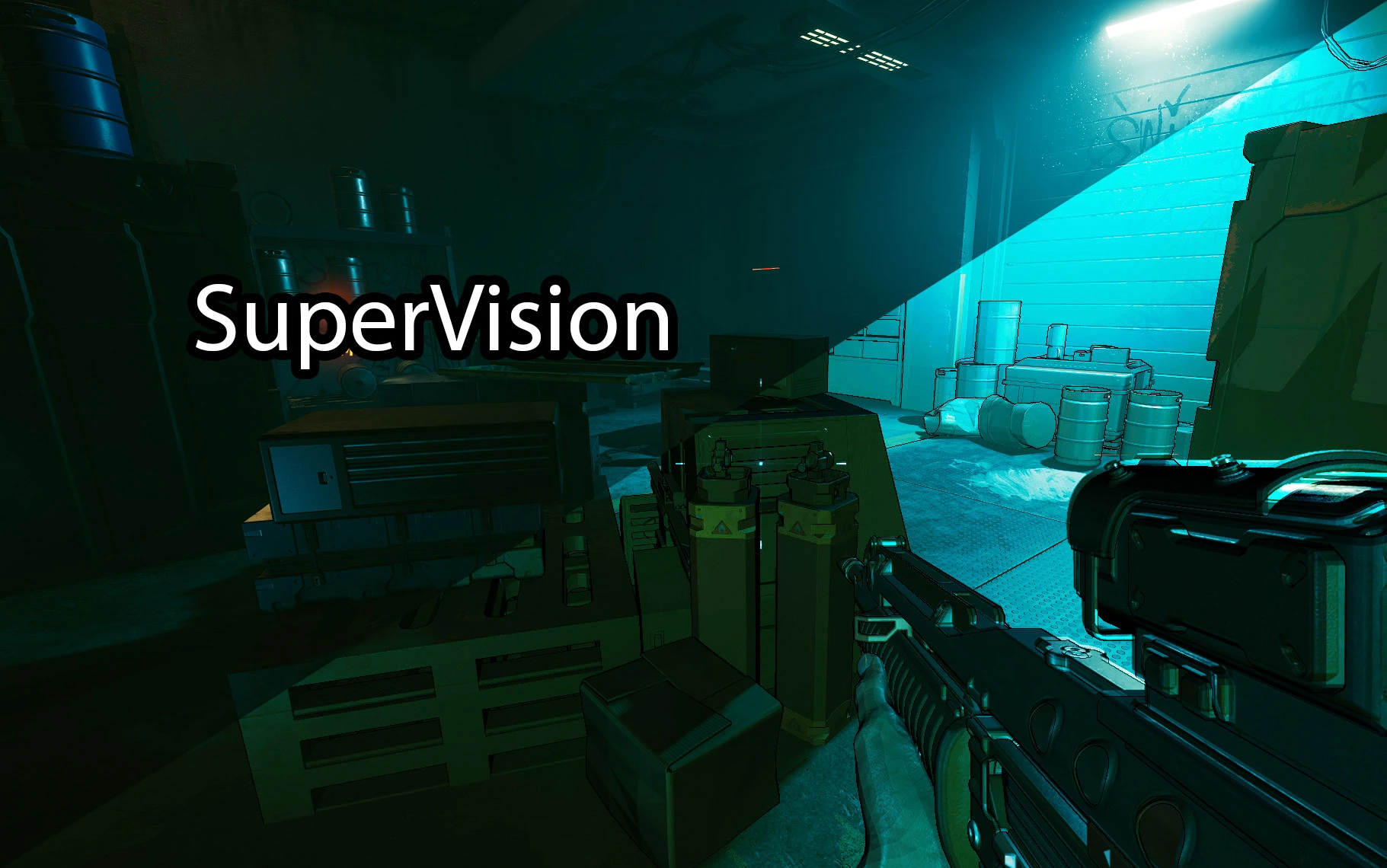
This mod uses the game engines depth buffer to add color information to the darker scenes, effectively granting a "SuperVision" effect
This mod takes advantage of the new Reshade 4. 9 ability to access the depth information (z-buffer) of the engine, to add color information to the darker scenes, effectively granting a "SuperVision" effect. Unfortunately it doesn't allow to see trough walls.
The shader replaces the original image with this information where the contrast or brightness isn't enough for a good visualization
I applied my custom made Clarity and Sharpening filter, together with my other mod solution to adjust black levels and increase eye adaptation.
The default setting should be OK for most people, but you may want to increase it a little bit in SDR mode
"Installation"
You MUST download and install the LATEST 4. 90 Reshade , then paste the "SuperVison.fx" file in "...\Cyberpunk 2077\bin\x64\reshade-shaders\Shaders\", and enable it once ingame.
Update 1. 01
Fixed the menus, now the effect only applies on 3d
📊 Mod Details
- Game
- Cyberpunk 2077 Mods
- Author
- Salmo
- Version
- 1.01
- Downloads
- 1,560
- Endorsements
- 106
- Category
- Visuals and Graphics
- Created
- 1/8/2021
- Updated
- 1/10/2021
🔧 How to Install Cyberpunk 2077 Mods
Download from Nexus.
📖 Full step-by-step install guide for Cyberpunk 2077 →
Visit the official mod page for specific installation instructions for this mod.
🎮 Need cheat codes or console commands? Check ur gaming wiki for Cyberpunk 2077 commands, item IDs, and more.
Keep browsing — more Cyberpunk 2077 mods await