Cyberdelia Cinematic Reshade
⚪ Last updated 2021⚠️ Install Order · 6 steps
Install in this order, then this mod last — most mods fail to load without their framework and dependencies in place.
Preview
🔍 Analysis
- 👍 6.7% endorsement rate — high engagement, a strong quality signal
- 🏆 #146 of 227 Visuals and Graphics mods in this game by downloads
📋 About This Mod
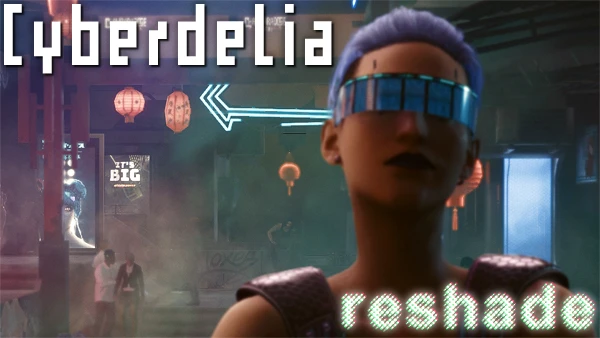
A Reshade preset inspired by the particular muted, blueshifted color grading found in 90's cyberpunk movies like Hackers, Johnny Mnemonic, and Strange Days. Includes color grading & contrast, selective sharpening, and toggleable DOF for screenshots. Recommended to use alongside the in-game film grain and chromatic aberration.
Installation:
Install Reshade onto your Cyberpunk 2077 executable (\steamapps\common\Cyberpunk 2077\bin\x64\Cyberpunk2077.exe), install all shaders when prompted. Unzip Cyberdelia Reshade.zip and place Cyberdelia Reshade.ini inside the same folder as the executable. Press the Home key when in-game to bring up the Reshade overlay menu, skip the tutorial, then select Cyberdelia Reshade.ini from the dropdown at the top of the Home menu tab. DOF is set to use PgDn as the toggle hotkey but you can change it to whatever you wish in the Reshade menu.
📊 Mod Details
- Game
- Cyberpunk 2077 Mods
- Author
- literallybyronic
- Version
- 1.0
- Downloads
- 961
- Endorsements
- 64
- Category
- Visuals and Graphics
- Created
- 10/30/2021
- Updated
- 10/30/2021
🔧 How to Install Cyberpunk 2077 Mods
Download from Nexus.
📖 Full step-by-step install guide for Cyberpunk 2077 →
Visit the official mod page for specific installation instructions for this mod.
🎮 Need cheat codes or console commands? Check ur gaming wiki for Cyberpunk 2077 commands, item IDs, and more.
Keep browsing — more Cyberpunk 2077 mods await