Cosmic's CyberPunk 2077 Reshade
⚪ Last updated 2022⚠️ Install Order · 6 steps
Install in this order, then this mod last — most mods fail to load without their framework and dependencies in place.
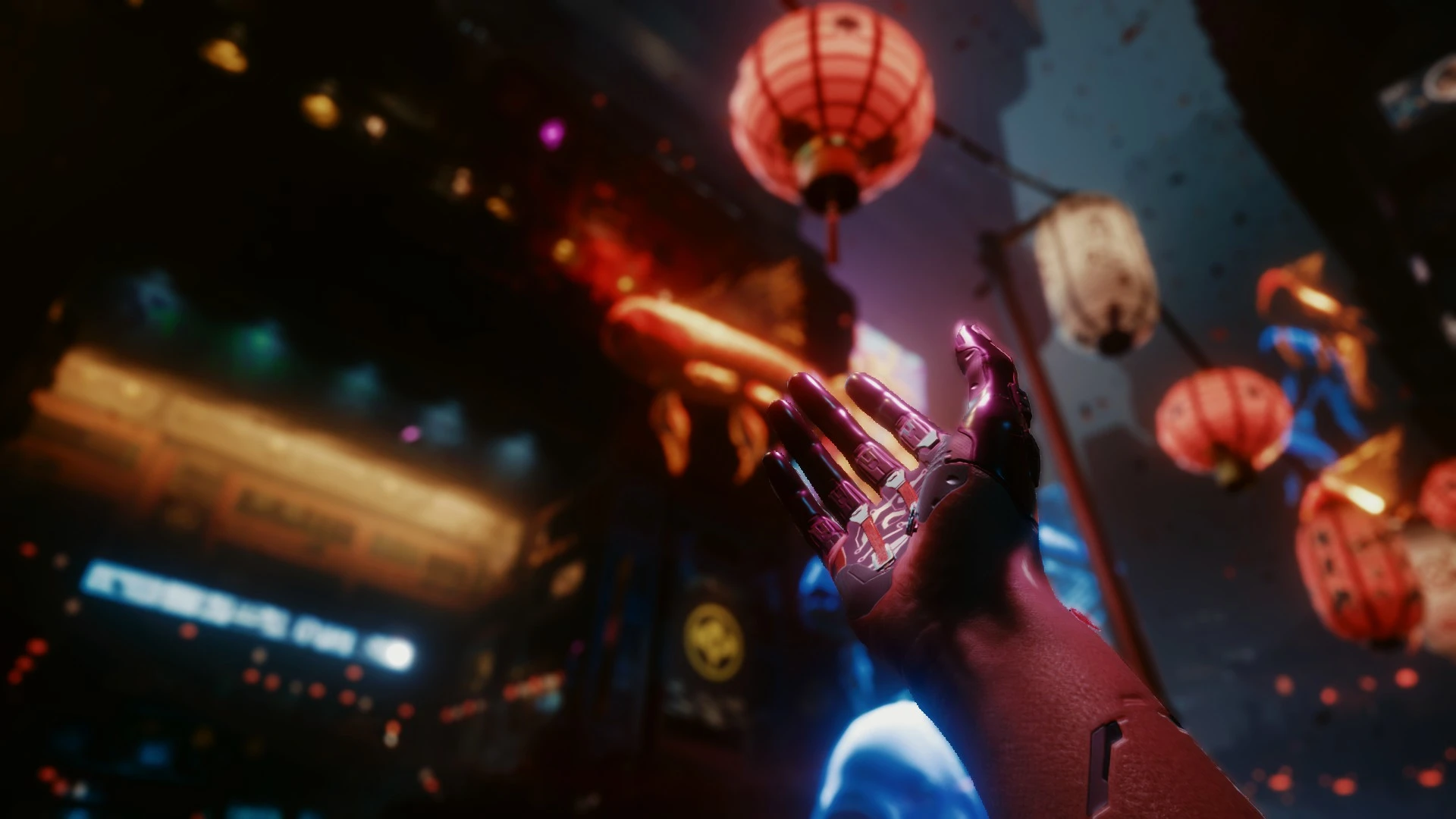
Preview
🔍 Analysis
- 👍 3.4% endorsement rate — high engagement, a strong quality signal
- 🏆 #206 of 231 Visuals and Graphics mods in this game by downloads
📋 About This Mod
Reshade settings for CyberPunk using "Sweet FX" package. Simple, clear, deeper shadows. Removes the green wash and the sepia. Made Using Reshade 4. 8. 2.
1. download reshade https://reshade.me/
2. Run the installer, install for cyberpunk (use dx10/11/12)
3. Place the "cyberpunk.ini" configuration file in the same folder as "cyberpunk.exe"
4. Run the game, press the "home" key to bring up the Reshade UI.
If the game is too dark for you with the shaders on, try adjusting your contrast in game. If that does not work uncheck the "tonemap" setting in the reshade ui. That should brighten up your game. Although you will lose some saturation.
"Monochrome" is also a variable option. I prefer it a bit desaturated, however the shaders look just fine with monochrome off and the brightness and contrast will not suffer without it.
"there is also a setting for "vibrance" for those that enjoy a more colorful game.
turning off "fakeHDR" will make the game brighter as well, however it will wash out the image like vanilla. so pick your poison. :P
📊 Mod Details
- Game
- Cyberpunk 2077 Mods
- Author
- C0smic__Entity
- Version
- 2.0
- Downloads
- 1,696
- Endorsements
- 57
- Category
- Visuals and Graphics
- Created
- 12/16/2020
- Updated
- 9/8/2022
🔧 How to Install Cyberpunk 2077 Mods
Download from Nexus.
📖 Full step-by-step install guide for Cyberpunk 2077 →
Visit the official mod page for specific installation instructions for this mod.
🎮 Need cheat codes or console commands? Check ur gaming wiki for Cyberpunk 2077 commands, item IDs, and more.
Keep browsing — more Cyberpunk 2077 mods await