1080P 60FPS TV Ads and Shows
⚪ Last updated 2023⚠️ Install Order · 6 steps
Install in this order, then this mod last — most mods fail to load without their framework and dependencies in place.
Preview
🔍 Analysis
- 👍 1.2% endorsement rate — high engagement, a strong quality signal
- 🏆 #114 of 143 Visuals and Graphics mods in this game by downloads
📋 About This Mod
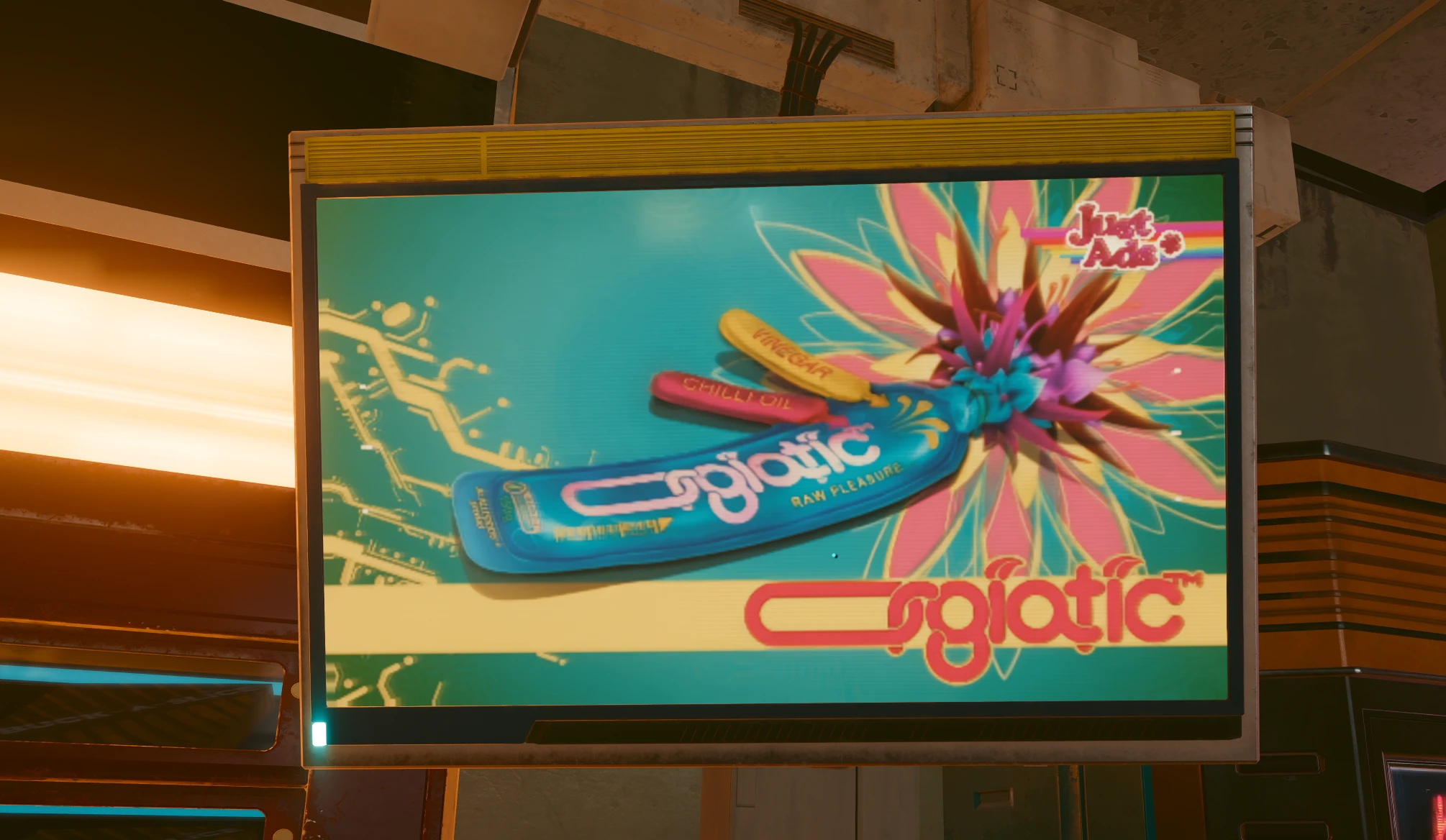
Went and used AI upscaling to make all tv ads 1080p 60 fps.
Original ads were 480x270 @ 15 FPS.
I used Proteus model to upscale, and Apollo Fast for Frame Interpolation
1 thing to note, RAD Video halves the FPS when binking so the originals were most likely 30FPS and were converted to 15FPS when converting to bk2.
My 60FPS were also halved into 30FPS, but still gives a much better experience then original.
Added/adding TV Shows per channel to help those with lower download speeds.
Download both Main files for both Shows and Ads
This mod upscales all TV ads and shows in Cyberpunk 2077 from 480p to 1080p and converts them from 15FPS to 60FPS, enhancing visual quality and smoothness. It requires downloading both main files for shows and ads. With 413 endorsements and 35,179 downloads, it's a popular visual upgrade for players who want sharper in-game media.
✨ Key Features
📊 Pros & Cons
✅ Pros
- Community-approved with 413 endorsements and 35k downloads
- Makes in-game TV content noticeably sharper and smoother
- Simple install: just download both main files and drop them in
⚠️ Cons
- Last updated in 2023 — may not be compatible with the latest game patches
- Only affects TV ads and shows, not other in-game screens or UI
For Cyberpunk 2077 players who want to improve the visual fidelity of in-game TV content, especially those who notice the low resolution and choppy frame rate. Skip if you're looking for gameplay changes or broader visual overhauls — this is purely cosmetic.
💡 Beginner Tips
- Make sure to download both main files (Shows and Ads) to get the full effect.
- If you're using a mod manager, you can install both files directly; otherwise, manually place them in the correct game folder.
- Check the mod's comments section for any compatibility notes with recent game updates.
📊 Mod Details
- Game
- Cyberpunk 2077 Mods
- Author
- JRem
- Version
- 1
- Downloads
- 35,179
- Endorsements
- 413
- Category
- Visuals and Graphics
- Created
- 10/2/2023
- Updated
- 10/14/2023
🔧 How to Install Cyberpunk 2077 Mods
Download from Nexus.
📖 Full step-by-step install guide for Cyberpunk 2077 →
Visit the official mod page for specific installation instructions for this mod.
🎮 Need cheat codes or console commands? Check ur gaming wiki for Cyberpunk 2077 commands, item IDs, and more.
Keep browsing — more Cyberpunk 2077 mods await