E3 Visual Overhaul
⚪ Last updated 2023⚠️ Install Order · 6 steps
Install in this order, then this mod last — most mods fail to load without their framework and dependencies in place.
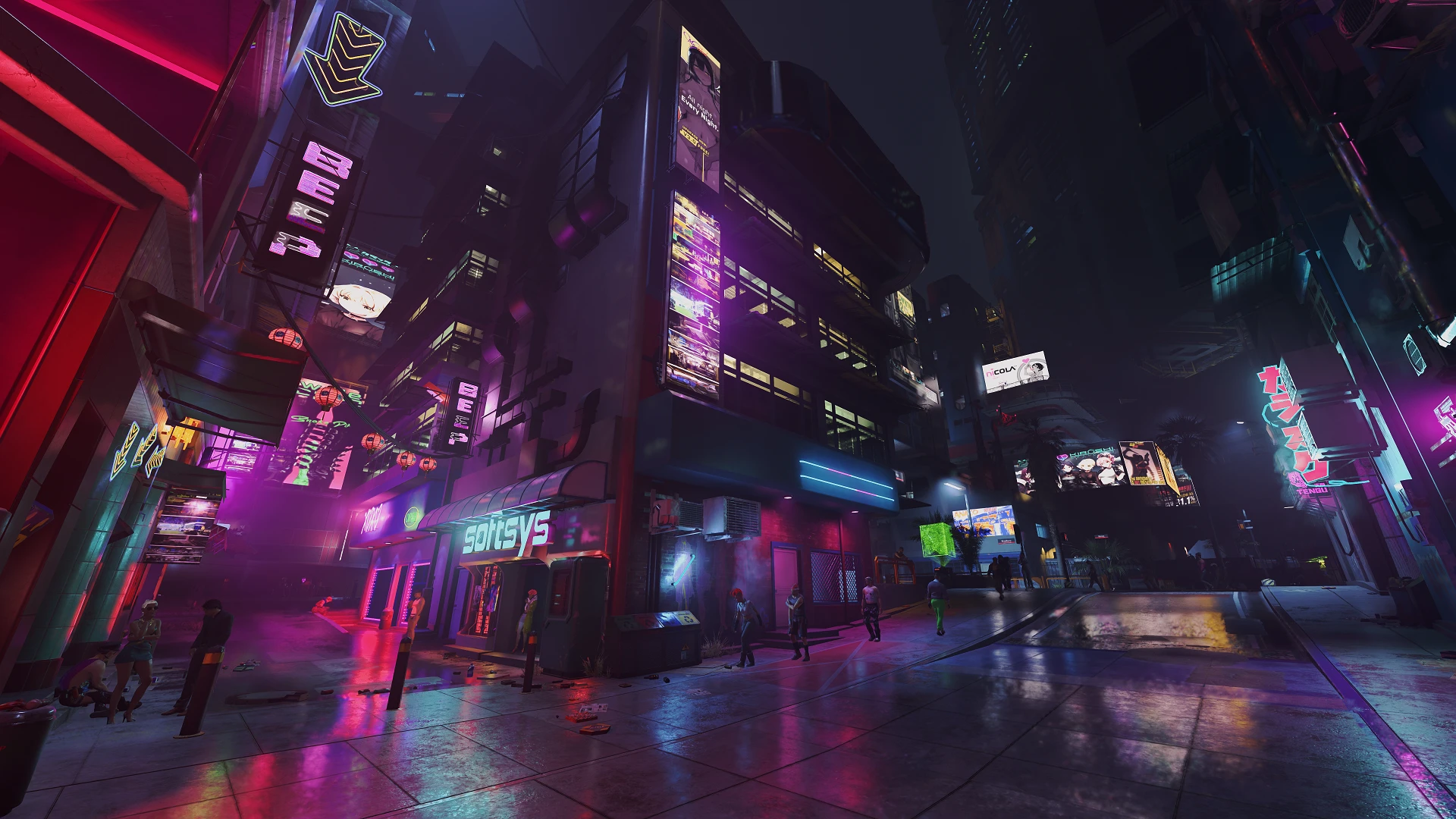
Preview
🔍 Analysis
- 👍 2.6% endorsement rate — high engagement, a strong quality signal
- 🏆 #30 of 143 Visuals and Graphics mods in this game by downloads
📋 About This Mod
THIS RESHADE REQUIRES E3 2018 LUT TO LOOK AS INTENDED.
The screenshots speak for themselves really. The colors from the E3 2018 LUT are amazing compared to vanilla but the lighting has a lot more that could be improved, so this was my best attempt. Please understand, this preset is not intended to work well with the vanilla game, it will appear far too contrasted & saturated.
Installation Instructions:
- Extract "e3_visual_overhaul_5. 2.ini" from the download to "Cyberpunk 2077\bin\x64"
- Download the latest version of ReShade HERE
- Start ReShade install, choose "Cyberpunk2077.exe", then DirectX12
- At "Select a preset to install", choose "e3_visual_overhaul_5. 2" from your game directory
- Allow it to install needed shaders (Only "BloomingHDR.fx", "lightroom.fx", & "AmbientLight.fx" are used if you don't want unnecessary shaders installed)
- Open ReShade menu when game launches, make sure "e3_visual_overhaul_5. 2" is chosen from the drop down menu on top.
- Don't forget to click on performance mode at the bottom right corner of ReShade
Desaturated World Map: Decreases the saturation of the world map in-game. This helps to make the map look similar to vanilla saturation while using this preset
Optional Disable Bloom file; This preset uses shaders that do a much better job than the vanilla bloom in my opinion, and having both on at the same time can look overwhelming. Download and extract the .ini file, then drag it to Cyberpunk 2077\engine\config\platform\pc
E3 Visual Overhaul is a visual mod for Fallout 4 that enhances shadows, lighting, and colors to achieve the E3 2018 look without the washed-out appearance. It has 2,183 endorsements and 82,953 downloads, last updated in September 2023.
✨ Key Features
📊 Pros & Cons
✅ Pros
- Huge community trust (2,183 endorsements) — this is a proven visual upgrade.
- Massive download count (82,953) means it's been tested by thousands of players.
- Directly addresses a common complaint about E3 color mods — no more washed-out look.
⚠️ Cons
- Last updated in September 2023 — may not be compatible with the latest Fallout 4 patches or next-gen update.
- Purely cosmetic — if you want gameplay changes, this isn't for you.
For Fallout 4 players who loved the E3 2018 color grading but hated the washed-out filter. If you want a quick visual upgrade without messing with ENB presets, this is a solid pick. Skip if you're after gameplay tweaks — this is all about looks.
💡 Beginner Tips
- Make sure you have the mod enabled in your load order — it's a simple texture/lighting mod, so place it near the top.
- If you're using other lighting mods, test for conflicts — this mod changes global lighting, so it may override or be overridden.
- Check the mod's posts section for any known compatibility notes with the next-gen update.
📊 Mod Details
- Game
- Cyberpunk 2077 Mods
- Author
- noxide
- Version
- 5.2
- Downloads
- 82,953
- Endorsements
- 2,183
- Category
- Visuals and Graphics
- Created
- 4/4/2021
- Updated
- 9/26/2023
🔧 How to Install Cyberpunk 2077 Mods
Download from Nexus.
📖 Full step-by-step install guide for Cyberpunk 2077 →
Visit the official mod page for specific installation instructions for this mod.
🎮 Need cheat codes or console commands? Check ur gaming wiki for Cyberpunk 2077 commands, item IDs, and more.
Keep browsing — more Cyberpunk 2077 mods await