Odyssey Longer Draw Distance and LOD Fix
🟠 Updated over a year agoPreview
🔍 Analysis
- 👍 2.3% endorsement rate — high engagement, a strong quality signal
- 🏆 #24 of 72 Visuals mods in this game by downloads
📋 About This Mod
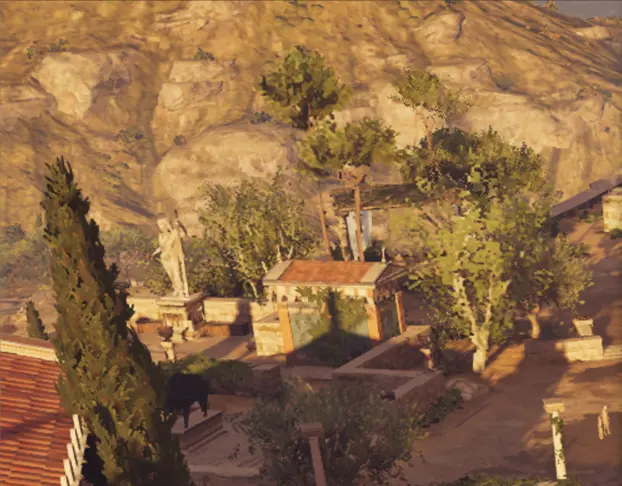
This Patch allows the game to use a longer draw distance and fixes the pop-in effect.
NOTE: This mod might have a big performance hit on your system. I suggest that you
try DXVK, since that will boost the framerate up to 30% on weaker hardware,
especially in a CPU / GPU heavy area such as Athens. Using DXVK is entirely optional though, it is not needed for the LOD fix to work. And some hardware doesn't even see any benefit in DXVK compared to the native DX11 solution.
You can get the latest DXVK from here: DXVK Releases
To install DXVK:
1. Download the latest tar file from the GitHub page (currently dxvk-2. 6. 1.tar.gz )
2. Open it with 7zip, and from under the folder x64 extract files named dxgi.dll and d3d11.dll to your game folder ( same place where ACOdyssey.exe is ). Overwrite the files in the destination folder when asked.
3. You should be good to go and start the game, note that there might be
some stuttering at first when DXVK builds the shaders for the first
NOTE: If you want to use HDR with DXVK
Create a text file named dxvk.conf into the directory where your game .exe is located and add this line to the dxvk.conf file:
For NVIDIA cards:
dxgi.hideNvidiaGpu = False
For AMD cards:
dxgi.hideAmdGpu = False
This makes the in-game HDR toggle in the settings menu to not be greyed out anymore. Source: DXVK configuration file
Now the LOD fix, this is tested to be working with the latest game version ( 1. 5. 6 ).
Two patch versions are available for download:
Ubisoft Store normal / Steam version
Huge thanks for Disterso for finding the address for the Steam version, helped a lot on getting this to work for the Uplay versions also.
The new patch versions permanently enable the increased LOD and draw distance, so the process needs to be done only once.
Guide for installing the patch versions, provided by RandomCOG:
-
[]Download Swiss File Knife, then rename the downloaded file to sfk.exe. (so if it was "sfk199.exe", you rename it to "sfk.exe")
[
]Download and extract the applicable patch version of this mod.[]Place the ".bat" file and "sfk.exe" in the game directory.
[]Run the bat file, press 1 then enter. You will see a new exe file with "_Patched" at the end of the filename.
[]Backup the original "ACOdyssey.exe or "ACOdyssey_plus.exe" to a different location.
[]Delete the "ACOdyssey.exe" or "ACOdyssey_plus.exe" from the game directory.
[]Rename _Patched.exe to how your original was. (So ACOdyssey.exe or ACOdyssey_plus.exe)
[]Start Assassin's Creed Odyssey and make sure the graphic setting Environment Details is set to Very High or Ultra High.
Let me know in the "Posts" section if you are having any issues in getting this mod to work.
The in-game benchmark results on my system ( RTX 4070Ti, Ryzen 7700 8 cores, 16 threads, 16GB RAM DDR5 5200MHz, game is on NVME SSD ) :
No LOD fix, max settings at 1440p:
Average frames: 108
Total frames: 6871
LOD fix, max settings at 1440p:
Average frames: 95
Total frames: 5969
DXVK with LOD fix, max settings at 1440p ( performance didn't improve on my system )
Average frames: 94
Total frames: 5943
📊 Mod Details
- Game
- Assassinscreedodyssey Mods
- Author
- ModderFreak99
- Version
- 1.0.0
- Downloads
- 1,883
- Endorsements
- 43
- Category
- Visuals
- Created
- 5/6/2025
- Updated
- 5/6/2025
🔧 How to Install Assassin's Creed Odyssey Mods
Install via a mod manager (Vortex or Mod Organizer 2). Most mods drop into the game folder.
📖 Full step-by-step install guide for Assassin's Creed Odyssey →
Visit the official mod page for specific installation instructions for this mod.
🎮 Need cheat codes or console commands? Check ur gaming wiki for Assassin's Creed Odyssey commands, item IDs, and more.
Keep browsing — more Assassin's Creed Odyssey mods await