witcher 3 balanced autoexposure
⚪ Last updated 2022Preview
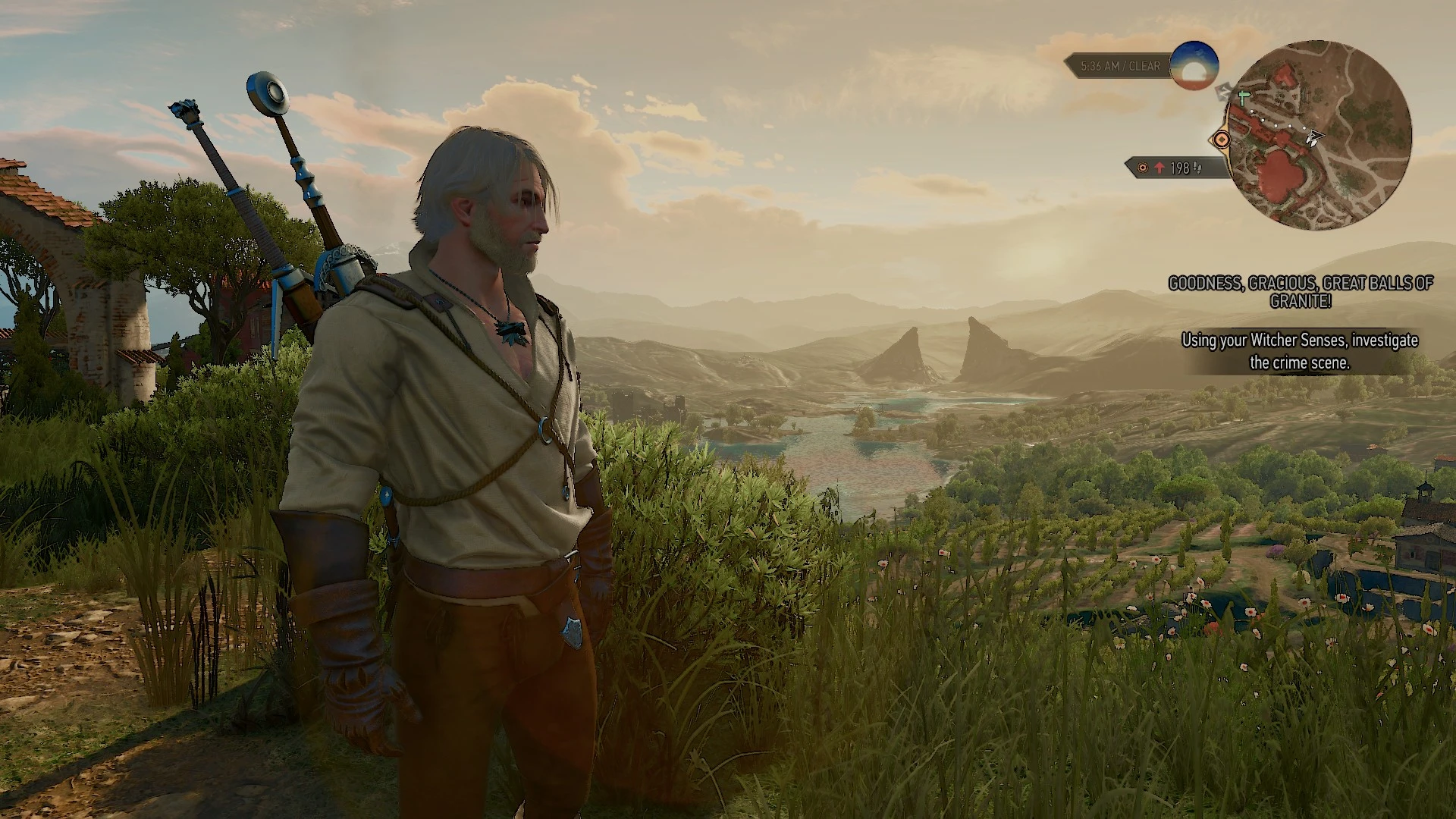
🔍 Analysis
- 👍 7.3% endorsement rate — high engagement, a strong quality signal
- 🏆 #24 of 107 Visuals and Graphics mods in this game by downloads
📋 About This Mod
balance auto exposure less darkness and balanced brightness texture relief and bump
- description
All though witcher 3 is a beautifully lit game it does have a tendency,
to saturate the colors quite a lot plus add quite some contrast which
can result in very dark environments.
This mod tries to counterbalance this by reducing darkness and
over bright areas with a dynamic tonemap also reducing a slight
yellow tinge plus quite a lot of desaturation and some texture
relief is added.
See screenshots plus settings game for examples.
The mod modExtendedViewDistance thins fogs in the distance this
plays a pretty specific role in the look and feel of environments
I would recommend having a look at it:
update 15/02/2022 v1. 1
- a custom shader upscale.hlsl (3dmigoto) replaces reshade
- tested on windows 10 (v1903)
- reworked auto exposure day and night environment added fake light
The package has a customized shader 'upscale.hlsl' which
does some fullscreen tweaks as sharpening and color modification.
- updating
if the old package was installed remove the following
folder(s) and file(s) in the folder which contains witcher3.exe
ReShade.ini
Then copy the contents of the zip file to the install folder of
the witcher 3, the folder which contains witcher3.exe.
- install
Copy the contents of the zip file to the install folder of
the witcher 3 wild hunt\bin\x64, the folder which contains witcher3.exe.
- optional install
The following instructions are only needed
If you do not like using unverified dll's you can:
download 3dmigoto from:
https://github.com/bo3b/3Dmigoto/releases
download version 1. 3. 16 and place the following dlls in the install dir of
euro truck simulator 2:
d3d11.dll (64bits)
d3dcompiler_46.dll
then copy `d3dx.ini, ShaderCache and ShaderFixes from the zip file to the same dir aka folder.
make sure to set (line 248):
the default setting is:
which sets 3dmigoto to a debug mode.
- verify
After running the game the folder ShaderFixes should contain the .bin versions:
upscale.ps.bin
upscale.vs.bin
upscale.hlsl
upscale.ini
This means that the file(s) .txt have been compiled by 3dmigoto (d3d11.dll)
- tested
Tested with version 1. 21 of the witcher 3 on
win 7 and win 10 / nvidia 1050gtx ti
- performance
3dmigoto gpu usage 1080p@~50. 2fps
without - clock 1290Mhz gpu usage ~95%
with - clock 1342Mhz gpu usage ~96% <
📊 Mod Details
- Game
- Witcher3 Mods
- Author
- thrive4
- Version
- 1.0
- Downloads
- 578
- Endorsements
- 42
- Category
- Visuals and Graphics
- Created
- 6/28/2020
- Updated
- 3/15/2022
🔧 How to Install The Witcher 3 Mods
Download from Nexus Mods.
📖 Full step-by-step install guide for The Witcher 3 →
Visit the official mod page for specific installation instructions for this mod.
🎮 Need cheat codes or console commands? Check ur gaming wiki for The Witcher 3 commands, item IDs, and more.
Keep browsing — more The Witcher 3 mods await