True Next-Gen Graphic Enhancements (DX11 and DX12)
⚪ Last updated 2023Preview
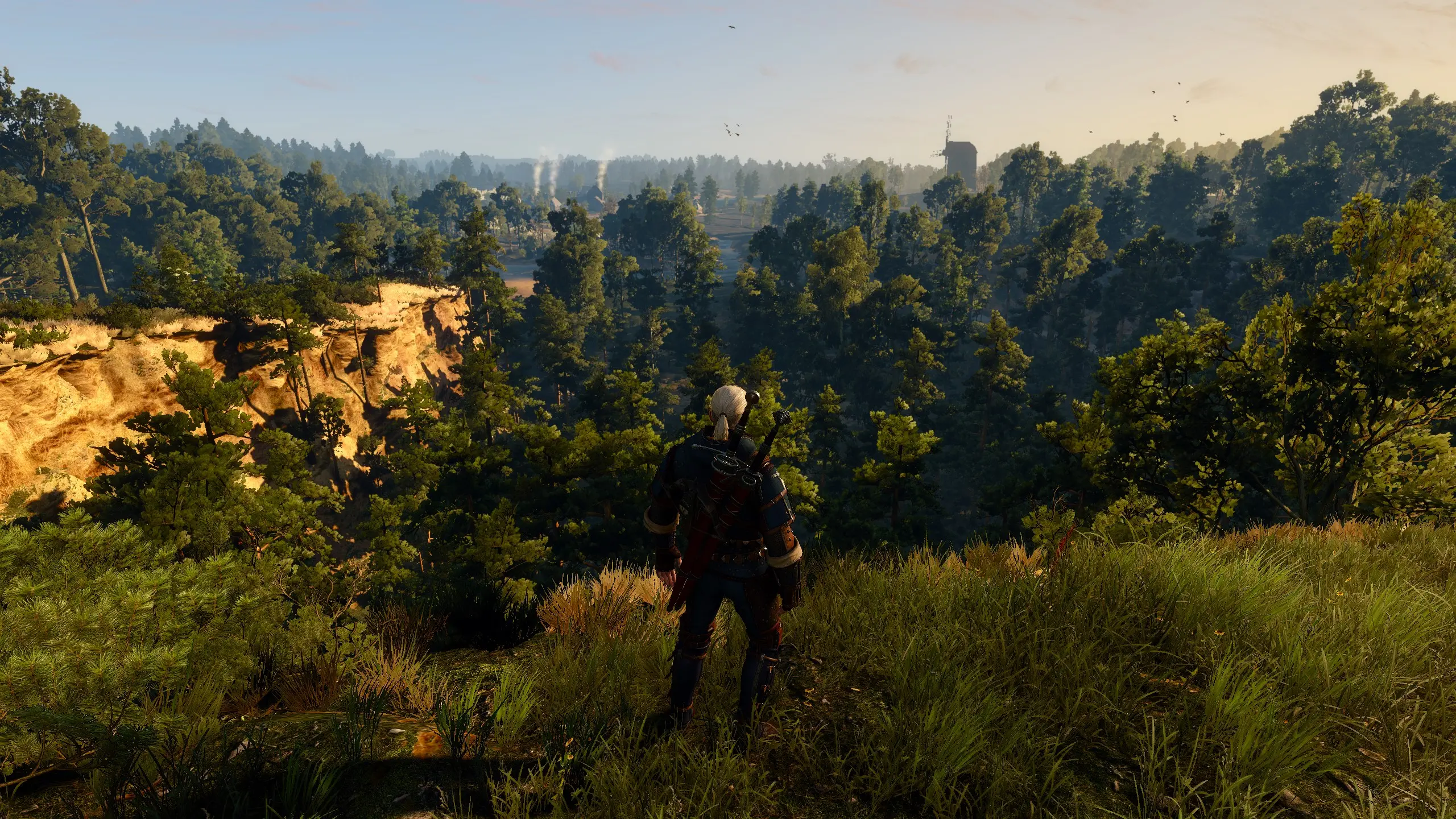
🔍 Analysis
- 👍 3.1% endorsement rate — high engagement, a strong quality signal
- 🏆 #195 of 264 Visuals and Graphics mods in this game by downloads
📋 About This Mod
This mod modifies presets for improved visuals: enhances shadow quality and distance, terrain rendering, water tessellation, trees and grass draw distances, and particle effectsThis mod is for the Next-Gen version only
This mod modifies presets for improved visuals: enhances shadow quality and distance, terrain rendering, water tessellation, trees and grass draw distances, and particle effects.
This mod includes modifications to the rendering.xml and rendering.ini parameters aimed at enhancing and optimizing the overall graphics quality.
- This mod is for the Next-Gen
version only
- DX11 and DX12 compatibility. Optimized for 1440p resolution at 60fps or 90fps, excluding ray tracing. Suggested GPUs include the 6800XT or equivalents for optimal performance with the Ultra+ preset.
- Observing around 10% performance reduction on RX 6900XT NITRO+ Special Edition. Achieving frame rates of 90 to 120 fps in Novigrad, Oxenfurt, and Toussaint with these adjustments.
- These configuration and initialization files are compatible with a variety of mods that include new textures and models. Be sure to follow the instructions provided by the specific mods to ensure proper compatibility.
- This mod fixes a minor bug in the post-processing graphics option 'sharpening' (SharpenAmount).
Just Drag and Drop the "bin" folder into the game directory
Safety 'bin' backup folder available in the files section!
For those who have performance problems:
Set a medium or high value for grass density and choose medium for the quantity of non-playable characters. This will significantly reduce the load on your GPU and CPU, respectively. Leave everything else on Ultra+. Also, consider disabling Blur, Motion Blur, Vignetting, Chromatic Aberration, Sharpening, and Camera Lens Effects.
However, in the case of a role-playing game like this, where gameplay is more focused on immersion and storytelling rather than fast paced/rapid action, you may find that a slightly lower frame rate doesn't significantly impact your overall experience.
N. B.
If your game crashes, it could be due to your hardware or your mod list. You might have modified something in the "content" or "bin" folders, or there could be conflicts with other mods that modify the rendering.xml and/or rendering.ini files. I hope I have helped you.
Этот мод изменяет настройки для
📊 Mod Details
- Game
- Witcher3 Mods
- Author
- JulianGroove
- Version
- Definitive
- Downloads
- 9,281
- Endorsements
- 292
- Category
- Visuals and Graphics
- Created
- 8/9/2023
- Updated
- 8/14/2023
🔧 How to Install The Witcher 3 Mods
Download from Nexus Mods.
📖 Full step-by-step install guide for The Witcher 3 →
Visit the official mod page for specific installation instructions for this mod.
🎮 Need cheat codes or console commands? Check ur gaming wiki for The Witcher 3 commands, item IDs, and more.
Keep browsing — more The Witcher 3 mods await