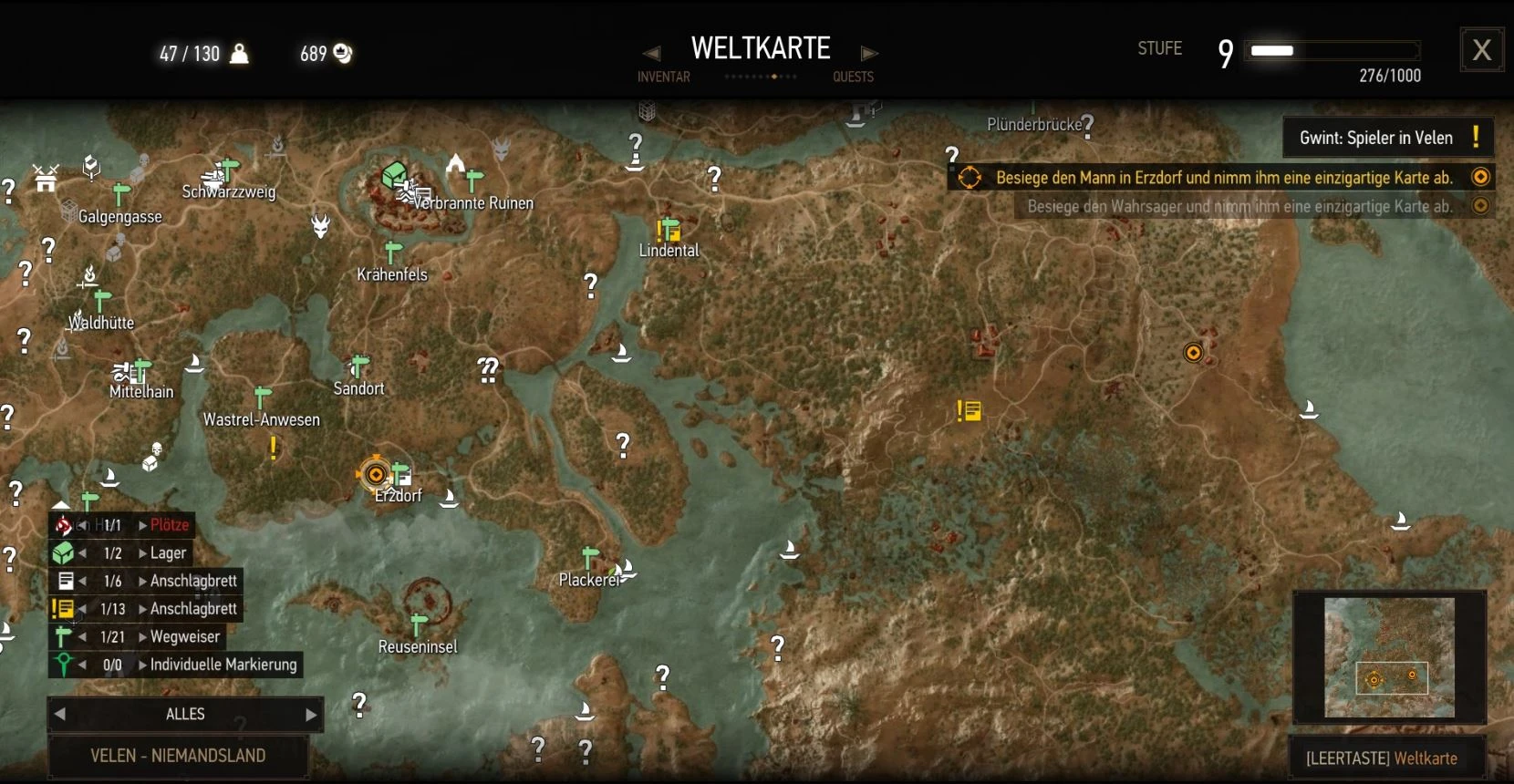
No GPS on 1.22 - Traditional World Map
⚪ Last updated 2023Preview
🔍 Analysis
- 👍 5.3% endorsement rate — high engagement, a strong quality signal
- 🏆 #151 of 151 Immersion mods in this game by downloads
📋 About This Mod
Disable GPS, Herb and Roach display. Save your map position!
Force yourself to use normal landmarks for orientation by turning off the player position arrow on the world map with this mod - no more GPS for Geralt! Herb icons and Roach icon are also removed to prevent indirect orientation. When sailing, signpost icons are now active to enable better orientation. This mod does not touch any other map display and does not affect the Mini Map! You may disable other stuff via the build in map filter system and the HUD settings.
Tested on game version 1. 22.
How to save the current map position: The last added user map pin (standard: left mouse button click on PC) defines the center of the map when reopened.
Installation: place the unzipped folder modNoGPS in your game-directory mods folder e.g: F:\Witcher 3\mods -> F:\Witcher 3\mods\modNoGPS
Credits: -none yet
📊 Mod Details
- Game
- Witcher3 Mods
- Author
- leethx
- Version
- 1.11
- Downloads
- 4,532
- Endorsements
- 238
- Category
- Immersion
- Created
- 6/2/2016
- Updated
- 2/24/2023
🔧 How to Install The Witcher 3 Mods
Download from Nexus Mods.
📖 Full step-by-step install guide for The Witcher 3 →
Visit the official mod page for specific installation instructions for this mod.
🎮 Need cheat codes or console commands? Check ur gaming wiki for The Witcher 3 commands, item IDs, and more.
Keep browsing — more The Witcher 3 mods await