(Next Gen Edition) Friendly Meditation
⚪ Last updated 2024Preview
🔍 Analysis
- 👍 1.5% endorsement rate — high engagement, a strong quality signal
- 🏆 #24 of 151 Immersion mods in this game by downloads
📋 About This Mod
Meditate in real time and see the world around you.
Friendly Meditation - Next Gen Edition
This is a Next Gen Edition version of the mod compatible with v. 4. 0 (NGE) version of the game. Classic Edition version is still available here.
Vntc3Sfd50g
Description
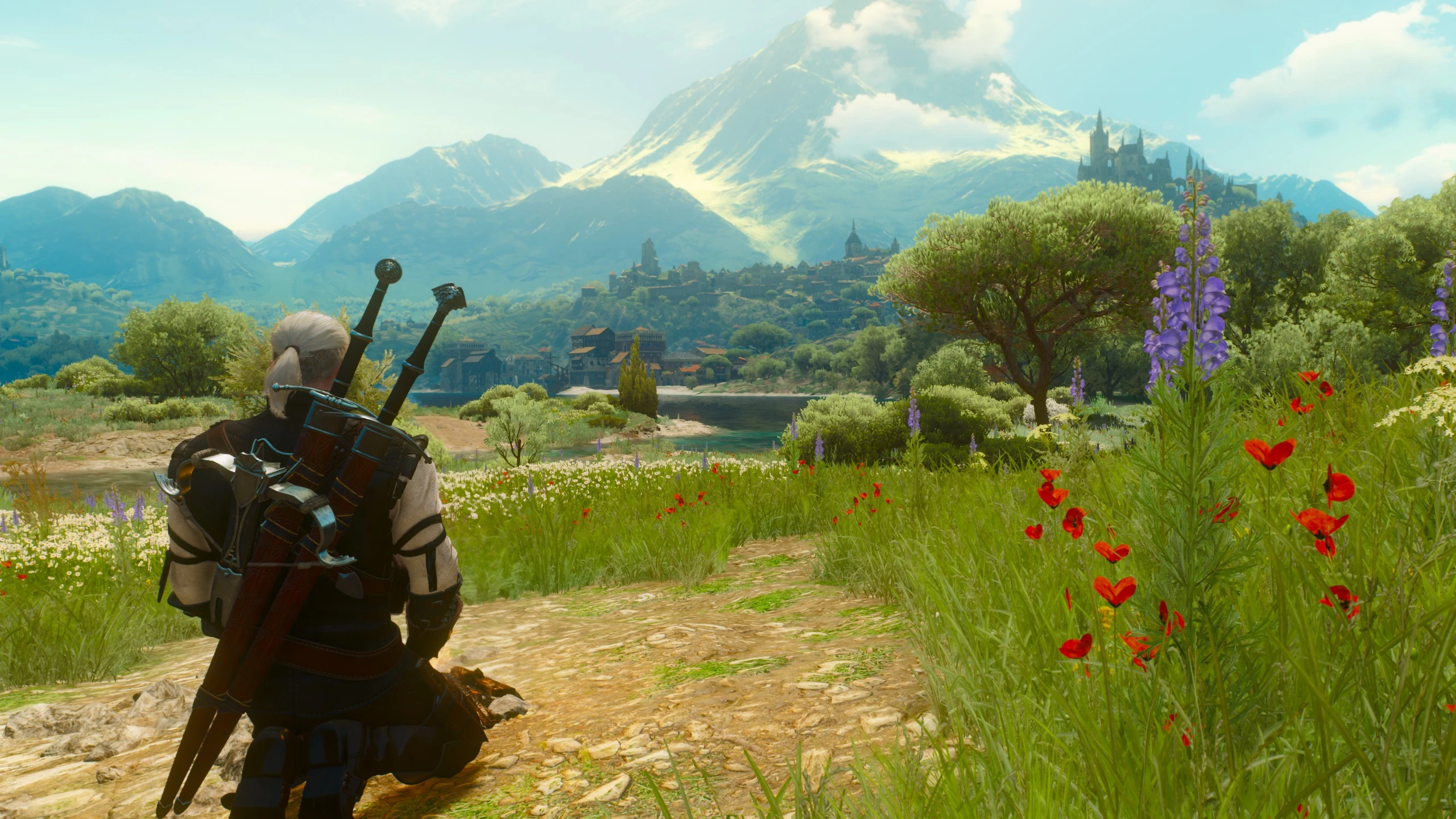
The mod introduces real-time meditation into the game: start meditation as usual or press a hotkey for Geralt to assume meditation pose and time begin to fast-forward. No menu cluttering the view, meditation is as immersive as it can possibly be.
While vanilla meditation simply clears all buffs and advances time, real-time meditation actually updates all buffs, toxicity, etc in accelerated time as you meditate. This means that all potions and skills like Sun and Stars continue to function properly during meditation, restoring your health.
Same as vanilla, real-time meditation also refills all your alchemy after you've meditated for an hour.
Real-time meditation uses a special fully configurable camera with three presets available in the options menu: camera facing Geralt, "sightseeing" camera and default exploration camera with larger FOV (field of view). You can switch the special camera off if you don't like it.
There are several modes for meditation hotkey: in hold mode, Geralt meditates for as long as you hold the button; in switch mode, you hold the button to start meditation and then hold the button again when you decide to end it; in manual mode, meditation hotkey is used to assume meditation pose and another hotkey is used to advance time - you can use this one for enjoying the scenery with "sightseeing" camera preset.
Important!
If you're using the mod alongside with Preparations mod, make sure to use "Preparations" preset in mod's options.
How to install/uninstall the mod
It is recommended to use The Witcher 3 Mod Manager to install the mod. It handles installing the mod itself, the menu, the hotkeys and user settings automatically. You still need to run the Script Merger to fix script conflicts with another mod(s), if you have any.
You can uninstall the mod using TW3 Mod Manager.
For manual install/uninstall instructions, please, refer to the readme file.
Troubleshooting
Read the readme included with the mod.
Acknowledgements
- Xyarvius for the German localization.
- BowmoreLover for the Japanese localization.
- Juan Manuel Martinez for Spani
📊 Mod Details
- Game
- Witcher3 Mods
- Author
- wghost81 aka Wasteland Ghost
- Version
- 0.9.8NGE
- Downloads
- 185,036
- Endorsements
- 2,853
- Category
- Immersion
- Created
- 12/20/2022
- Updated
- 5/22/2024
🔧 How to Install The Witcher 3 Mods
Download from Nexus Mods.
📖 Full step-by-step install guide for The Witcher 3 →
Visit the official mod page for specific installation instructions for this mod.
🎮 Need cheat codes or console commands? Check ur gaming wiki for The Witcher 3 commands, item IDs, and more.
Keep browsing — more The Witcher 3 mods await