Loot Bags Glow without Witcher Senses
⚪ Last updated 2019Preview
🔍 Analysis
- 👍 4.7% endorsement rate — high engagement, a strong quality signal
- 🏆 #72 of 132 Tweaks mods in this game by downloads
📋 About This Mod
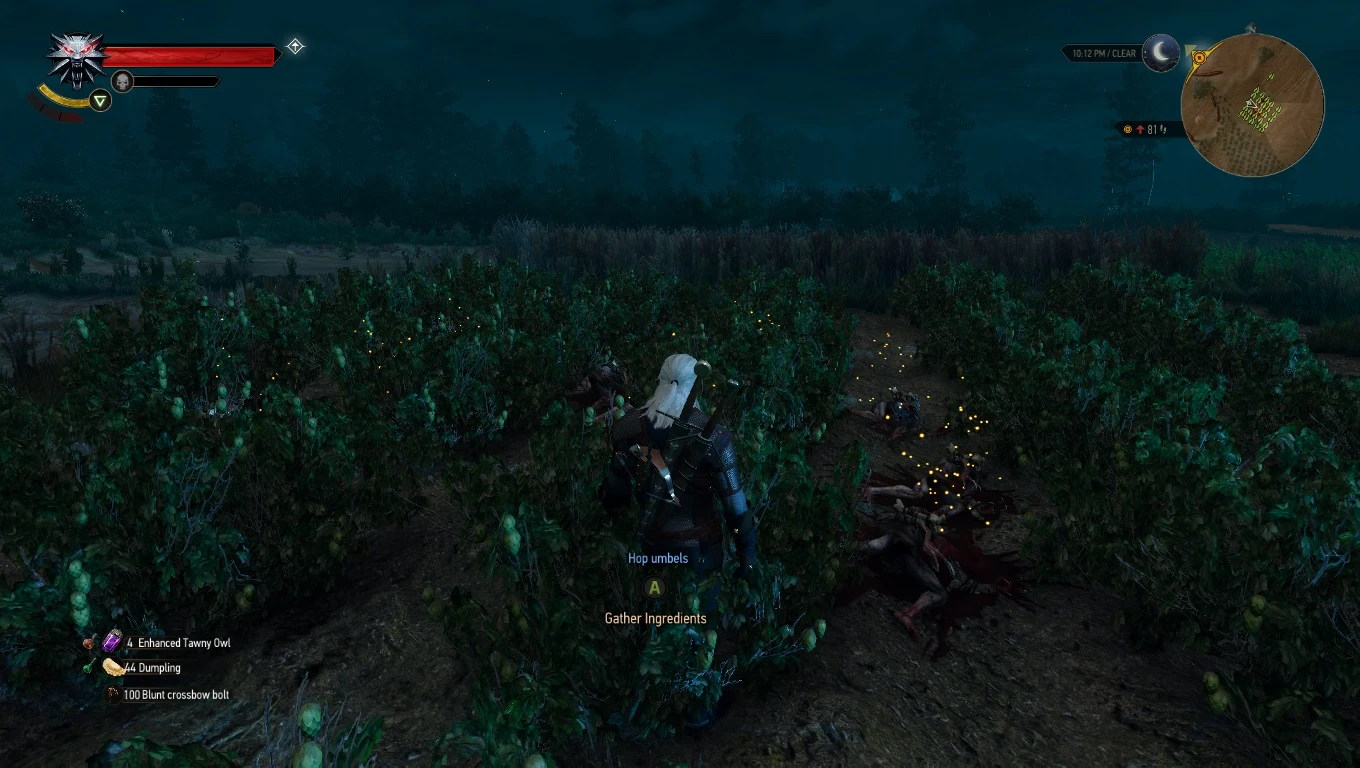
OUTDATED. Enemy loot bags get the yellow sparkle without witcher senses.
While this mod still works for the next-gen version of the game, there is a superior version:
errornoaccess has created a far more sophisticated version of this mod that not only works for any version of the game but also requires no merging, All Containers Glow
All thanks should go to him.
Now included in LEGO - Loot Economy Gear Overhaul.
Enemy loot bags get the yellow sparkle without witcher senses. The effect gets paused during cutscenes & combat.
If you want to see fewer lootbags then Lore Friendlier Loot together with its Reduced Pack Monster Drops optional standalone submod and No Junk Weapon Drops' No Junky Junk Drops alternate version are recommended.
Install:
Same as installing most other TW3 Mods. Avoid Vortex, TW3 Mod Manager recommended if you need a manager. Place any \modxxx folders directly inside your <TW3 game install>\Mods (or \mods) folder, place any \dlcxxx folders directly inside your <TW3 game install>\dlc (or \DLC) folder. Merge everything with Script Merger.
How to install most simple TW3 Mods for newbies/klutzes:
First you gotta locate your The Witcher 3 game install location. Usually it's somewhere like "C:\GOG Games\The Witcher 3 Wild Hunt GOTY" for Good Old Games versions of the game or "C:\Program Files (x86)\Steam\steamapps\common\The Witcher 3" for Steam versions of the game.
Script Merger
Download, run/install it, run what it installed to be sure it's working.
Optional but highly recommended:
TW3 Mod Manager
Download, run/install it, run what it installed to be sure it's working. Installing it all to some place like C:\TW3Modding\ should work.
Enable the Debug Console: https://www.nexusmods.com/witcher3/mods/3375. Press the keys on your keyboard until you figure out which one activates the console.
After that you can install most mods by downloading them manually (VORTEX NOT RECOMMENDED WITH TW3 MODS, IT WILL EVENTUALLY CAUSE PROBLEMS). Extract their contents somewhere (rightclick on the downloaded mod file->extract) and then place their files&folders in the right places in your game install yourself OR let TW3 Mod Manager extract and place them correctly for you (Recommended).
If you're not using TW3 Mod Manager you need to make sure all of your mod's \modxxx folders end up directly inside your <TW3 game install>\Mods folder (or <TW3 game install>\mods, wherever your other mods are). If there's no mods folder in your TW3 game install folder (TW3MM would've created one for you) you can create one by rightclicking on some empty space there -> "New" -> "Folder" and write Mods as its name. That means your \modxxx folders ends up as <TW3 game
📊 Mod Details
- Game
- Witcher3 Mods
- Author
- Partoutatix
- Version
- 1.2
- Downloads
- 16,308
- Endorsements
- 764
- Category
- Tweaks
- Created
- 5/28/2018
- Updated
- 11/4/2019
🔧 How to Install The Witcher 3 Mods
Download from Nexus Mods.
📖 Full step-by-step install guide for The Witcher 3 →
Visit the official mod page for specific installation instructions for this mod.
🎮 Need cheat codes or console commands? Check ur gaming wiki for The Witcher 3 commands, item IDs, and more.
Keep browsing — more The Witcher 3 mods await