Everlasting Oils
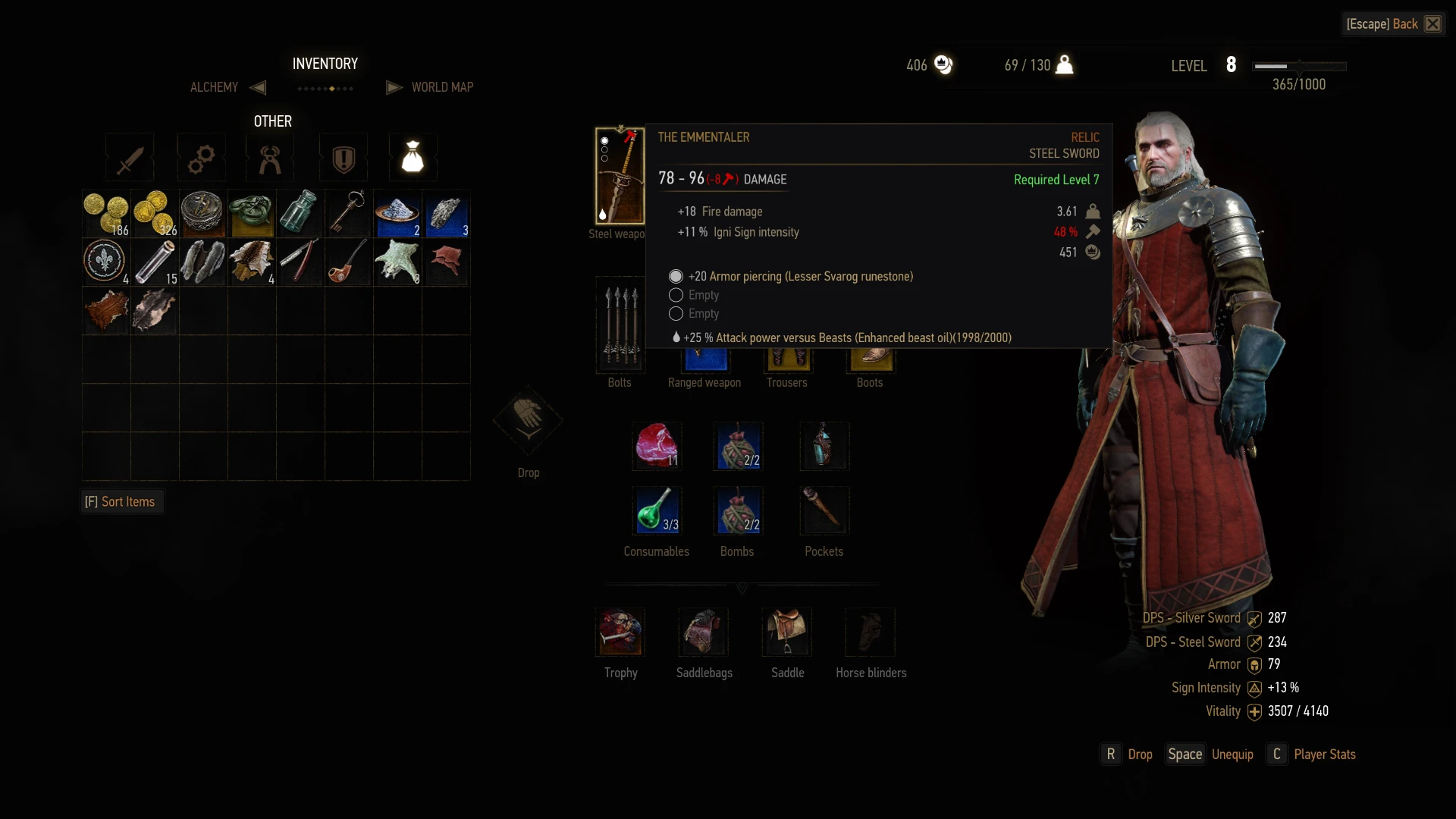
⚪ Last updated 2015Preview
🔍 Analysis
- 👍 4.2% endorsement rate — high engagement, a strong quality signal
- 🏆 #29 of 132 Tweaks mods in this game by downloads
📋 About This Mod
Increases the charges of your weapon oil so you won't have to reapply them as often.
This mod has been tested and works with patch 1. 12. 1
Update: As I no longer actively play the Witcher 3, I will not actively support this mod. It is still unlikely that it will break however, and I will check back occasionally just to see it if still works, and if it does not I might try to fix it (no promises though). Please note that as I might not be checking that this mod is working correctly if any future patches are released, it would be wise to take some additional precautions when installing if your patch does not match the one noted above. More specifically I would recommend taking a backup of your savegame if you are attempting to install any mod not confirmed to work for your patch.
I hope this mod has made the game more enjoyable (or at least a bit less tedious) for some of you, and while this might not be the most popular mod by any stretch, the amount of downloads both here and bundled with other mods elsewhere has been amazing. Thank you for your support.
-------------------------------------------------------------------------------------------------------------------------------------------------------------
Increases the duration of your oils from their original duration to 1000/2000/3000. There is also a reduced option available with 150/200/250 charges for those that wish to have it closer to the original but without having to reapply it every fight.
This mod has now been updated to be compatible with the Nexus Mod Manager thanks to the recently released modkit. To install simply use the NMM or follow the manual install instructions below. This mod should no longer affect any other mods or stop working after a new patch has been released, the sole exception to this rule is mods that also affect the "def_item_alchemy_oils.xml" file.
Manual install instructions. If you are unsure how to do this i recommend using the Nexus Mod Manager.
- []Locate your Witcher 3 install directory. This is most likely in either "<drive letter>:\GOG Games\The Witcher 3 Wild Hunt" for GOG or "<drive letter>:\Steam\SteamApps\common\The Witcher 3" for Steam []Create a folder named "mods" in this directory (case insensitive as far as I know) []Move the unzipped folder to the newly created "mods" directory []To uninstall simply remove the undesired folder from the mods directory
📊 Mod Details
- Game
- Witcher3 Mods
- Author
- Camreth
- Version
- 2.1
- Downloads
- 64,258
- Endorsements
- 2,703
- Category
- Tweaks
- Created
- 5/23/2015
- Updated
- 8/23/2015
🔧 How to Install The Witcher 3 Mods
Download from Nexus Mods.
📖 Full step-by-step install guide for The Witcher 3 →
Visit the official mod page for specific installation instructions for this mod.
🎮 Need cheat codes or console commands? Check ur gaming wiki for The Witcher 3 commands, item IDs, and more.
Keep browsing — more The Witcher 3 mods await