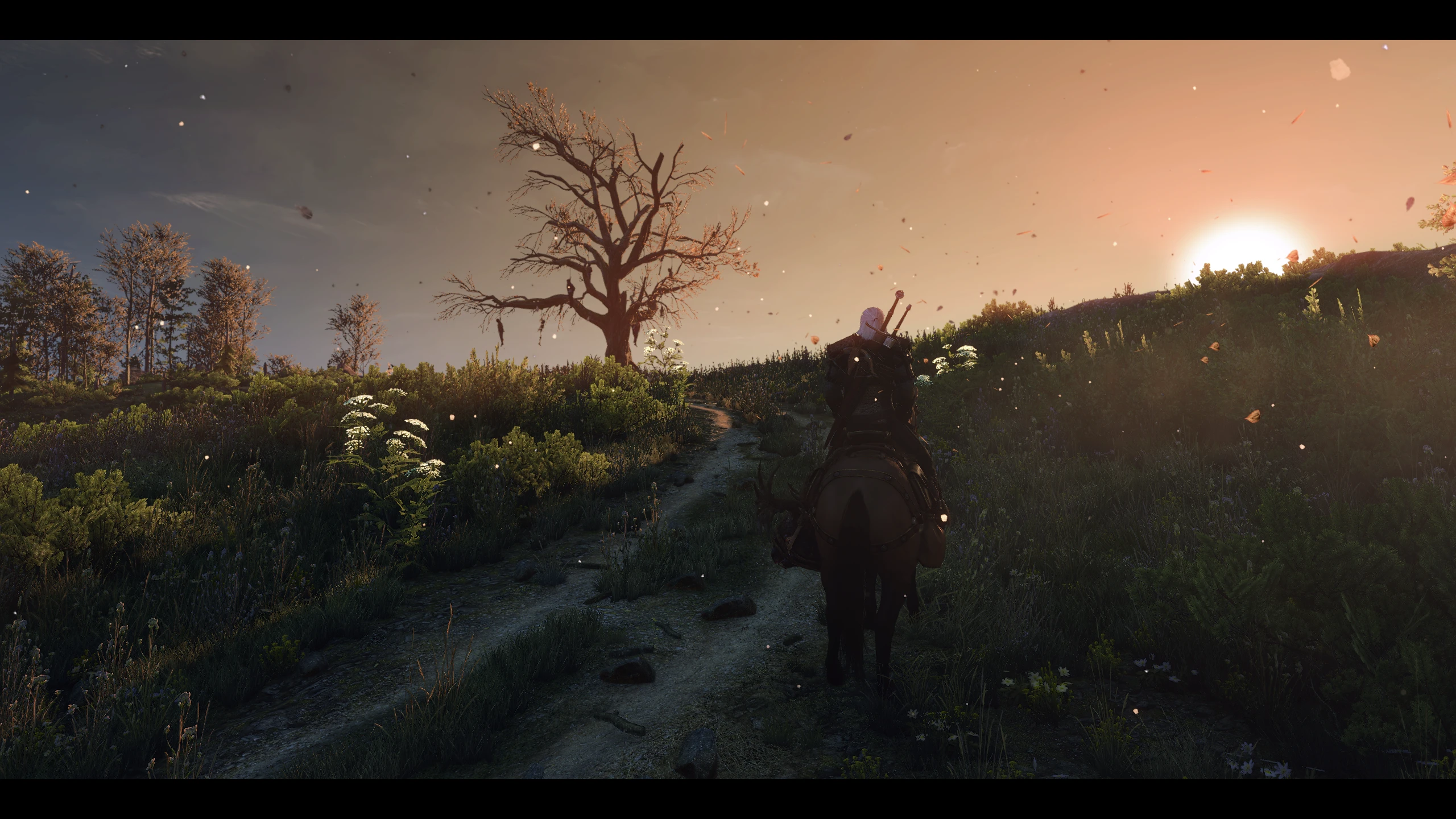
E3 2020 Reshade
⚪ Last updated 2020Preview
🔍 Analysis
- 👍 4.2% endorsement rate — high engagement, a strong quality signal
- 🏆 #42 of 74 ReShade Preset mods in this game by downloads
📋 About This Mod
03th0I0o7fU
This is NOT a recreation of the E3 2014 gameplay demonstrations, but it is inspired by it. This is what I think the game would look like if it were presented at this year's E3. It's a mix between the more realistic art style that the final release had as opposed to the more lively and stylized art style that the game had pre-release. Warm colors without detracting from the dark tone of the game and world.
Required Mods
-Wiedzmin Lighting Mod
-Clear Lighting in Toussaint
Those are only the required mods, but I do suggest the mods I currently use which are in this google doc:
https://docs.google.com/document/d/11ebwRdxtxxhI07Ltw9VdIv71U9n6cCs1gp8dpTHg7SU/edit
Installation Instructions
I'm sure many of you have installed a reshade before, but many have not so I'll try to keep it detailed.
1. Manually download the mod file and unzip it wherever you desire (no mod managers do not work for reshades).
2. Double click reshade setup 4. 3. 0 and click on "select game to install" and navigate to your Witcher 3 game installation folder folder and select the Witcher3.exe (Witcher 3 Wild Hunt GOTY > bin > x64 > witcher3.exe)
3. Once you selected the exe, it will bring you back to the reshade installer. Click on Direct3D 10+ on the bottom. Click yes until you get to the window with all the effects. Click "uncheck all" and then click "OK" (yes, this will mean that you will install zero effects, but you will be adding in the used effects in the next step. This is to reduce load times).
4. Copy and paste all the files and folders from the mod zip folder, including the reshade shaders folder but excluding the reshade setup file, into your Witcher 3 x64 folder (where your executable is).
5. Open the game and you should see a message at the top. Once your game is loaded, press the home button to bring up the reshade menu. At the top of the reshade menu, there should be a dropdown menu and select "E3 2020" and you're good to go.
📊 Mod Details
- Game
- Witcher3 Mods
- Author
- BeardedWonder95
- Version
- 1.0
- Downloads
- 7,255
- Endorsements
- 307
- Category
- ReShade Preset
- Created
- 3/28/2020
- Updated
- 3/28/2020
🔧 How to Install The Witcher 3 Mods
Download from Nexus Mods.
📖 Full step-by-step install guide for The Witcher 3 →
Visit the official mod page for specific installation instructions for this mod.
🎮 Need cheat codes or console commands? Check ur gaming wiki for The Witcher 3 commands, item IDs, and more.
Keep browsing — more The Witcher 3 mods await