Assassin of Kings - ReShade
⚪ Last updated 2019Preview
🔍 Analysis
- 👍 3.9% endorsement rate — high engagement, a strong quality signal
- 🏆 #47 of 74 ReShade Preset mods in this game by downloads
📋 About This Mod
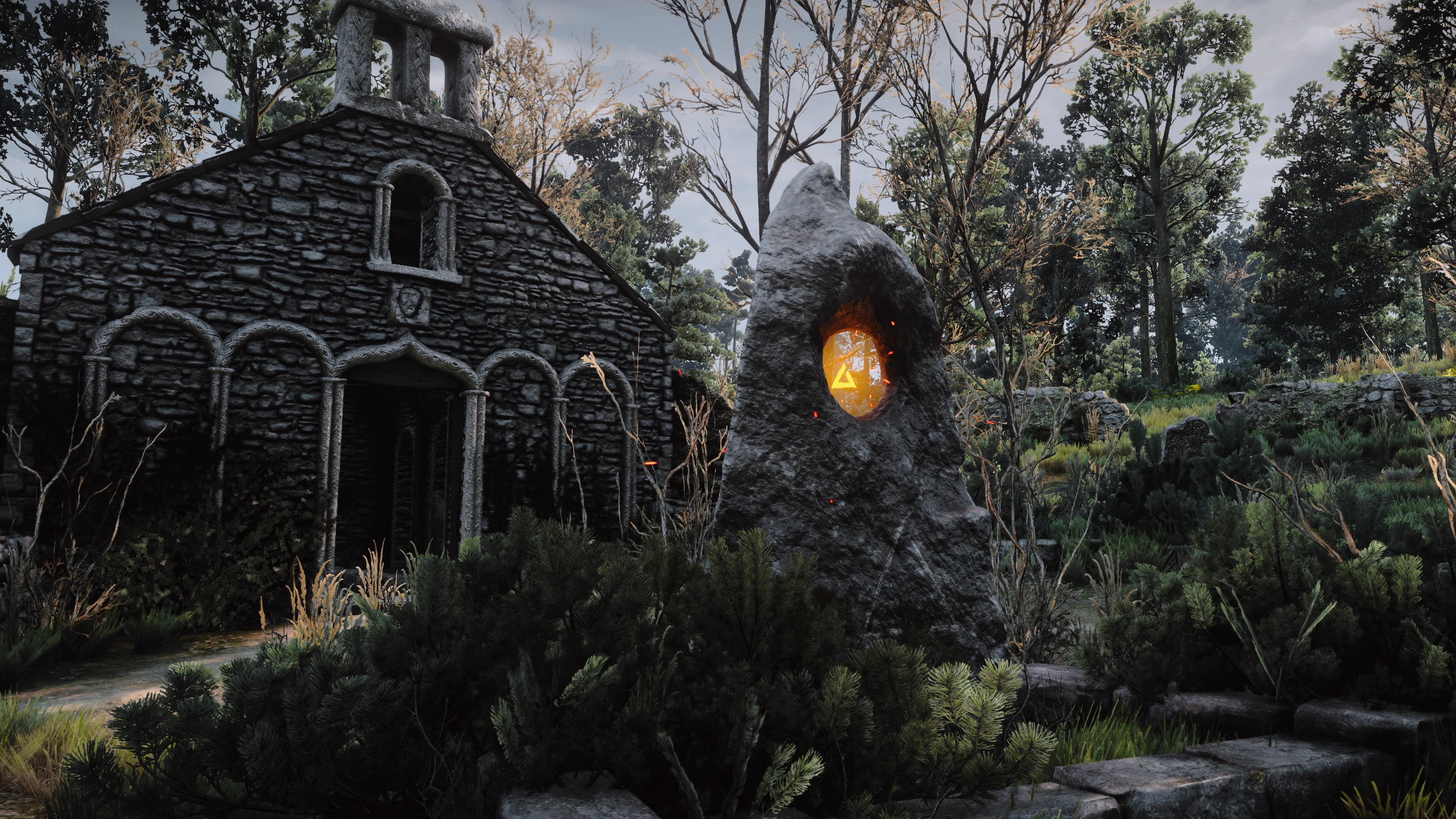
A preset, that aims to be perfect for both gameplay and screenshots. Elegant, natural, yet stunning.
Description
------------------
See, I wanted to create a preset, that would be good for gameplay. That'd improve the visibility and shadows that are far too dark. Without the contrast crushing the blacks, or the saturation blowing out your eyes. Wanted for it to have a tone, and a balance. While still keeping in mind the mood and theme of the Witcher series. That'd look great, whether you were just riding around, walking, or trying to take the best screenshots of your life. Well, this is what I came up with. And I think it looks pretty darn good. I have made it, and the screenshots are taken with the Wiedzmin Lighting Mod. The preset however, should work just fine with Phoenix Lighting Mod. Any other lighting mod you throw it at, should work to an extent. But I recommend you try it out, see for yourself, and don't give up your favorite lighting mod, just yet.
Installation
------------------
-
[]Download the newest version of ReShade from the website
[
]Install ReShade onto your Witcher 3, by starting the installer, going to the folder where the game is located, entering the folder "Bin" then "x64" and selecting the witcher3.exe file. Then clicking on Direct3D 10+ on the installer.[]When prompted to download a collection of standard effects, click "yes".
From the list of shaders, select "Ambient Lighting", "Curves",
"LUT", Lift Gamma Gain", "Colourfulness", "Filmic Pass", and "SMAA".
[]Once that is done, open the archive you downloaded from this mod page, and throw the preset, along
with the reshade-shaders folder, into the same folder ReShade was
installed (the folder containing the "witcher3.exe" file). Replace any
files it might ask you to replace. (It needs to replace the default LUT
texture, with the one made for this preset)
- When you open the game, you can open the ReShade window with the default key
"Home" on your keyboard. Here you can select the preset you desire.
📊 Mod Details
- Game
- Witcher3 Mods
- Author
- deleted66238991
- Version
- 1.0
- Downloads
- 6,686
- Endorsements
- 261
- Category
- ReShade Preset
- Created
- 3/18/2019
- Updated
- 5/8/2019
🔧 How to Install The Witcher 3 Mods
Download from Nexus Mods.
📖 Full step-by-step install guide for The Witcher 3 →
Visit the official mod page for specific installation instructions for this mod.
🎮 Need cheat codes or console commands? Check ur gaming wiki for The Witcher 3 commands, item IDs, and more.
Keep browsing — more The Witcher 3 mods await