VStormV's Witcher 2 Reshade
⚪ Last updated 2021Preview
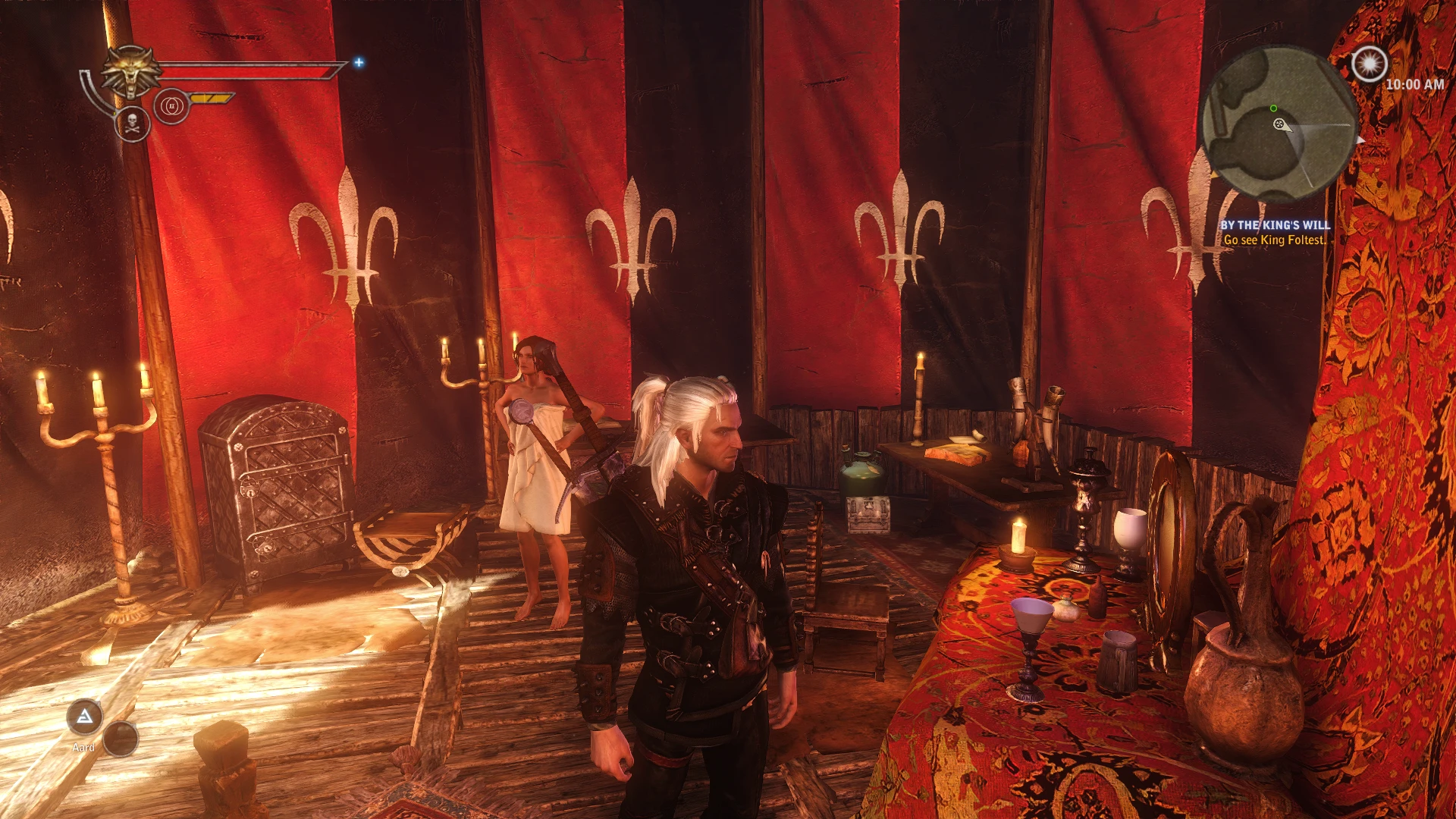
🔍 Analysis
- 👍 3.4% endorsement rate — high engagement, a strong quality signal
- 🏆 #25 of 38 Visuals and Graphics mods in this game by downloads
📋 About This Mod
Hi from Malaysia! I'd like to share a simple reshade preset. Stay Safe guys!!
Installation
The new reshade may be confusing as there are many effects to choose from. You can just choose all of the effects or you may want to use older versions (around 3. 4. 1) from here:
Reshade Repository
Then run the new version to update after installation.
1) Download preset and unzip to the same place as to where your Witcher2.exe is.
2) Download reshade from https://reshade.me/
3) Run setup tool > Follow instructions > Close setup tool > Start game > Press Home or Shift+F2 (older version) > Select VStormV preset > Profit
Techniques=Levels@Levels.fx,EyeAdaption@EyeAdaption.fx,AmbientLight@AmbientLight.fx,BloomAndLensFlares@Bloom.fx,Clarity@Clarity.fx,Colourfulness@Colourfulness.fx,Vibrance@Vibrance.fx,DPX@DPX.fx
Don't forget to set performance mode on once you're done.
This preset was meant to run on on the default in-game gamma and Nvidia's 50% vibrance setting. It might differ for your monitor. You can set the reshade's vibrance colours to your liking.
For dark display issue in Windows 10, adjust your gamma, type "Colour Management" under search taskbar and follow the guide here.
This preset can be a bit dark at some places without light source. The Bloom effect can be overblown at some places in the game. It's just ok for me.
Do share your screenshots and videos!! ^__^
Make sure to install the installer files that came with the game. Especially if you're encountering crashes. Example the directx, vcredist etc.
Disable exe's Full Screen Optimizations (Play in Full Screen).
Use Vsync/Triple buffer/Thread optimization at Nvidia's Control Panel. Disable in-game Vsync.
Mark the DLL files to be able to use more than 2GB RAM.
Disable Uber sampling.
Disable blur (for motion sickness).
2048 for ini settings where applicable.
Recommended Mods
=================
Better Texture Environment - This mod has some bugs. Lookup the posts.
AI Upscale Textures - Overwrite the mod above. I use 2k textures for 1080p. This makes the game look current gen!
Extreme Vegetation Rendering Distance
Geralt's face from Witcher 3 and white hair
Master Witcher Redux - I play this fun combat mod at normal difficulty. Edit the ws files for other mods here if you're using this mod.
Zero Weight Mod
Gibbed RED Tools - for modifying the ws files for the mods below.
FOV-Mod - For those getting motion sickness.
Two Talents Per Level - Some say you need this for more satisfying endgame.
Medallion Cooldown Reduced
My Other Mods - Preview
=============
Mafia: Definitive Edition
Mafia II: Definitive Edition
King of Fighters XIV
📊 Mod Details
- Game
- Witcher2 Mods
- Author
- VStormV
- Version
- 1.0
- Downloads
- 1,047
- Endorsements
- 36
- Category
- Visuals and Graphics
- Created
- 10/7/2021
- Updated
- 10/7/2021
🔧 How to Install Witcher2 Mods
Download from Nexus Mods.
📖 Full step-by-step install guide for Witcher2 →
Visit the official mod page for specific installation instructions for this mod.
🎮 Need cheat codes or console commands? Check ur gaming wiki for Witcher2 commands, item IDs, and more.
Keep browsing — more Witcher2 mods await