Remove Visual Effects 4 Dark Mode Mod
⚪ Last updated 2020Preview
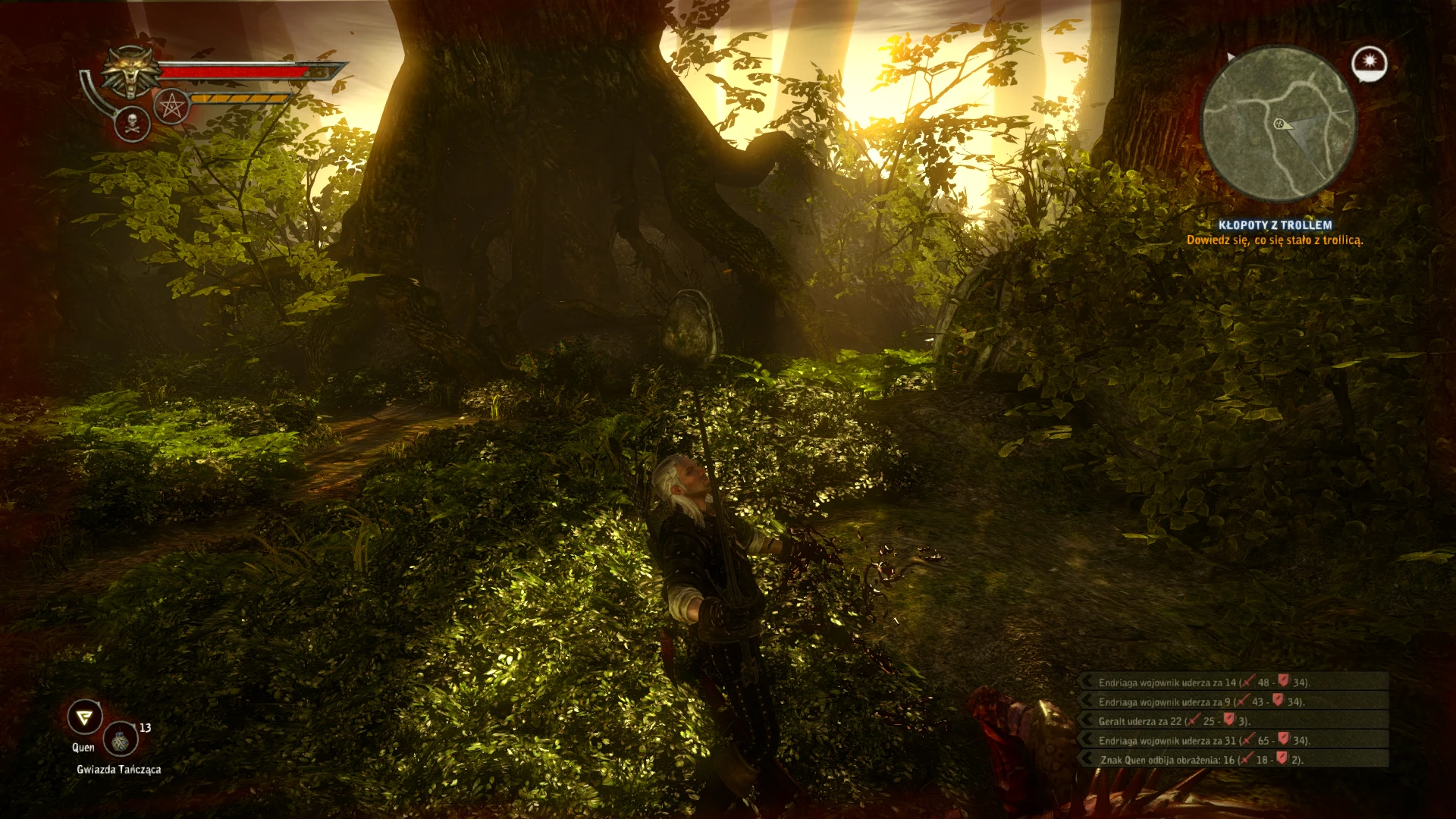
🔍 Analysis
- 👍 4.8% endorsement rate — high engagement, a strong quality signal
- 🏆 #17 of 38 Visuals and Graphics mods in this game by downloads
📋 About This Mod
Removes the blurring visual effects at the edges of the screen and the grumbling sound when you enter Dark Modetwo versions available - no blurring no grumbling keep darkscreen - and - no blurring no grumbling no darkscreen -
------------------------ Update//Info -------------------------
It seems many roads lead to Rome.. depending on the search term you may never find this mod ["dark weapon" "dark effect"],
as I did - searching ["remove" "visual effects" "dark mode" "edges"]. Well, Kudos & Credits!
Anyway, I was
-------------------------------------------------------------------------------------------------------------------------------------------------------------------------------------------------------
Roaming from dragonbird's outdated mod (27 June 2013, 6:49AM) to gamefaq forums (this is actually where the idea for this particular mod comes from..)
and after several hours of trial & error...
Both versions keep the DarkSet Bonus (life leech) & remove the visual and audio effects
version one keep Dark Effects as well (screen greys out)
version two screen does not grey out when you draw a dark weapon
package package with different base_scripts.dzip files to simply switch between the moods (vanilla, keepdarkscreen, dumpdarkscreen)
tested with Witcher2 EE v3. 4 (fresh install & either version one or two)
equipment any complete dark mode set(including the swords)
just in case
! BACKUp your savegames (documents\Witcher2\gamesaves) and your base_scripts.dzip file (Witcher2\CookedPC) !
-------------------------------------------------------------------------------------------------------------------------------------------------------------------------------------------------------
Installation (version one or two; for package installation see file description):
1. Use Gibbed RED Tools (Props! to the Creator; found here on Nexus;) to Unpack your base_scripts.dzip file
(drag base_scripts.dzip file & drop on "Gibbed. RED. Unpack.exe"; a base_scripts folder will be created)
2. Copy the downloaded
- player.ws file to Witcher2\CookedPC\base_scripts\game\player folder
and overwrite the existing file
- combatsilver.ws & combatsteel.ws files to Witcher2\CookedPC\base_scripts\game\player\states folder
and overwrite the existing files
3. ReMove the (now) old base_scripts.dzip file from your CookedPC folder
RePack the (now) modified base_scripts folder via Gibbed RED Tools
(drag base_scripts folder & drop on "Gibbed. RED. Pack.exe"; a new base_scripts.dzip file will b
📊 Mod Details
- Game
- Witcher2 Mods
- Author
- Servusla
- Version
- 1.0
- Downloads
- 2,142
- Endorsements
- 103
- Category
- Visuals and Graphics
- Created
- 8/9/2020
- Updated
- 8/12/2020
🔧 How to Install Witcher2 Mods
Download from Nexus Mods.
📖 Full step-by-step install guide for Witcher2 →
Visit the official mod page for specific installation instructions for this mod.
🎮 Need cheat codes or console commands? Check ur gaming wiki for Witcher2 commands, item IDs, and more.
Keep browsing — more Witcher2 mods await